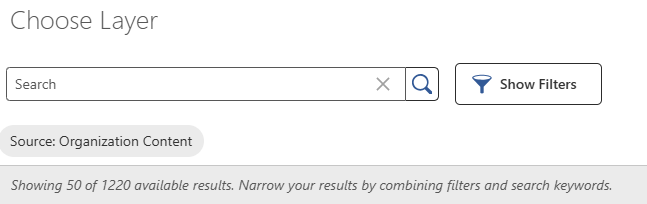
Choose Layer number of shown results

Does anyone know if the number of 50 shown results is configurable?
It seems there is a hardcoded &num=50 parameter in the underlying search request?
-

Hi Nico,
I believe the setting you are looking for can be found in the Studio Web Designer under the component “Search (Search)”, not to be confused with the component “Search (Search New Extent)”.
The “Pinpoint Search (Ctrl + Shift +F)” may be used to quickly locate the respective setting: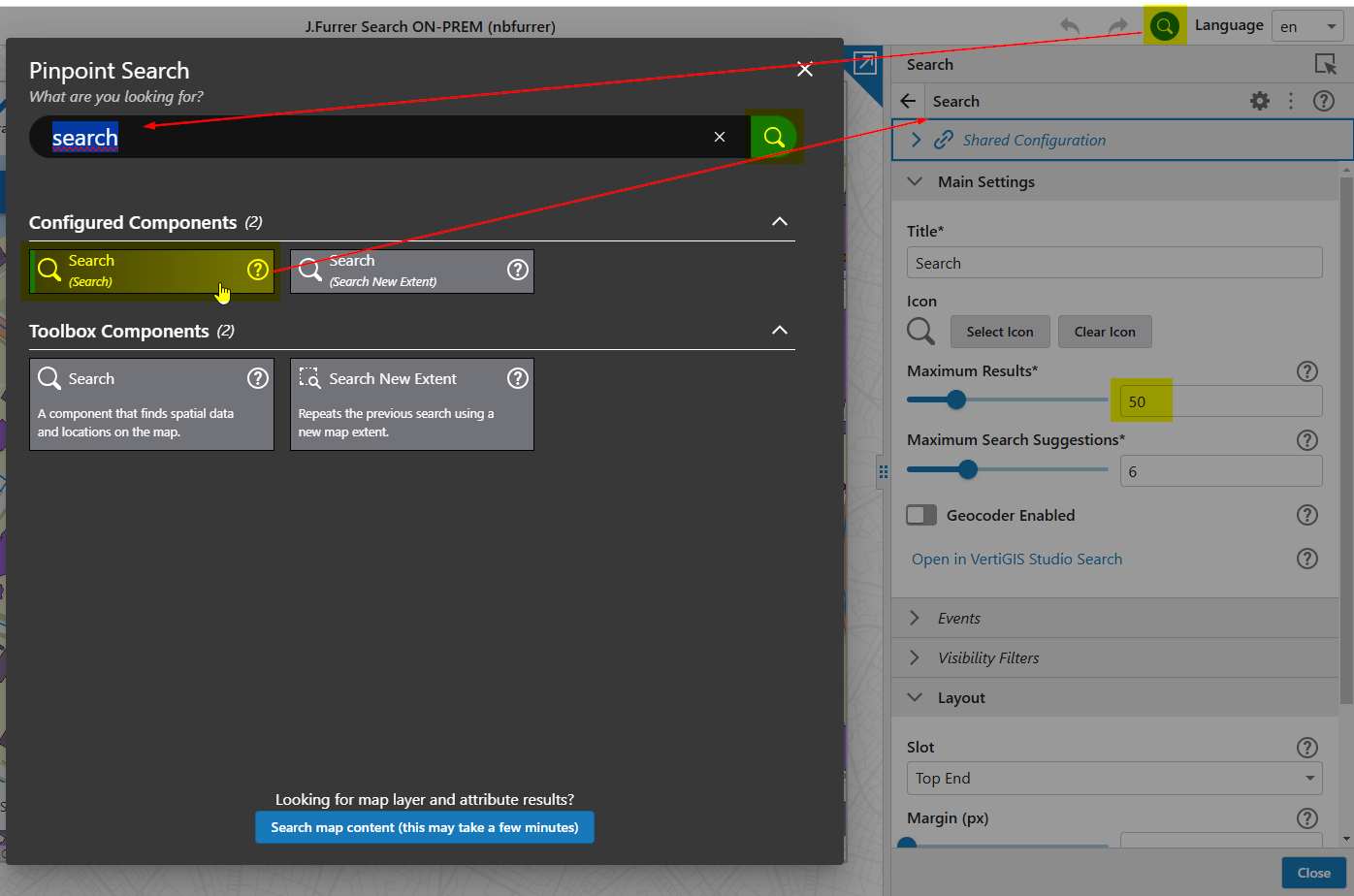
Note:
A higher number than 200 cannot be configured as results maximum in VertiGIS Studio Web.
A set of 200 results is deemed sufficient for typical web GIS use.0 -
Jakob Furrer No this setting doesn't modify the number of shown results in the Choose Layers dialog.
0 -
Nico Burgerhart You are correct. I have answered your question without looking at the screenshot closely enough.
I am not aware of any way how the maximum number of results for this dialog could be configured.0
Please sign in to leave a comment.
Comments
3 comments