How to Edit the Layer Extensions? Missing Button?

We recently upgraded to 5.33.0
We have removed a layer from the source WebMap, but the layer is still showing up in the layer extensions in the map. There used to be an ‘edit’ button to remove the missing layers. But that seems to be gone now?
How do I remove a layer from the map component in VSW?
0
-

Hey Ali VanSickle I do not recall a remove button there under Layer Extensions, though I may have missed it.
A couple things:
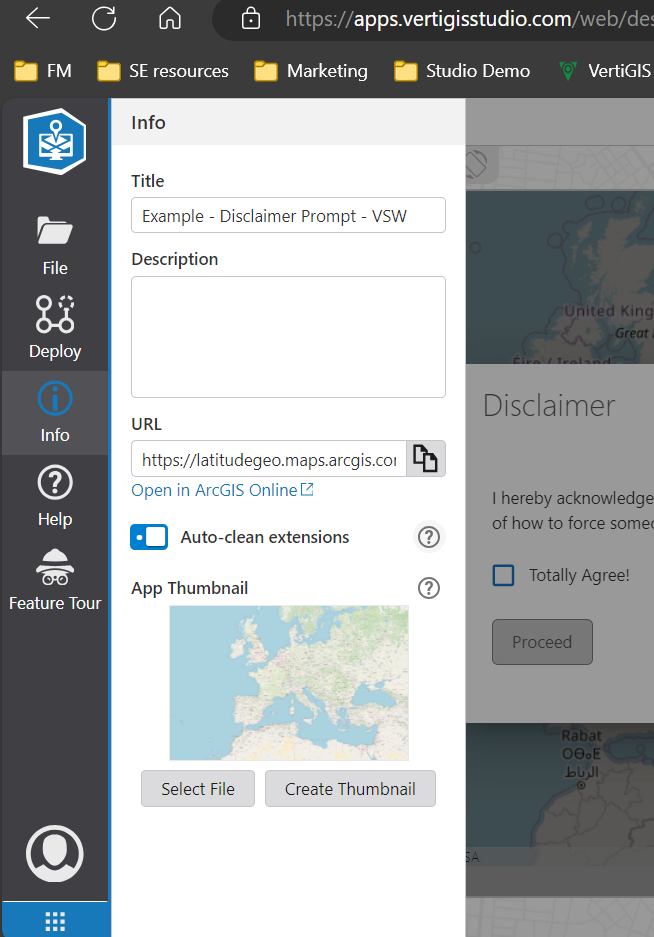
- Do you have, under File > Info, the “auto-clean extensions” tickbox on? I believe it defaults to on so probably yes.
Under the Map component, try clicking “Refresh” to fetch a fresh copy of your web map. Any change there?
 0
0
Please sign in to leave a comment.
Comments
1 comment