How to dynamically change the text in a Text component in Studio Web

Hi, I have a button in an expand that shows layer presets. When the user clicks on a layer preset I want to populate a text component that says what layer preset has been selected. I guess I have 2 questions:
- how do I intercept that the user has clicked on a desired layer preset?
- how do I then populate the text component text with the layer preset name?
Any help is much appreciated!
-

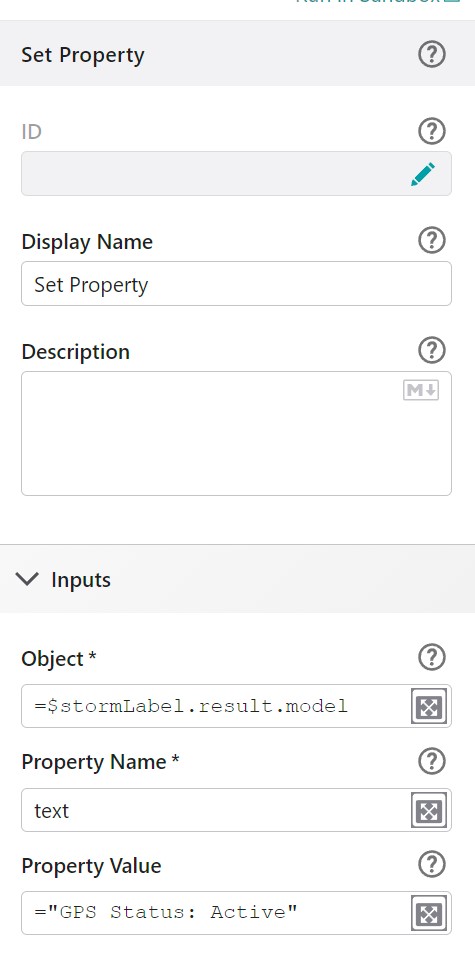
I can help you with the latter. I don't know the events for the Layer Presets. If you use “Set Property” within a Workflow you can target an element's text. I trigger a workflow that does a query and then updates a label's text during the app initializing event.
 0
0 -
Thanks Jamie, that got me so I can update the element text. I'm going to post my first question as a separate thread.
Chris
0
Please sign in to leave a comment.
Comments
2 comments