Multiple maps within VSW

Hi,
A couple of questions here looking for suggestion/ advice on what's best to proceed.
Currently working on developing a VSW site containing data from thousands of sites. Those sites are categorized into 4 campaigns. It would be great to have a map that showcases all sites, and individual maps that users can switch to if they want to see specific campaigns. So 5 maps in total. 1) First question is, would that slow down the load time of the app?
2) If not, I realized some components (e.g. search/ basemap picker/ compass/ scale) are map specific, is there a way to make it so that those stay and refresh based on which map we choose?
3) If not, is there an easy way to copy those from one map to another?
Any answers to any of the above questions would be greatly appreciated!
Thanks,
Aaron
-

Can only comment on what I've been testing this week with a multi-map application I've put together as a proof of concept of sorts.
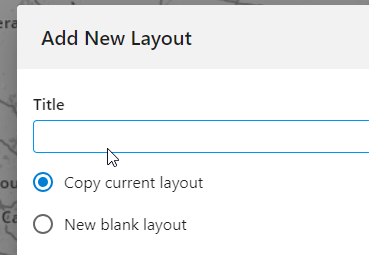
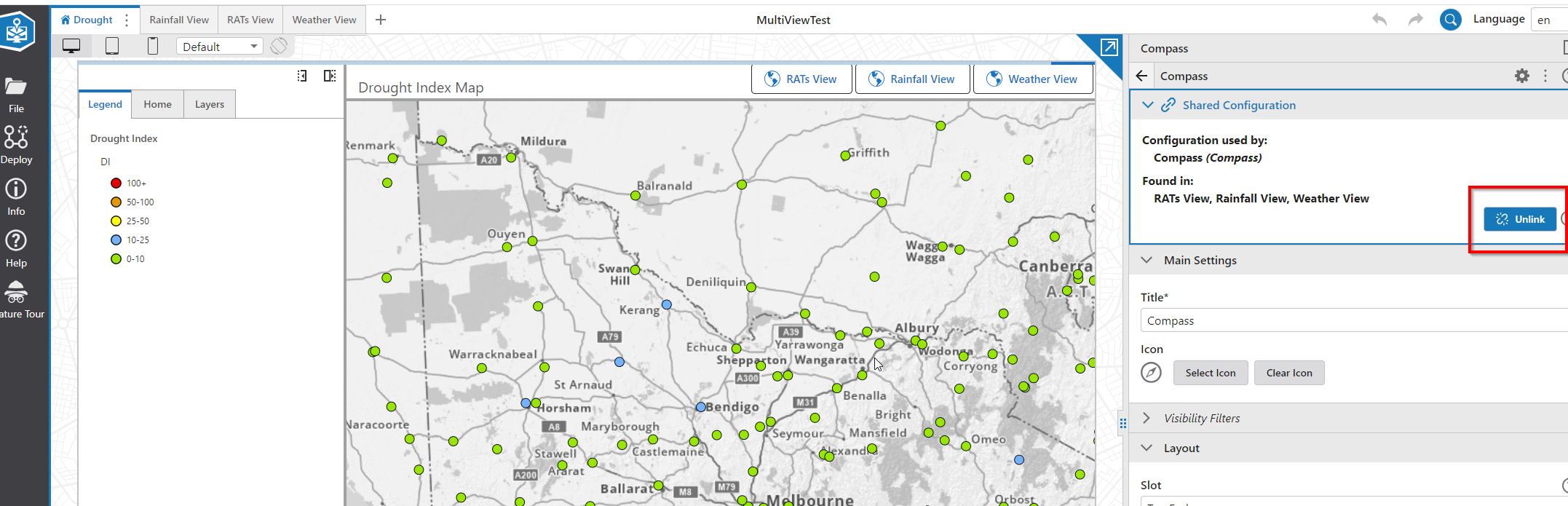
So far it's working ok with switching in 4 different webmaps. I simply hit the create new layout ‘+’ button on the top of the layouts, and then choose Copy current layout. It copies everything across to a new layout, but I've found that I need to go into each component and remove the Shared configuration if I want everything (map, compass, search etc) to be treated individually - this was key here - as any changes made flow through to each potential layout. It's a bit of a pain, Ideally there could be a toggle to not do this, but it saves building the same layout again from scratch.
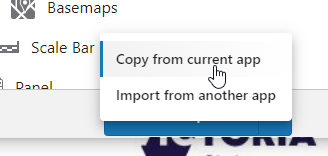
you can also copy individual elements from one layout to another - I only found this after doing the above steps, but this is pretty simple also. Under the Add Component button, hit the down arrow and select the Copy option, and then select the component to copy in. I think this also creates a ‘shared’ configuration link, so you might want to unlink the copied feature/component.
As I said, it's early days, and I'm only using relatively small layers numbers in each webmap referenced - so I can't really comment on the speed of load etc. I'm not noticing anything to great with what I have currently.
hope that helps
2 -

Gareth Finney
Hi Gareth,
This is exactly what we are trying to accomplish, but with no luck.
I can't seem to find the “Add New Layout” component? Do you mind sharing where you were able to find this?0 -
Hi Ali VanSickle
Apologies for the tardy response. Been busy with fires!
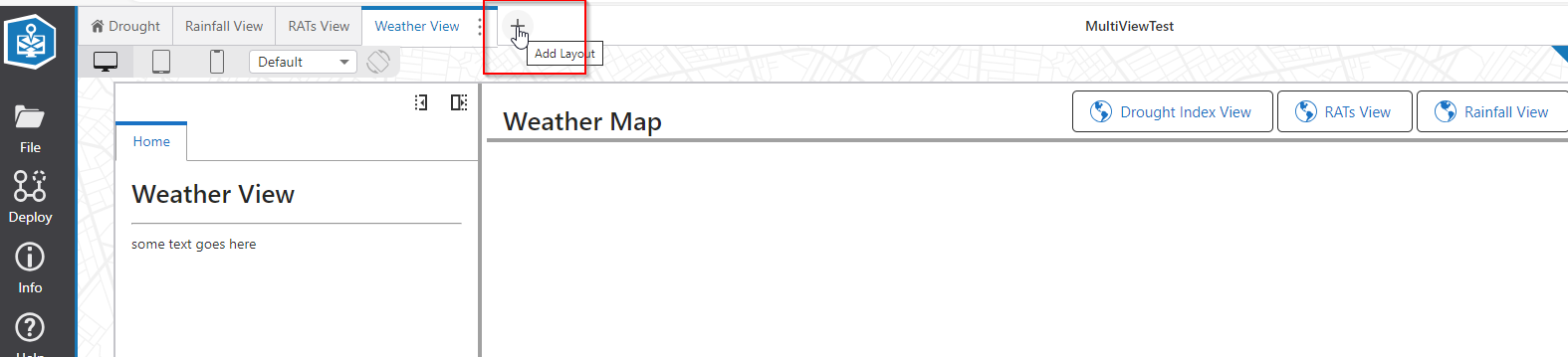
I haven't actually touched this layout thing for months, so I had to refresh my own memory with this one. You can add new layouts here…
 0
0
Please sign in to leave a comment.
Comments
3 comments