Provide ability to set Maximum Return Number of Records for Query Builder

The OOTB Query Builder returns only a maximum of 500 records, we would like to request an enhancement in the Query Builder to provide an option to choose the maximum return results from a query.
For big utility customers, this is a small number, if someone of size with 600,000 customers and wants to search for customers based on a single circuit, then currently there is NO way, we can able to get all the customers.
-

I agree that we the users should be able to control the maximum return results from Query Builder. I was astonished that this isn't an out of the box capability where we can't modify the default return records from Query Builder.
There are numerous use cases where we have staff that are actively querying data to plan for asset replacements such as storm pipe based on material, hydrant age, age of water mains, condition criteria of pavement sections…etc across the City where the number of the return records would easily exceed 500 records.
Can't it be as easy as modifying the max results using the tasks.query command the same as you would to change max return records for the identify tool?
{"name" : "tasks.identify", "arguments": {"maxResults": 1000}}
7 -

Any info on this one, I was trying to figure out a place to adjust the max results - were either of you able to get this? Thanks!
0 -

Within your app you'll see config that looks something like this:
{
"id": "query-builder-config-1",
"spatialFilterActions": "item://menu/query-builder-tools",
"$type": "query-builder"
},
... type query-builder
We don't write out default config, but there is more going on here. You can modify it like this:
{
"id": "query-builder-config-1",
"onQuery": [
{
"name": "tasks.query",
"arguments": {
"maxResults": 1000
}
},
"results.display"
],
"spatialFilterActions": "item://menu/query-builder-tools",
"$type": "query-builder"
},
2 -

Thanks Cam Barnard for the snippet!
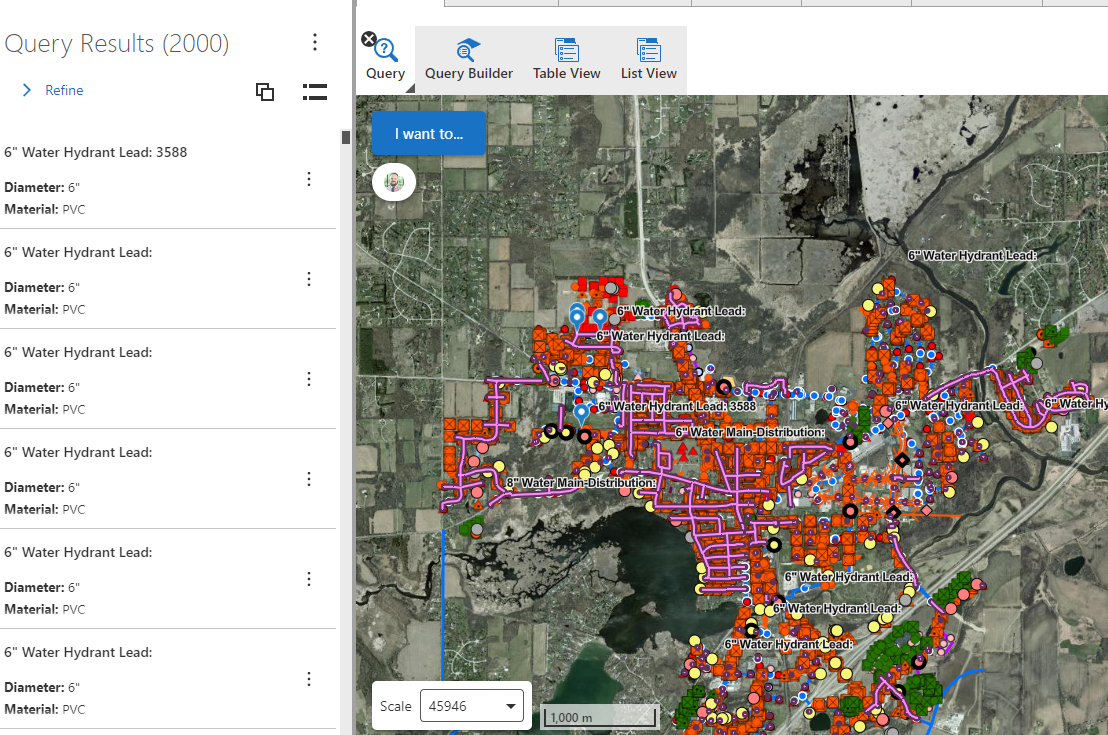
That is almost working, since I have set it to 10000, but it is still capping my results at 2000.

 0
0 -
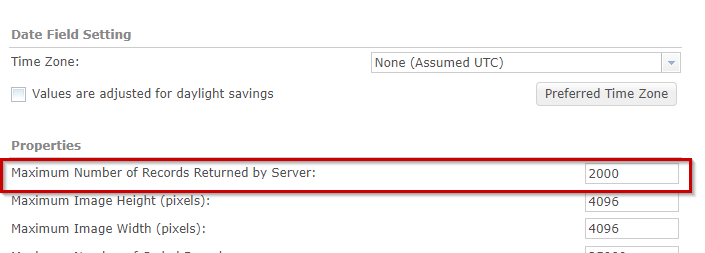
Hi Alex, What is the maximum number of results return for your map service ?, it might be 2000 by default, If that is the case, you may need to increase this number.
 1
1 -

As a general VSW idea, it would be nice if this option was configurable OOTB via the Query Builder component options in Designer, instead of having to modify the app config json.
Added to VSW Ideas board:
1 -

Agree with Matthew!
0 -

I agree that this setting should be easier to discover. Of course it's a best practice to not request too many values in general (to keep good performance), but if a user really really needs this, than it should be possible to override the — rather arbitrary — value of 500. Maybe with a warning in the designer, or with an option that shows the expected number of records that are about to be queried to the end user.
If this is not feasible, then we should at least be able to specify a sort order, so that relevant records are at the top.
1 -

Hi all, a collegue suggested to introduce a “paging” functionality in the results interface. It's correct to cap the number of returned records, expecially with UN datasets, but it's also common that even all records (thousands) should be returned. A paging funcionality would mean a “More…” or “>>” button that queries the next page of records (2000 eg, if that's the limit set in the feature service). Actually, you can find this functionalities in many data browsing applications.
1 -

Hi Cam,
I opened the json of my app with Ctrl + Shift + E to increase the maxresults but I can't find something like
{
"id": "query-builder-config-1",
"onQuery": [
{
"name": "tasks.query",
"arguments": {
"maxResults": 1000
}
},
"results.display"
],
"spatialFilterActions": "item://menu/query-builder-tools",
"$type": "query-builder"
},
I searched for “ onQuery”, “maxResults” and so on, but nothing like this is there. My app has the query functionality, but I can't find it in the JSON. Can you help me?
0 -

Try to search for query-builder. The onQuery part you will have to add.
"onQuery": [{
       "name": "tasks.query",
       "arguments": {
           "maxResults": 1000
       }
   },
   "results.display"
],
0 -
Thanks Nico, I got it!
0 -
This worked perfectly thank you!!
0
Please sign in to leave a comment.
Comments
13 comments