Configure search for feature

Hi,
I'm starting from scratch with a blank map in Vertigis Studio Web. I have added my map which contains my layers and features. I want to add a search component. Now how do I configure this component to look for certain fields in my different layers and fields?
Lets say I have layer A and B, with corresponding field C and D. In layer A, I want it to search for text in field C, and in layer B I want it to search for text in field D. How can I do this? googling this stuff really does not help.
Any guidance would be happily appriciated. Thanks in advance.
-

In the VSW designer, you can toggle search for individual layers. And for each layer you can toggle search for all available fields.
Here is an example from the designer and the layer "Prosjekter", where I have enabled search on the field "prosjektnavn":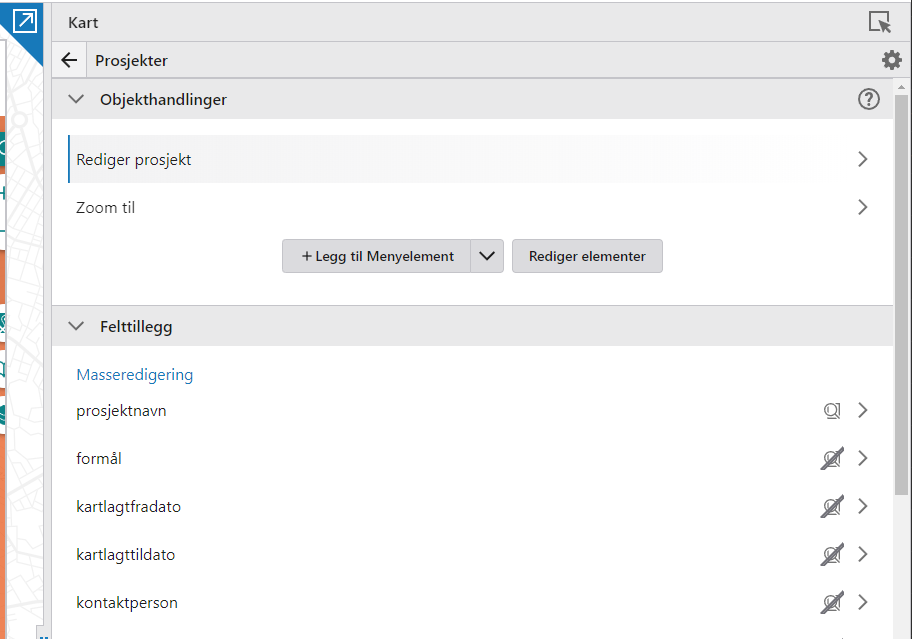 0
0 -
Hei Sindre!
Alt vel?
Thanks for the answer. But I am spesifically interested in configuring the search component. My default settings looks like this:
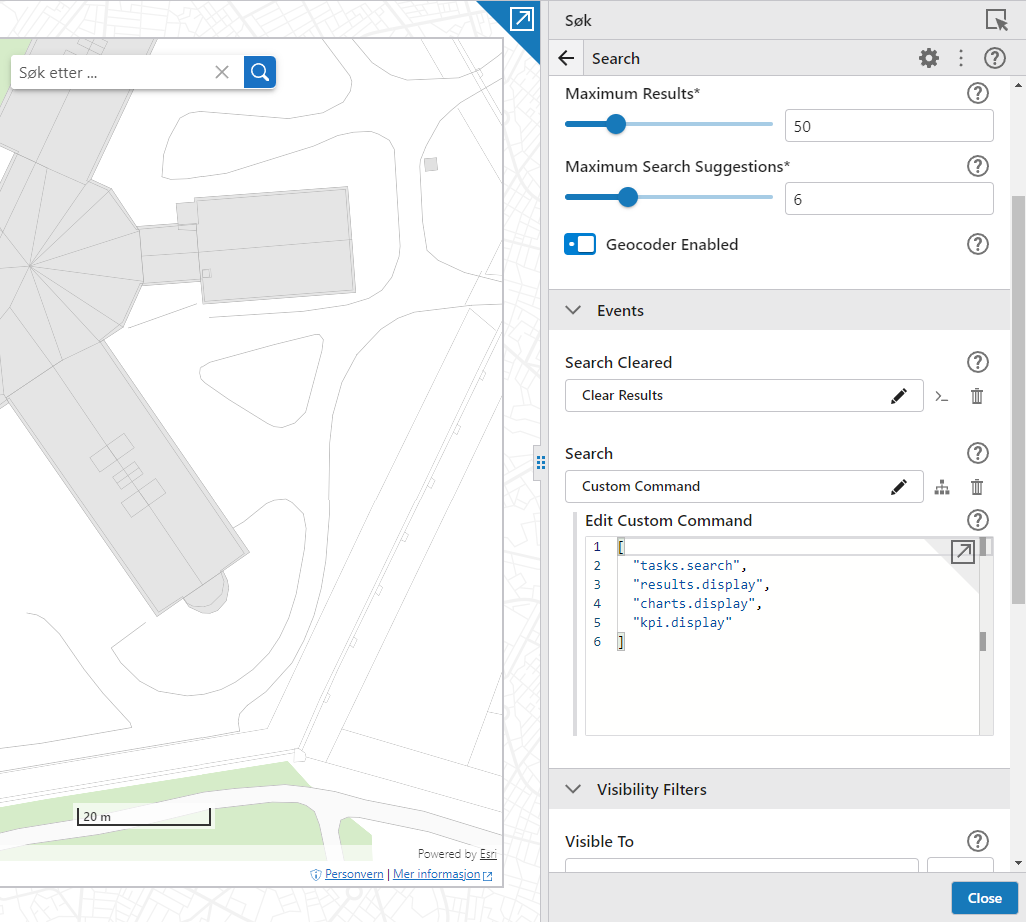
When I use this settings, and my fields like yours is visible for search. I can't get any matches.
0 -
The settings I mentioned is for configuring layers/fields used by the search component. Are you sure your layer has search enabled to? On each layer there is a toggle for search, and this must be turned on to be able to search for search enabled fields within that layer.
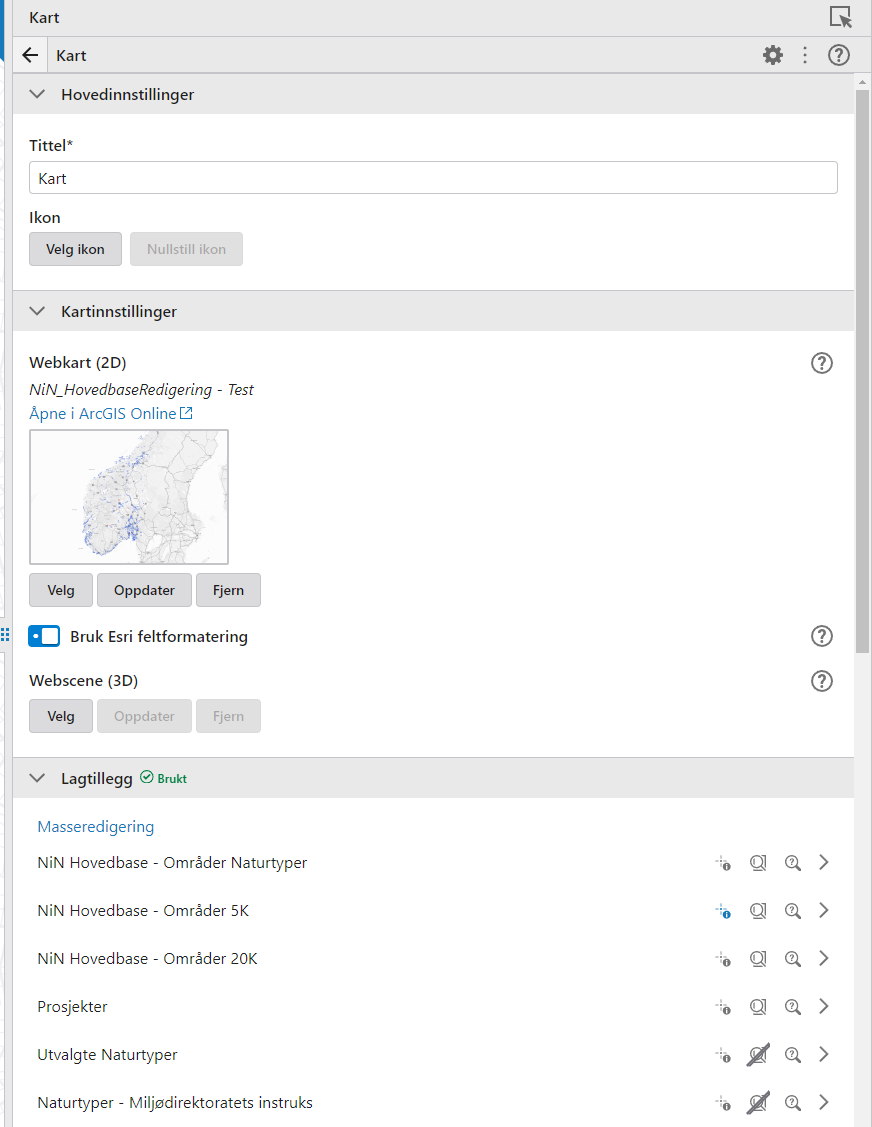
Alt velt ja :) Lenge siden!0
Please sign in to leave a comment.
Comments
3 comments