5.24 Filter and Query Tools

We've been waiting a number of years to get the Filter and Query tools available, and now that they are finally here, I am little concerned in how they were designed.
1. Why are these components instead of just commands? It's hard enough to manage the UI in VGS Web. I was really hoping these could just be buttons to add to a toolbar.
2. I am very surprised the query and filter tools don't allow the autocomplete of values when defining a query. Any user would assume at least a picklist of values that are attributes of the field chosen.
Anyone else share these concerns or can someone set me straight?
-

Hey Ryan Kelley
I'm inferring you're hoping to see Query and Filter listed as commands here in the commands list, is that correct?
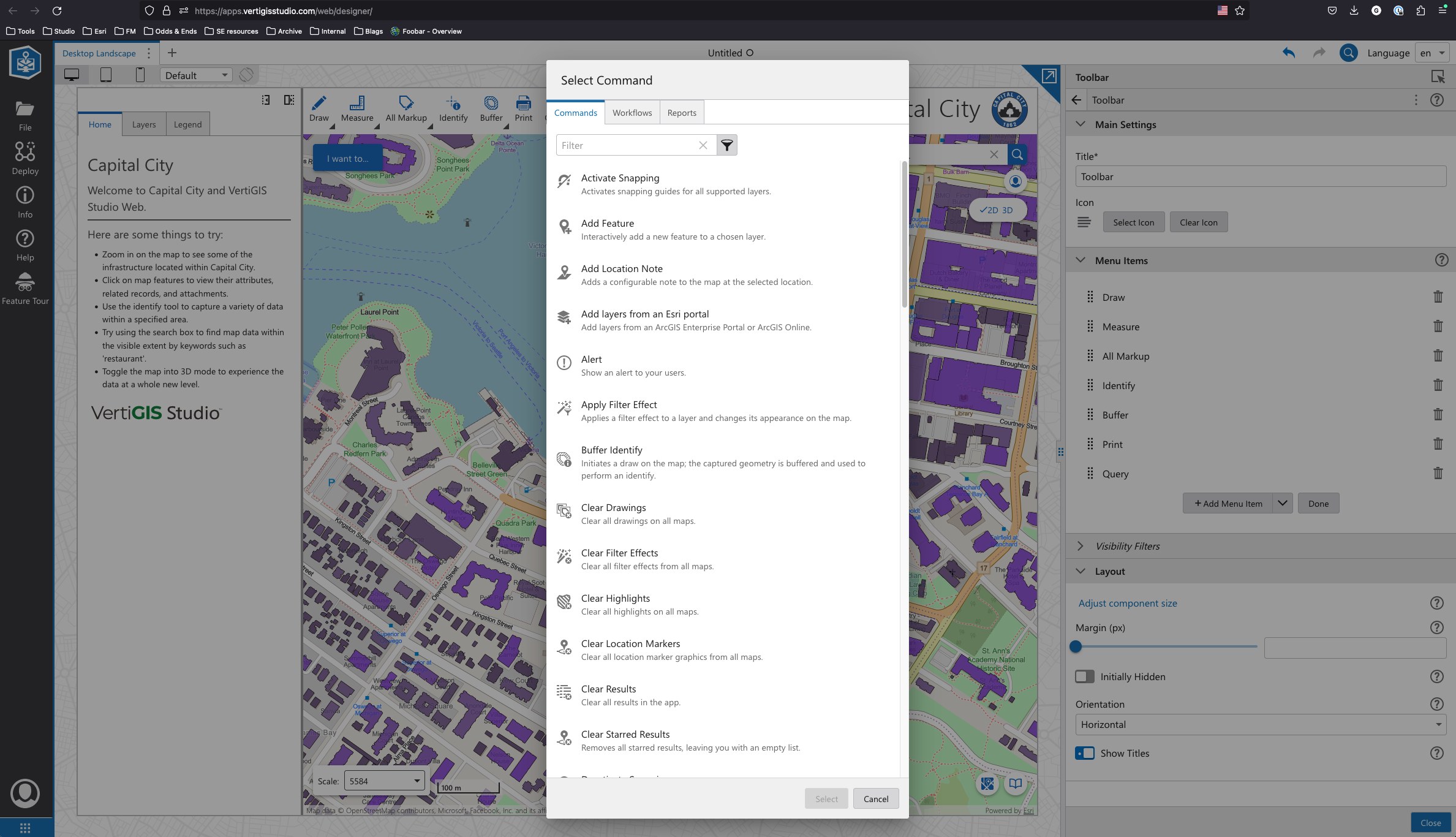
I can't speak to the specific design choices, though you can access these tools via commands and see what the underlying calls are by using the custom command option on the menu item:
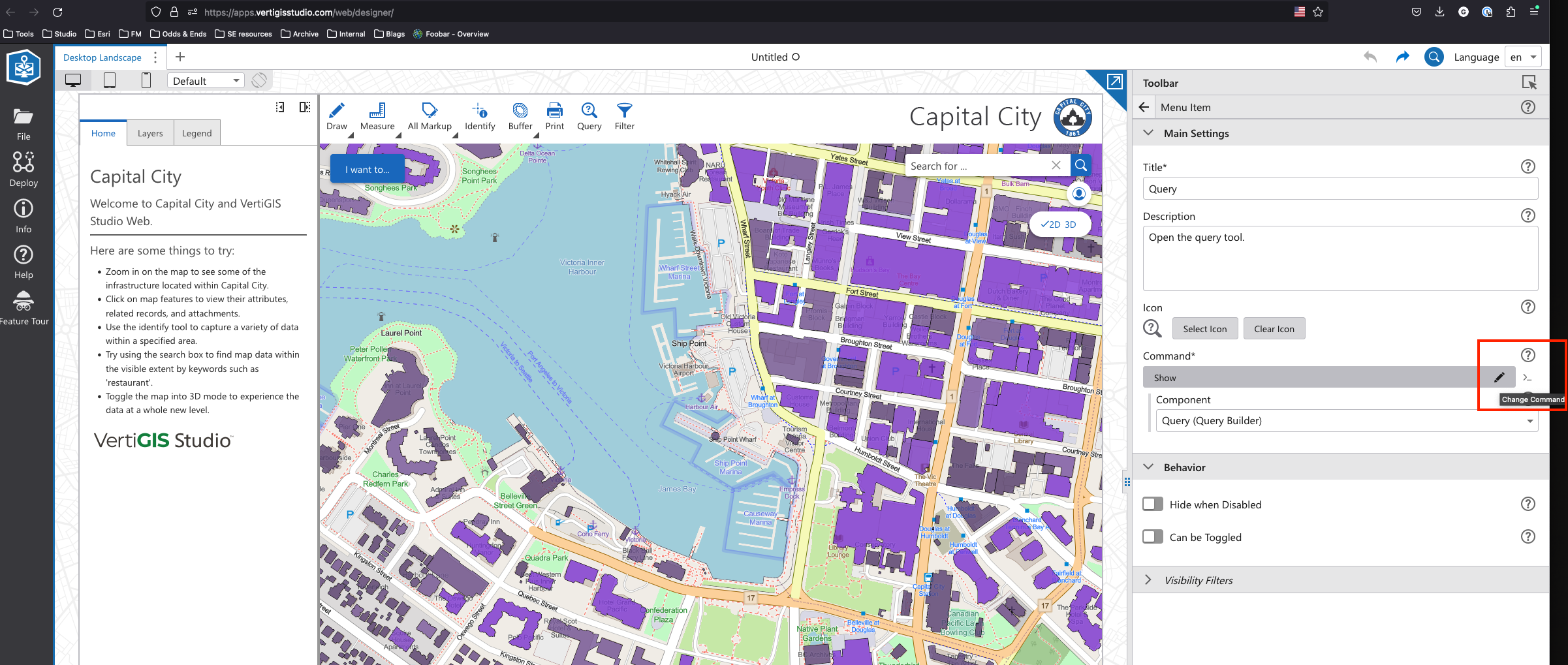
From there you can see the command we call us the ui.activate command with a parameter:
[
 {
 "name": "ui.activate",
 "arguments": "item://query-builder/query-builder-config-1"
 }
]
Knowing that I can now go and make a Button with a custom commmand and throw in that parameter. So here, I've got a button (that is super ugly, I know) in my IWT Menu that launches the query builder tool: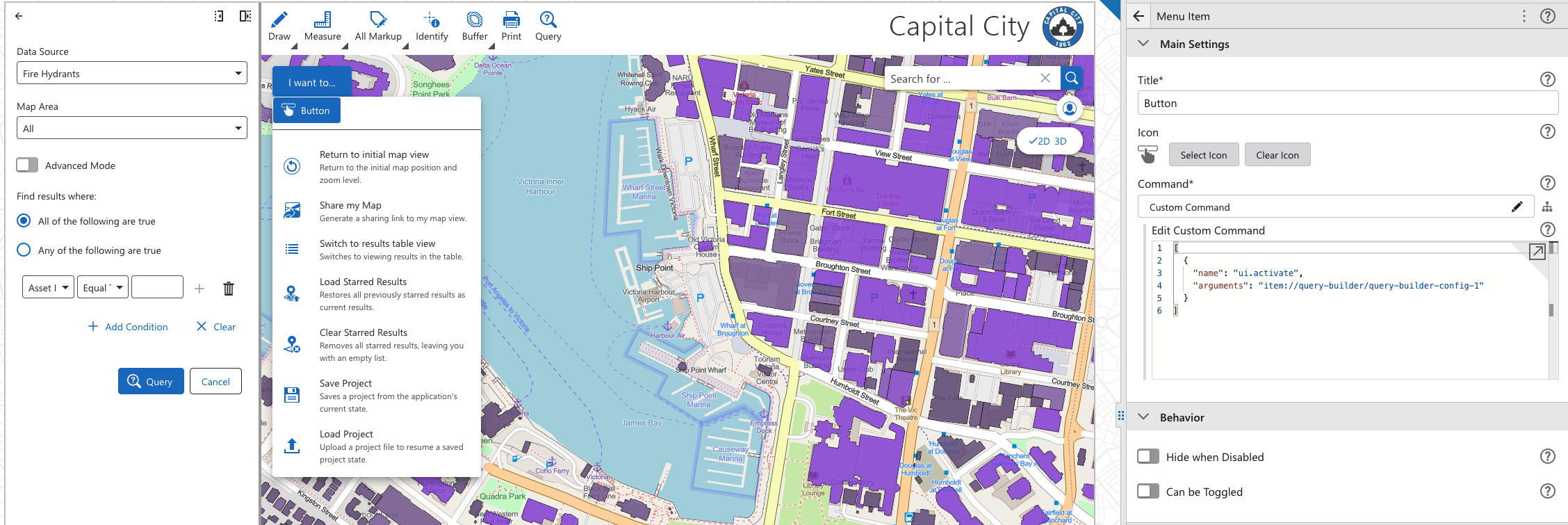
In terms of autocomplete, I can confirm there is intent to cover this functionality in a future release.
Our current criteria:- When a regular text or number input receives focus, or when user changes the value, an autocomplete dropdown appears showing the user possible options
- The autocomplete follows the WAI-ARIA guidelines for autocompletes.
- If the query to get data takes more than a few hundred milliseconds to return, user is shown some sort of progress indicator telling him that he will eventually see options if he waits.
- There is no autocomplete for date fields or fields with coded domains.
- Admin has a way to disable this feature (per component, or per layer?) as in some cases it can negatively impact the service.
Does this make sense to you? Hopefully that sets you a bit more straight. Though I do want to emphasize, your feedback is absolutely on-point and I enjoy how accountable you make us.
1 -
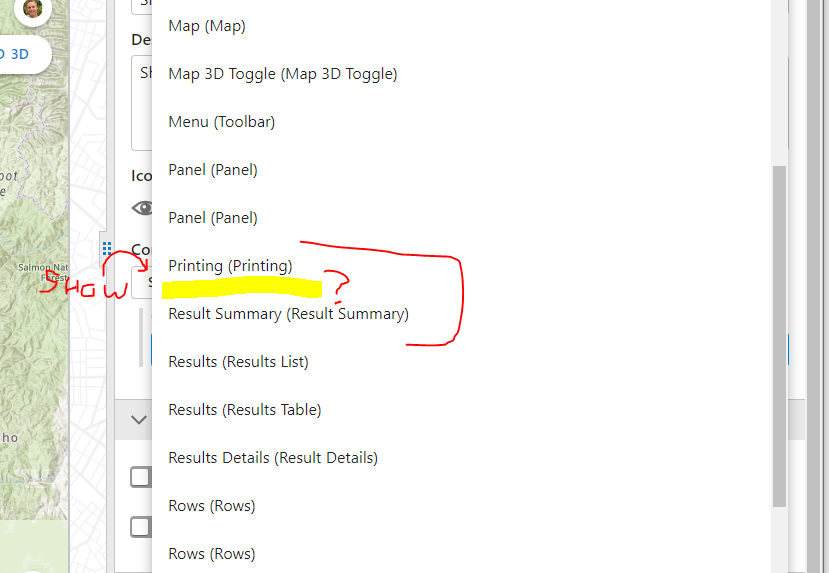
Thanks for the details Gareth! I don't actually see the Filter and Query commands are not in my list, if I choose the Show command. Example below shows no 'Query' option. I am in SaaS too.
Good to know about future enhancements too. I am hesitant to even let people know this is here in its current state.
0 -

Ryan Kelley
You should first add the Query and Filter components to your app configuration.
2 -
Thanks Nico - that did the trick.
0 -
Ahh yes, thanks for catching that Nico.
For context, I was using a 'fresh' app created new from a template in VSW 5.24. We update the app templates with each version to have all the new components. It can be useful to peek at these apps with each new release.
0 -

Query/filter builder tools in the 5.24 release should check for and turn on the layer being queried if it is not already on. I've found that if a layer is queried that is not on, the results appear, but nothing shows on the map.
1 -

Matthew Wartman we are on version 5.25 and I am experiencing the same results. If the layer is turned off it doesn't turn the layer on.
0 -
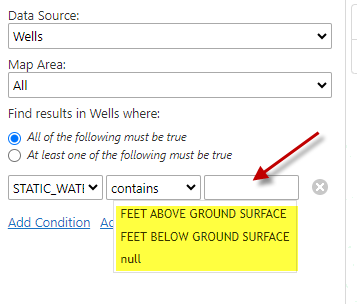
In a future release will the Query/Filter tool give the user a drop down with the possible fields like it did in GeoCortex? I thought with the 5.25 release we were going to have this functionality. What functionality was added in the 5.25, not quite following what is in the release notes. Possible screen capture would be nice.
 2
2 -
Raquel Sanchez I submitted this as an idea:
0 -
Raquel Sanchez The Query/Filter tool attribute drop down option is planned for a future release:
0 -

Is the dropdown list still planned? I see that the autocomplete has been fulfilled, but I cannot find anything about the dropdown.
0 -
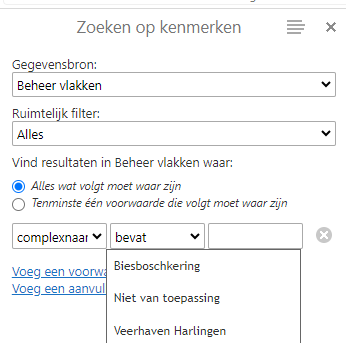
There was no dropdown in the GVH, it was also an autocomplete there.
A dropdown will not work here because there can be a high number of distinct values.
 0
0 -
Thanks Nico :)
0
Please sign in to leave a comment.
Comments
13 comments