Add/Edit records through relationship class

Hi Folks,
I have a situation where I need to allow users to add points to a feature layer and add/edit/delete related records to the points stored in a 1:N table in the geodatabase. The first part is easy enough, but can workflow support add/edit/delete operations on related tables? If anyone has an example or skeleton of such a workflow that they could share, I would appreciate it!
Dave
-
Hi Dave,
Did you get this working?
Thanks,
Rowena
0 -
Hi Rowena,
I never did find the answer to that. It was a while ago, but I took a different approach to solving my particular problem. I'll try to summarize:
- After you add the feature, use Assign to set a variable to theListOfResults.first().ObjectID.ToString(). This is the ID of the feature that was just created.
- If ObjectID isn't the primary key in your relationship, use a Query Task to return your key field using the ObjectID in the where clause.
- If you are working with a table that is not managed by SDE (external database table or not registered) you can use the SQL Non-Query task to perform the operation that you want to do. Of course there could be some intermediate steps to gather any additional data that may be necessary.
Since AddFeatures (for instance) requires an IEnumerable<Graphic>, I don't think that would be the way to do it. I also would be concerned with using SQL Non-Query with versioning, especially if you can't use the "move edits to base" option. Here's to hoping a Workflow Ninja Master can point us in the right direction!
Dave
0 -
Thank you for your reply, it's good to get ideas of how people are dealing with this problem.
0 -
I've been fooling around with workflows and was able to create related objects to a selected feature and populate the relationship class table. Workflow involved:
- Selecting a feature (traffic pole)
- Display a form to add add a type of related object (lamp or sign)
- Display a form to populate all the fields in the related table
- Parse it all into a JSON string
- Submit the JSON to Feature Service's "addFeatures" webrequest using the activity "WebRequest"
- Use OIDs of the related feature/table to populate the relationship class table
My issue is that since my data model has so many domains,I will have to hard code all the domain types into my forms. Super tedious and creates a lot of variables within workflow.
I haven't thought about how to address editing, athough i suspect you could use the "updateFeatures" call on the feature service?
Let me know if you're interested in the .xaml
Geoff
0 -
Geoff, I would be interested in the .xaml.
Thanks,
Heather0 -
Follow up 2+ years later but you can also use the Add Features activity to add a record to a table. I.e. pass a feature set or collection of graphics to Add Features. Still has the same drawback that Geoff mentioned with recreating the domain dropdowns in the form. 0 -
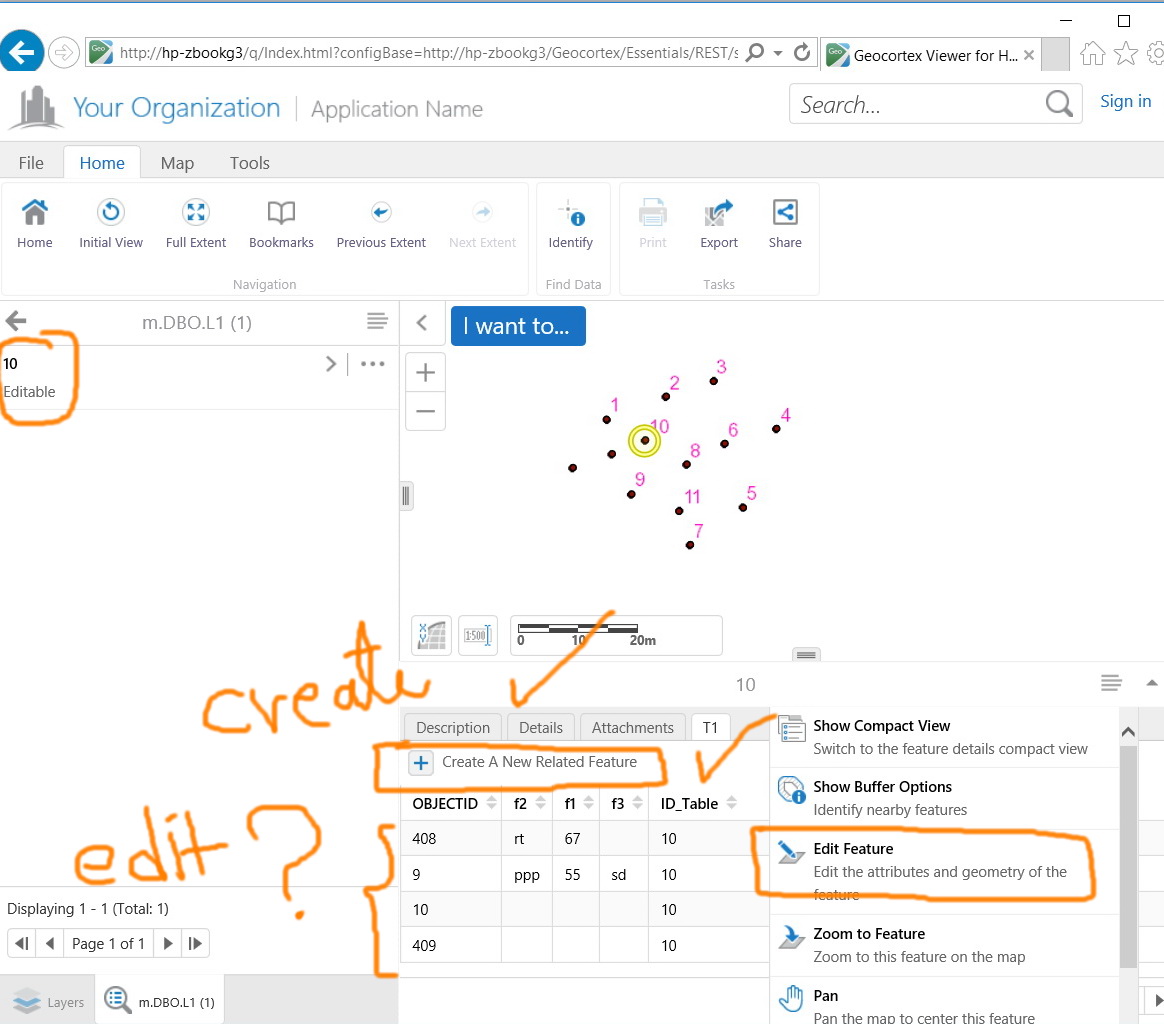
Create records in the related table appears to work fine in GE 4.7 with GVH 2.8. I couldn’t figure out if the Edit is applicable 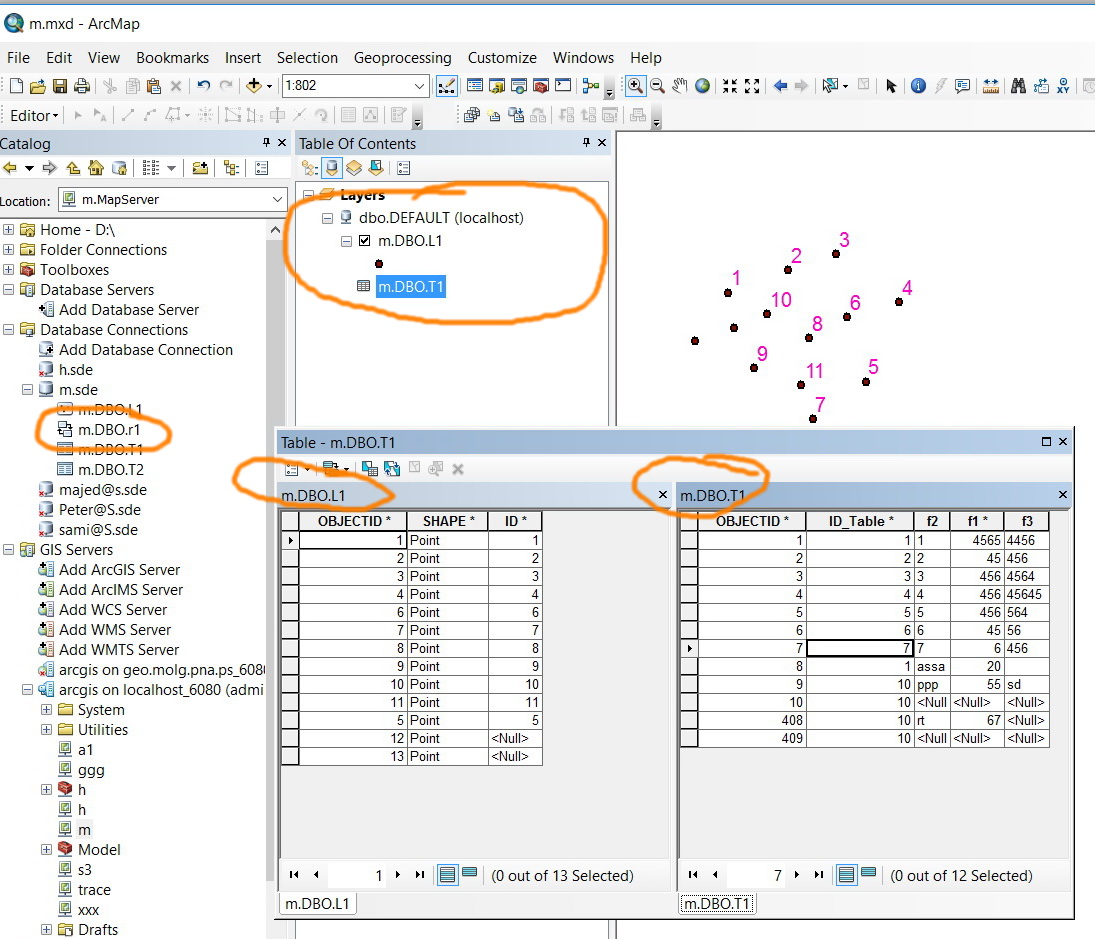
 0
0 -
Hi Jamal,
To make your related table editable, your table must be registered as version. Please make sure that you add the table as a feature class.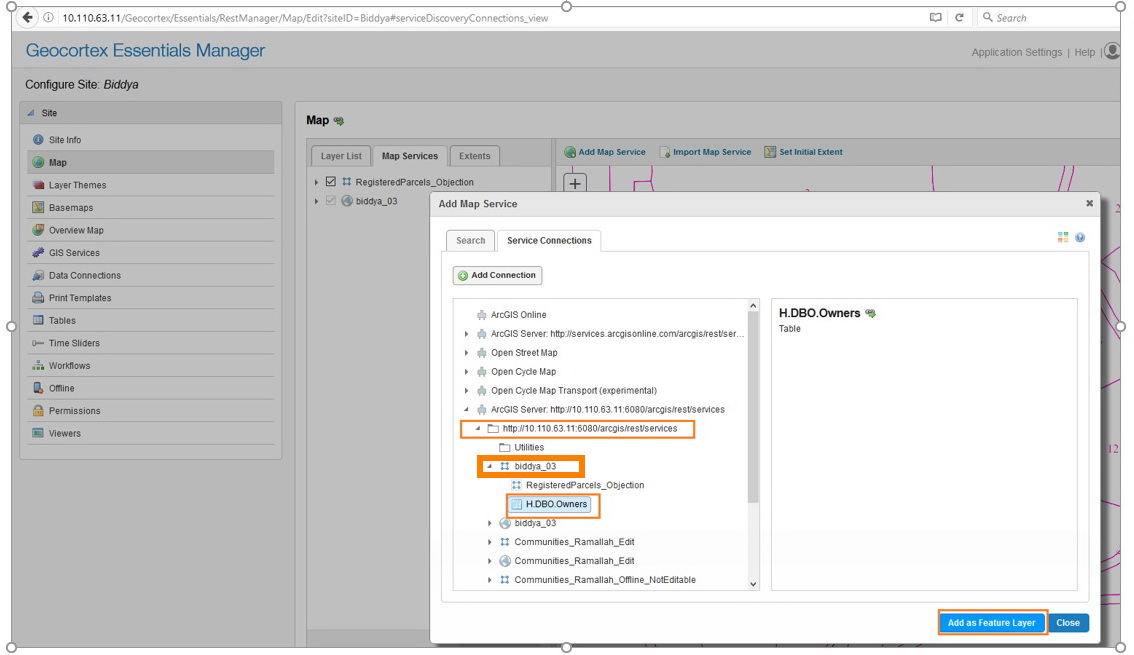
Best,
Lubna0 -
Hi Jamal,
it works me with me. Kindly find the below screenshots:
_img_ alt="User-added image" src="https://latitudegeo--c.na53.content.force.com/servlet/rtaImage?eid=90760000000ChYJ&feoid=Body&refid=0EM600000001SXp" _/_img_
_img_ alt="User-added image" src="https://latitudegeo--c.na53.content.force.com/servlet/rtaImage?eid=90760000000ChYJ&feoid=Body&refid=0EM600000001SXz" _/_img_
_img_ alt="User-added image" src="https://latitudegeo--c.na53.content.force.com/servlet/rtaImage?eid=90760000000ChYJ&feoid=Body&refid=0EM600000001SY4" _/_img_
Please let me know if it works with you or not.
best,
Lubna0 -
Thanks. Finally, I could edit the relate table as shown in the screenshots below
_img_ alt="User-added image" src="https://latitudegeo--c.na53.content.force.com/servlet/rtaImage?eid=90760000000ChZR&feoid=Body&refid=0EM600000001SYs" _/_img_
_img_ alt="User-added image" src="https://latitudegeo--c.na53.content.force.com/servlet/rtaImage?eid=90760000000ChZR&feoid=Body&refid=0EM600000001SYx" _/_img_0
Please sign in to leave a comment.
Comments
10 comments