Workflow Designer Guide 3.12

The Workflow Designer Guide.pdf isn't part of the GXE 3.12 download. Is this an oversight?
-

Hi Dan,
It was intentional. The PDF version of the Workflow Designer Guide was just a subset of the CHM help that installed with Workflow Designer. In Workflow Designer you can press "F1" or use the Help menu to access the CHM help (and it contains everything).
We feel that the CHM format is an ideal for Workflow Designer because we can tightly integrate it with the design tool so that you can get context sensitive help for individual activities. Rather than spending additional time to also produce a PDF version (which requires a surprising amount of conditional formatting) we prefer having one definitive resource.
Incidentally all the new documentation content in 3.12 went into the sections that would have only been in the CHM anyway.
Please let us know if you have any feedback.
--Ryan
0 -

The help in Workflow Designer is blank on my system. Weindows 10... 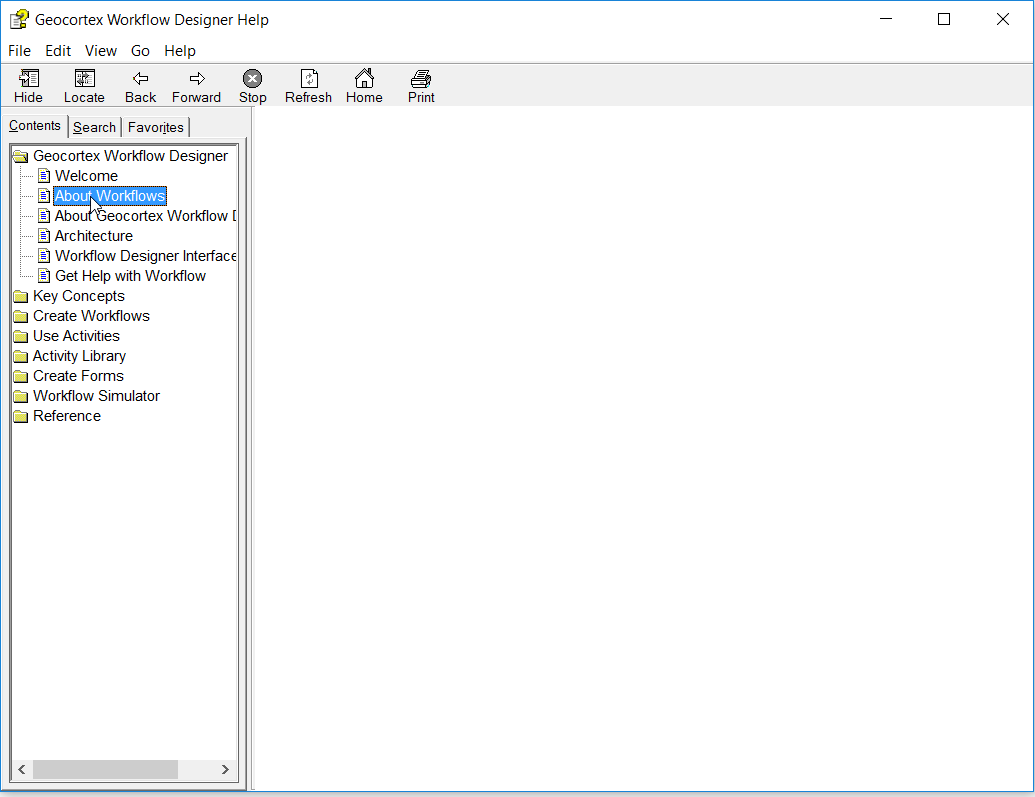 0
0 -

Check if the CHM is blocked: right-click in Explorer, Properties > General > Unblock.
Or is the help file on a network share? Copy it to a local drive.0
Please sign in to leave a comment.
Comments
3 comments