Erase/Clear option for measure tools in Compact Toolbar HTML5 2.5

I have just noticed that the erase and clear tools when selecting the measure tool in the compact toolbar have been removed in 2.5. Is there anyway of adding them back in (in the same format)? I assume that it would require some editing of the desktop,json file, but having a look over them there are some significant changes between 2.4 and 2.5 and there didnt seem to be any obvious copy/pasting that could be done.
2.4 tool

2.5 Tool

Cheers
Chris
-

Hi Chris,
Yes, with the 2.5 release the edit/erase/clear measurement tools were changed to work with both markup and measurement markup so they were seperated into their own tools rather than being a part of the tool transients.
You are correct that you need to make some changes to the configuration json and I will outline it below.First make sure that your measurement tool is already in your configured toolbar.
Open the shell json file that you wish to modify (for example: C:\Program Files (x86)\Latitude Geographics\Geocortex Essentials\Default\REST Elements\Sites\Victoria_BC\Viewers\Victoria_BC\VirtualDirectory\Resources\Config\Default\Desktop.json)
and perform a search for "CompactToolbarTransientRegion".You should find the compact toolbar module and precisely the CompactToolbarTransientRegion for the "MeasureState" (MeasureState should be the first option, but make sure you are editing that section if your search takes you elsewhere.
In the array of items below it add the following json:
{
                      "id": "DeleteMarkupTool",
                      "type": "tool",
                      "iconUri": "Resources/Images/Icons/Toolbar/erase-24.png",
                      "command": "DeleteMarkup",
                      "drawMode": "POINT",
                      "name": "@language-toolbar-markup-delete",
                      "tooltip": "@language-toolbar-markup-delete-tooltip",
                      "hideOnDisable": false,
                      "isSticky": true,
                      "statusText": "@language-toolbar-markup-delete-desc"
                    },
                    {
                      "id": "ClearMarkup",
                      "type": "button",
                      "iconUri": "Resources/Images/Icons/Toolbar/clear-24.png",
                      "command": "ClearMarkup",
                      "commandParameter": null,
                      "hideOnDisable": false,
                      "name": "@language-toolbar-markup-clear",
                      "tooltip": "@language-toolbar-markup-clear-tooltip"
                    },
This will add the Delete Markup and Clear Markup tools to your transient toolbars, you can also removing the snapping tools from the transient if you don't use them. Before saving the file I always suggest copying your json and running it through validation. We often use http://www.jsonlint.com to do that for us (or your text editor may be able to validate as well).
Here is a picture of my changed json in desktop.json
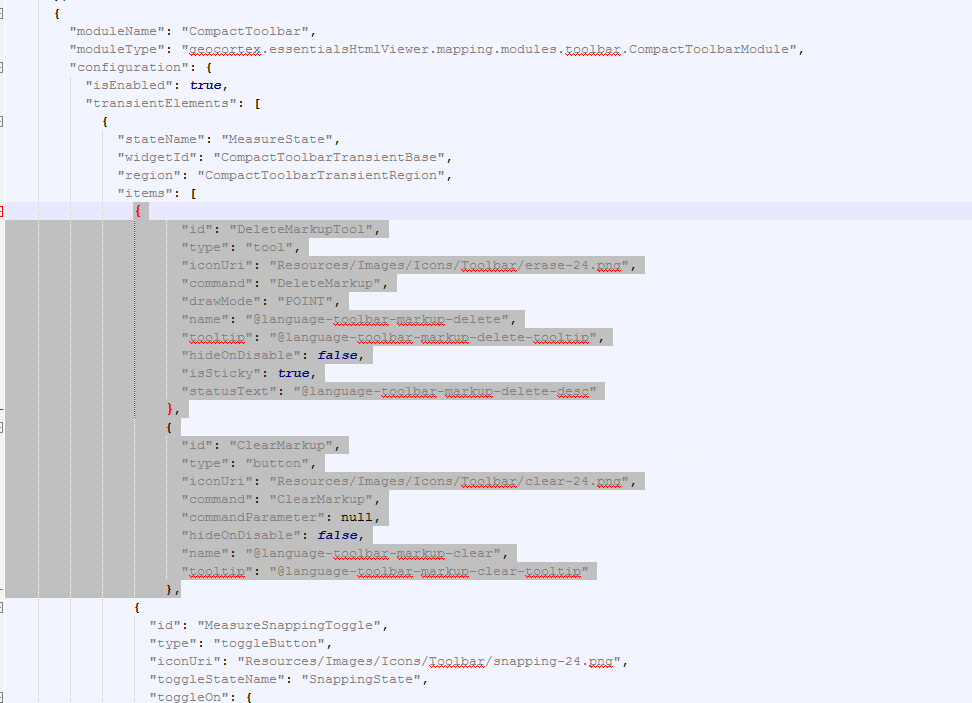
Once you save, the next time you load the viewer it should have the erase and clear tools within the markup transient.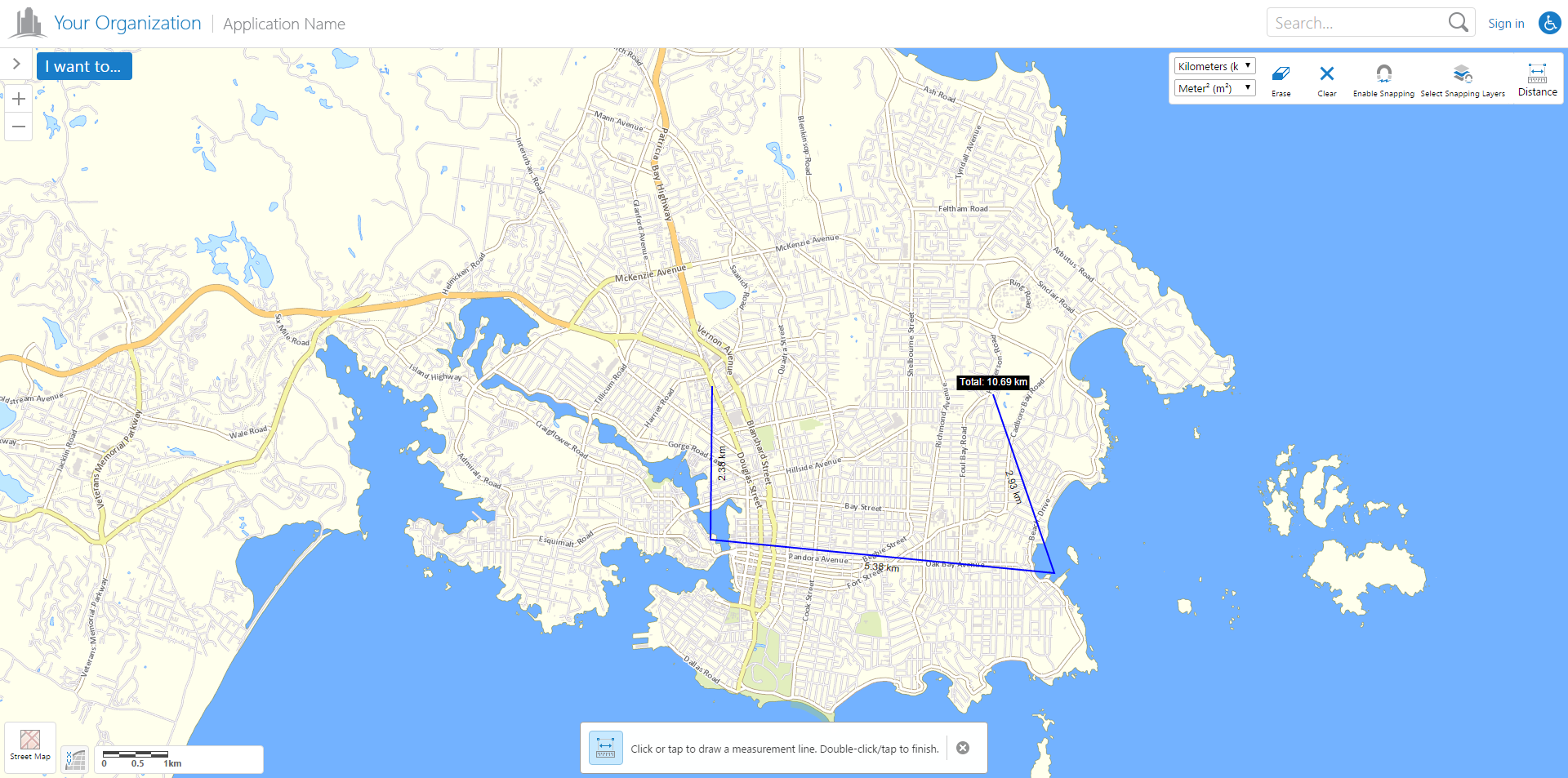
Hopefully this was helpful, let me know if you need clarification on anything,
Cory Purnell
Latitude Geographics Quality Assurance Team0 -
Brilliant Cory!
Just what I was after.
Cheers
Chris0 -
Hello Cory,
I followed your instruction to set up a tabbed toolbar. The tools showed up ok. However when I clicked ERASE button toolbar closed. I can use Button ok.
Is there a way i can have an erase and clear tools which are not associated with measuring tools. They just erase/clear any graphics?
Thanks
Ying0 -
Ying,
You can simply add a button to your toolbar with a 'clearMarkup' command. If you don't wish to ask the user if they want the markup cleared, use 'clearMarkupQuiet' instead.0 -
After I upgraded HTML5 viewer from 2.7.1 to 2.8.2, Earase/Clear measuement buttons do not show up anymore. Any idea? What I can do is to select the measurement and click Delete in the popup menu. 0
Please sign in to leave a comment.
Comments
5 comments