Extract OBJECTDs from a featureset to CSV

I have a featureset, and I want to extract all the OBJECTIDs of all the features within this featureset in CSV format (a CSV that contains only the object IDs, e.g. “1,2,3,4,5”).
I tried converting the featureset to datatable, and then converting the datatable to CSV. However, this puts everything in the featureset in the CSV (NOT only the OBJECTIDs).
Is there a way to do this (Extracting the featureset’s OBJECTID’s only to a CSV)?
Any help is highly appreciated
0
-
Hi Hani,
You can use the activity "Get Attribute Values <T>" using Int32 as the type. That will extract a particular attribute from all the features on a Feature Set and store it in an iList<T>. Then you can generate the comma separated string by doing:
String.Join(",",iList)
Hope it helps,
Alejandro0 -
Hi Aljendro,
Thank you very much for your helpful input,
I tried your suggestion. However, the "Get Attribute Values <T>" returned nothing. This is better elaborated with the screenshots below:
My workflow does the following: It takes the input from a DisplayForm, and apply a query on a layer based on this input, the resultant is a FeatureSet (fs0), then it selects the features of fs0. After that I added GetAttributeValues<int32> to extract the ObjectIDs only from the fs0 FeatureSet , then I added an “Alert” activity to view the extracted ObjectIDs by using “String.Join(",",iList)” in the alert’s. but, the Alert showed nothing.
1- My workflow with the variables in each activity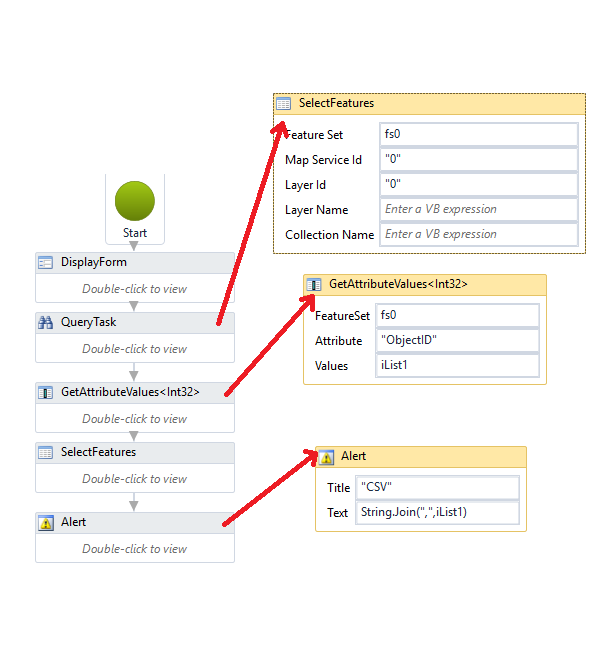
Running the Workflow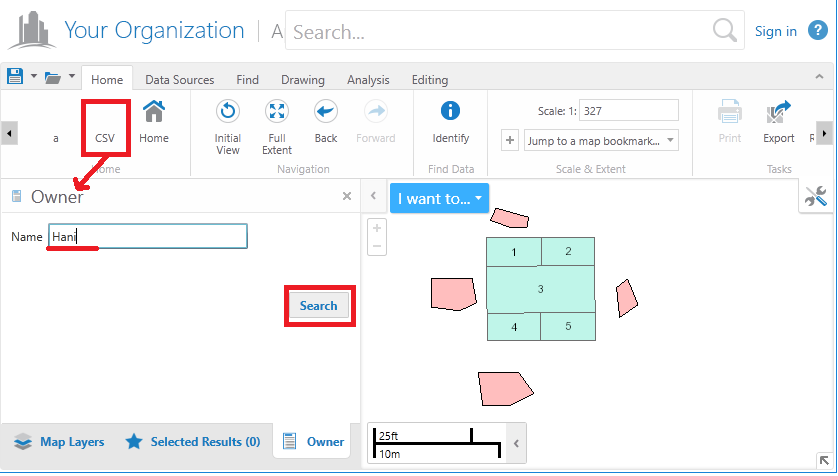
The query find the wanted features, and they are selected. BUT, the Alert shows nothing, which means that the ObjectIDs are not extracted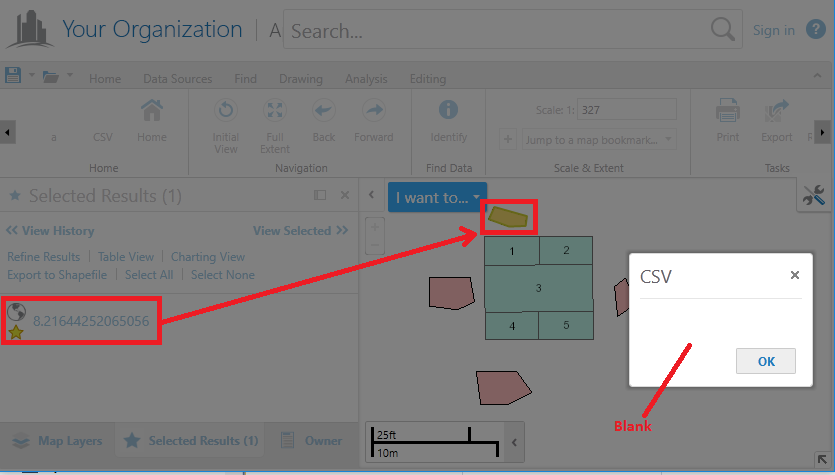
What do you suggest?
Once again, Thanks a lot for the help!0 -

I think there are three alternatives. - On the query task, use Return IDs only to return a featureset with only IDs, and use this featureset for the datatable
- Use the Get Object IDs activity instead of the Get Attribute Values activity
- I think it is also possible to modify your datatable (removing columns)
0 -
Thank you very much Nico,
I tried your solution, and it worked perfectly!
Much Appreciated!0
Please sign in to leave a comment.
Comments
4 comments