How to show busy indicator in HTML5 Viewer while workflow runs?

Hi to all
I have a workflow that happliy starts and runs from a hyperlink in the Feature Long Description and there is enough of a delay occuring that I want to be able to show some sort of busy indicator to the user.
If it could be the busy indicatior that shows at the bottom middle of the map (along with some text) then that would be excellent.
There does not appear to be and reference to this and using the ConfigureWorkflowContainer activity does not seem to give any useful result.
Thanks
Ralph Price
0
-

Use the AddStatus external command with your message text as the parameter.
I'm afraid it's not possible from a workflow to use an AddStatusArgs object as a parameter
The AddStatusArgs object has a showBusyIcon property:
showBusyIcon: boolean
If set to true, then a busy icon will be used - likely an animation to shown activity.0 -
Hi Nico
thanks for pointing that out. I will now add to the list of relevant commands with:- AddStatus (arg of string to display)
- UpdateStatus (arg of new string to display)
- RemoveStatus (no arg needed)
Ralph Price0 -
Hi Ralph,
May you please share this with me in a screenshot or workflow file, we are really need this feature in our enviroment?
Thank you in advance.
Best,
Majdoleen0 -
Good morning Majdoleen
what exactly did you want me to share?
Thanks
Ralph0 -
Thank you Ralph, I've done with this issue. 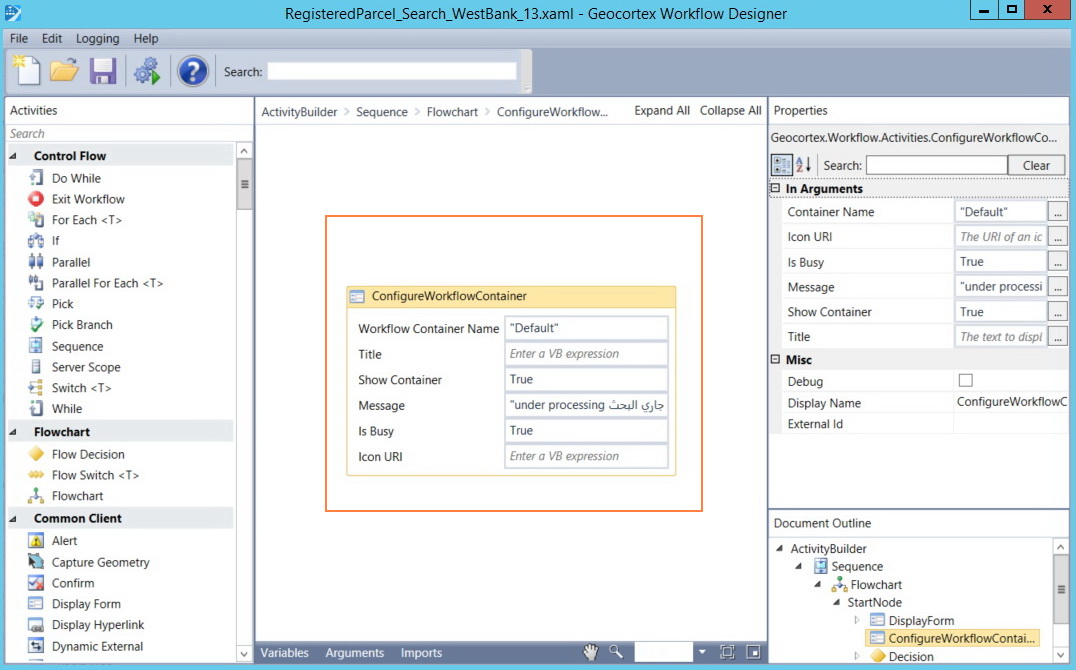
Thank you for your reply.
Best,
Majdoleen0
Please sign in to leave a comment.
Comments
5 comments