Identify Results - Layers ordered differently each time

There seems to be no rhyme or reason in terms of the order in which identify results for different layers show up. The image below shows the results for 2 identify operations. This is problematic for our users (in this case 911 dispatchers) because it means they have search for the information each time rather than being able to expect it to appear in the same order. Is this a know bug that's being addressed?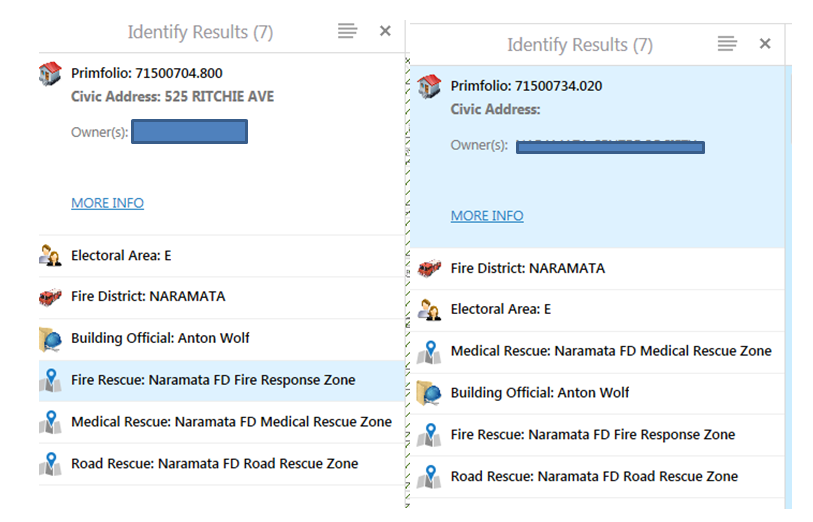
0
-
Hi Rebecca,
The order of the Results list is the order ArcGIS returns the data to Essentials. There is a request to allow you to specify the sort order, the request number is GVH-7237. You are currently a stakeholder on this request. If you want to control the sort order now you can create a workflow that does an Identify and in the QueryTask of the workflow you can specify the OrderBy to control the sort.
I hope this helps.
Wayne Richard
Latitude Geographics Group Ltd.
Head Office: 300 – 1117 Wharf Street Victoria, BC Canada V8W 1T7
Tel: (250) 381-8130 | Fax: (250) 381-8132 | wrichard@latitudegeo.com
Developers of Geocortex web-based mapping software | www.geocortex.com
An Esri Platinum Business Partner0
Please sign in to leave a comment.
Comments
1 comment