Changing locale not working in GVH 2.6

I have upgrader til GVH 2.6 (from 2.6 Beta 2). The upgrade went fine. However, I am now unable to make my viewers display other locales than default english. This worked just fine in the Beta 2.
- I have made Norwegian language files (nb-NO), and put them in the Resources/Locals folder.
- I have added the new locals to the viewers Desktop, Tablet and Handheld.json.js files.
- Also, when launching the viewers, I add &locale=nb-NO to the viewer url when launching.
Regards, Martin
0
-

Hello Martin,
This is most likely caused by upgrading from the Beta, which is not recommended and likely caused other issues which were are difficult to detect. Can you try installing the GVH 2.6 template using an upgrade of a previous release minor or major version of GVH, or as a new template? We have done localization testing with the 2.6 release successfully.
Thanks, Stefan
0 -

Martin,
With the developer tools of your browser you can check if the nb-No locale files are correctly loaded.
Just for info, I'm responsible in my organisation for the translation to Dutch (nl-NL).
Perhaps we can exchange experiences?
Greetings Nico0 -
Thanks for responding Stefan and Nico.
Stefan:
I did a full uninstallation of the beta software before installing the release version. I deleted the software folder from program files, and removed applications and app pools from within IIS.
Today I have done a regular upgrade of Geocortex for a different customer, from Geocortex 4.4.2 to 4.5, and upgraded GVH to 2.6. The upgrade went just fine, without any issues during the process. Whoever, I have the exact same localization issue here.
Nico: I am looking into the developer tool in Chrome, and I see there is an error related to the Mapping.nb-NO.json.js. "Unexpected Token '" is says... I cant find anything wrong with my language files though...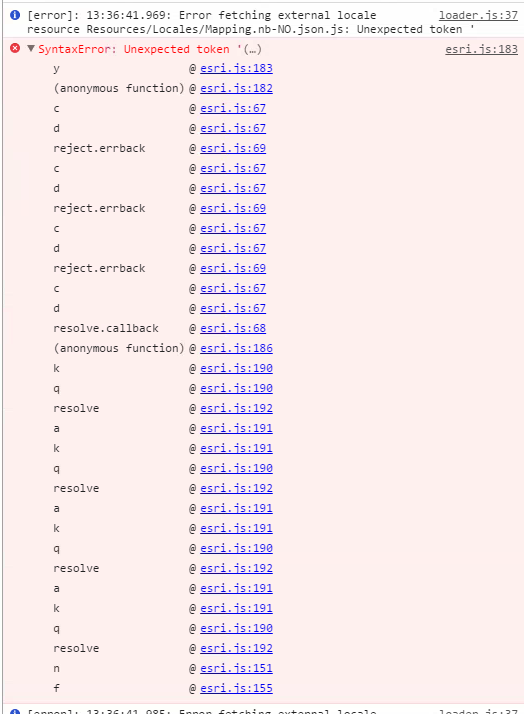 0
0 -
Have you checked the contents of your locale file with e.g. http://jsonlint.com? 0 -
Thanks Nico, that was a very usefull suggestion!
My language files were not valid according to jsonlint.com. Some of the values had single quotes instead of double. After fixing these errors, the viewer displays the norwegian texts :)
I wonder why the files were working in previous versions though?0
Please sign in to leave a comment.
Comments
5 comments