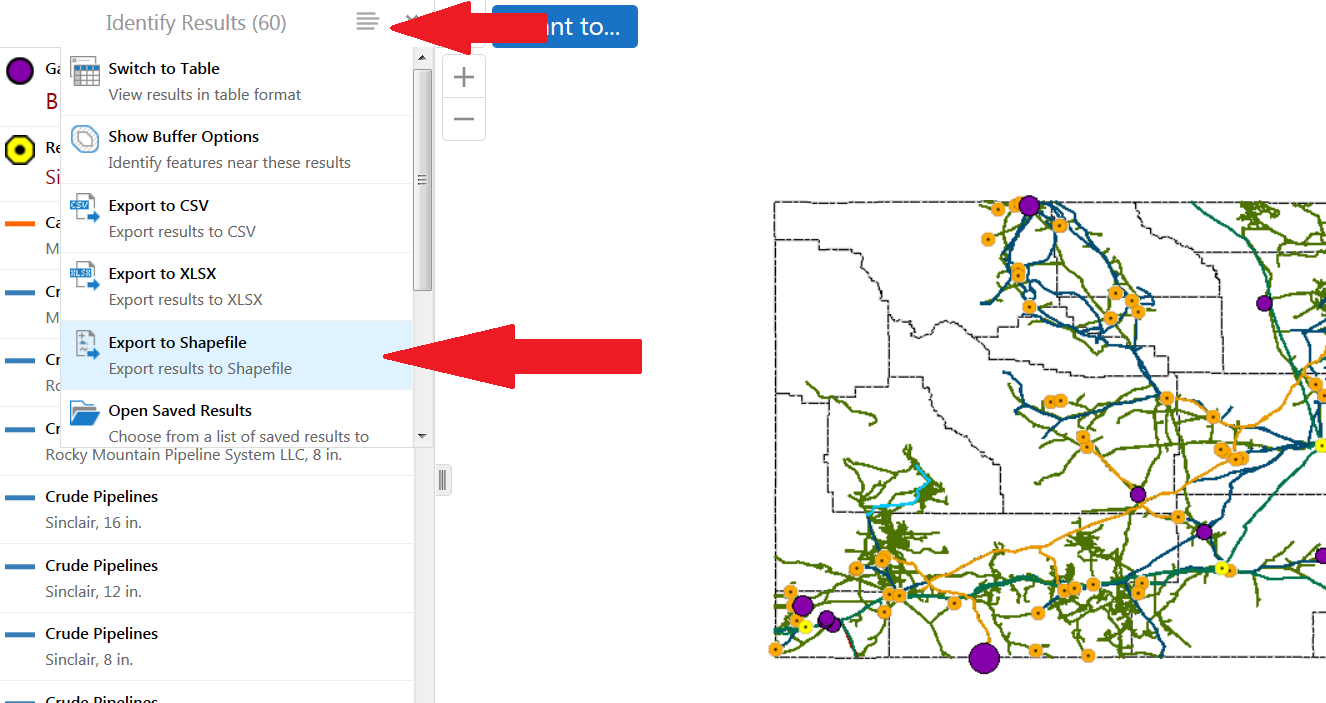
How do you remove or configure the Export to Shapefile module located in the Panel Actions Menu for the Viewer for HTML5 2.6?

0
-

We are still on 2.5.2, but I would image it's the same:
The viewer's JSON files have a Menu module that contains the "ResultsListActions" and "ResultsTableActions" menus (one for the layer list and one for the table view). These both have the export to shapefile option by default. Remove the code snippet for shapefiles from these menus and it will no longer appear in the viewer. It should look something like this:
{
"text": "@language-menu-export-results-to-shp",
"description": "@language-menu-export-results-to-shp-desc",
"iconUri": "Resources/Images/Icons/Toolbar/shapefile-export-24.png",
"hideOnDisable": true,
"command": "ExportResultsTo",
"commandParameter": {
"format": "shp",
"fsc": "{{context}}"
}
},0 -
Thanks so much for your reply. I found 2 locations that have the viewer's JSON files with the exact snippets you mentioned for the ResultsTableActions and ResultsListActions. Here are the virtual paths of both locations:
wwwroot/ Geocortex/Essentials/Rest/Manager/Html5Viewer/Viewer/Resources/Config/Default
wwwroot/Html5Viewer/Resources/Config/Default
I had no problem removing the shapefile-export-24.pgn snippets from both locations, however, I still have the Export to Shapefile module tool present and functioning in the Panel Actions Menu of my Html5 Viewer (2.6).
Makes me think I have not found the correct JSON files to alter. Would you, please, provide me with the full virtual path that leads me to the files you mentioned?
Kind Regards,
KVlastos0 -

Do you mean in the Toolbar? That Export to Shapefile only applies to graphics drawn on the map not the results lists. However, you can remove it in Geocortex Essentials Manager through the Viewer's toolbar management. 0 -
Those look like the paths to the viewer templates deployed in IIS and for Manager. Removing it from there may remove it from any future sites you create and/or the default site, but existing sites would be using their own JSON files.
Path should look like this (assuming default install):
C:\Program Files (x86)\Latitude Geographics\Geocortex Essentials\Default\REST Elements\Sites\<Site Name>\Viewers\<Viewer's name>\VirtualDirectory\Resources\Config\Default0 -
Yaaassss, Dan! Thank you!
I found the file path you described, removed the code snippets which DID remove the Export to Shapefile tool from my Panel Actions Menu.
Awesome!!!
Kind Regards,
KVlastos0 -
In case anyone is still doing this, all the list and table menus can be altered in Geocortex Essentials Manager as of HTML5 2.7. They are under the viewer settings as Context Menus. Much easier than digging in the JSON. 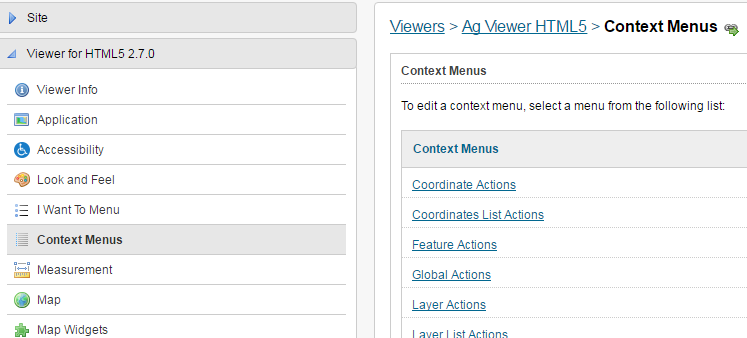
Regards,
Melissa0 -
I can't seem to find which context menu is used when you click "View Additional Details" in the Map Tip results box. Right now the only option is Show Expanded View. I'd like to add a few others. I've even looked in the site JSON file but can't seem to locate what I'm looking for. Any suggestions would be appreciated. Thanks! 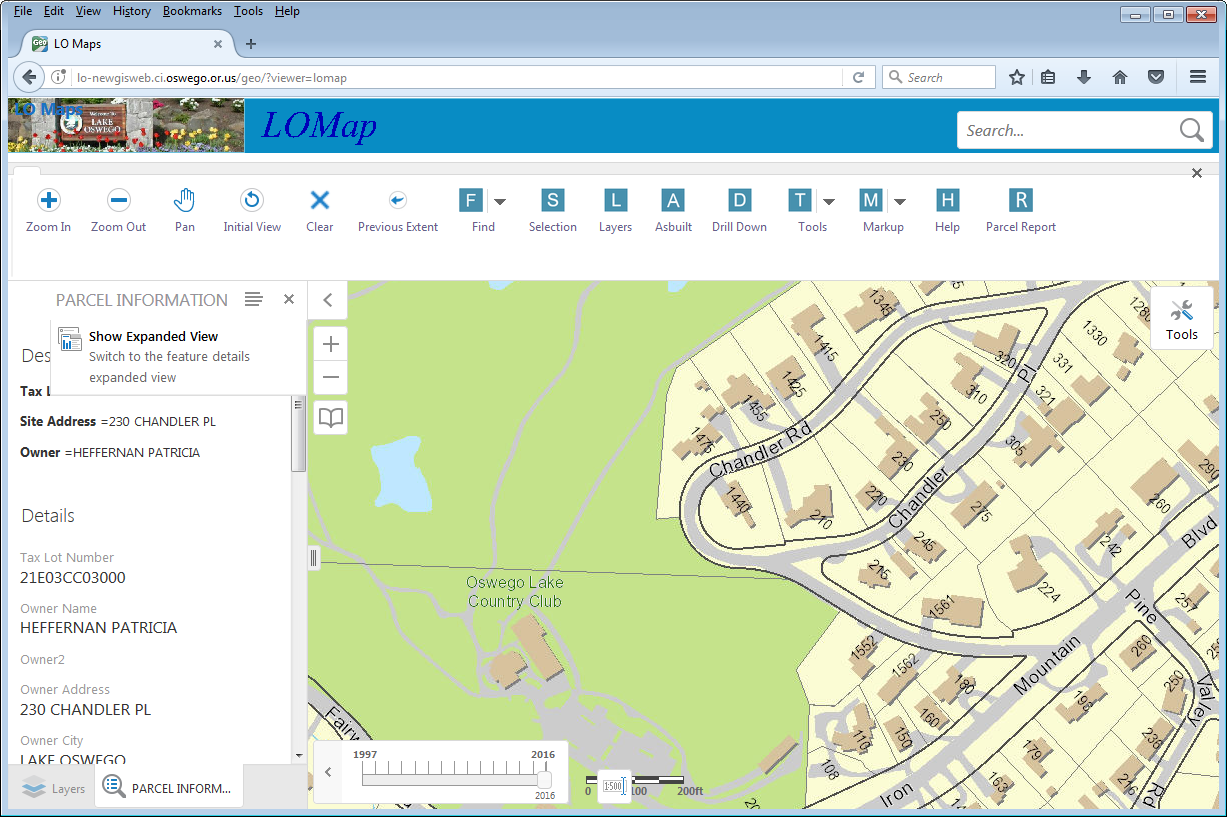 0
0
Please sign in to leave a comment.
Comments
7 comments