Report Download URL

I am wondering where I can change the URL when I go to download a report from my viewer. I have an https site that points here...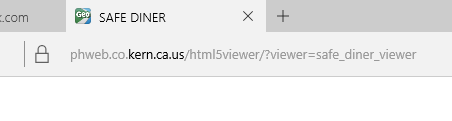
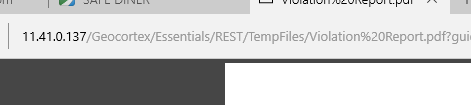
But when the user downloads a report from the map, the report downloads here...
Because of this, the report is not able to download on mobile devices. Does anyone know where I can change this to the report download points to the same location?
0
-
Hi Lisa,
You should be able to control that by setting the external REST URL in the Application settings in Manager (on the top row next to the "Help" option. It looks like you'll want to set it to:
https://phweb.co.kern.ca.us/Geocortex/Essentials/REST
Hope that helps!
Thanks,
Danny0 -
Perfect! That did the trick! Thank you so much Danny! 0 -
No problem Lisa, glad it worked! 0
Please sign in to leave a comment.
Comments
3 comments