How do you change "Display Field" in essentials?

Hi,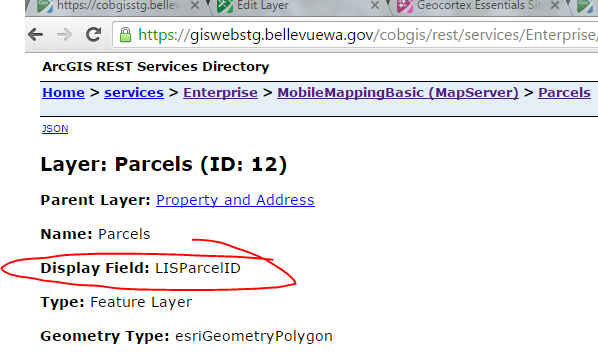
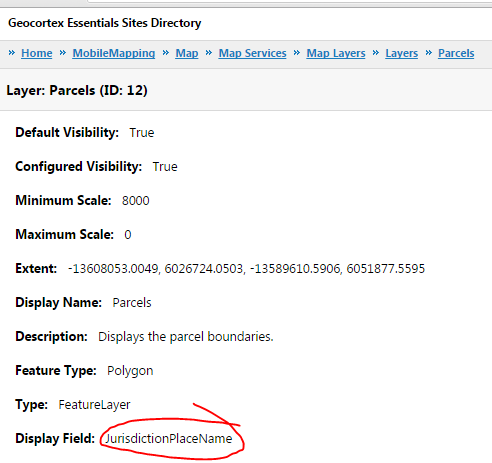
Can anyone tell me how to change the 'Display Field' attribute for a layer in the essentials rest endpoint? My map service has a layer with one field designated as the display field (this is done in arcmap), and when I check the esri rest endpoint for the service, I see it as expected is 'LISParcelID'. However, when I check the essentials rest endpoint for that layer, dispalay field is indicated as 'JurisdictionPlaceName'. I have republished the map service, restarted it several times, reloaded my site in essentials manager and I can't get this to update. The problem is that the wrong field is being shown for global searches of data linked tabular records. Perhaps this attribute is set in essentials manager somewhere?
Screenshots below:
ESRI rest endpoint for layer:
Geocortex rest endpoint for layer:
Thanks
0
-
Zorba,
I'm a bit confused. Is this for labeling, or for what shows up when do an Identify or Search? If the latter, then you want to go into Manager and change the Feature Label on the Layer Details tab.0 -
Mike,
It's a bit obscure. At 4.5 version of essentials you can create search tables and associate them to datalinks so that users can search on tabular data, and then go into the details and they are presented with a link to the spatial feature. For example, I have configured a search table on addresses, such that a user could input one of the many condo addresses for a parcel and be able to zoom to that parcel. The problem is that the viewer seems to use the designated 'display field' as the text for the link (that zooms to the spatial feature). In my case that value is the jurisdiction name and I want to use something more relevant instead. I have included screenshots below showing where that value shows up. The bold text that says Bellevue is the link a user clicks to zoom to the parcel.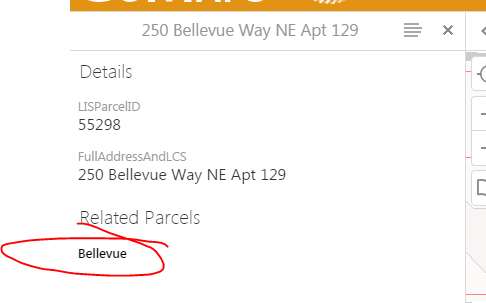 0
0
Please sign in to leave a comment.
Comments
2 comments