Log in prompt

I have a few sites with "Windows Integrated - All Users" permissions configured. These sites do not have Geocortex Identity Server permissions configured but users are being prompted to choose either Windows or Geocortex Identity when logging in. Is anyone else experiencing this issue? It's really confusing for some of our users. 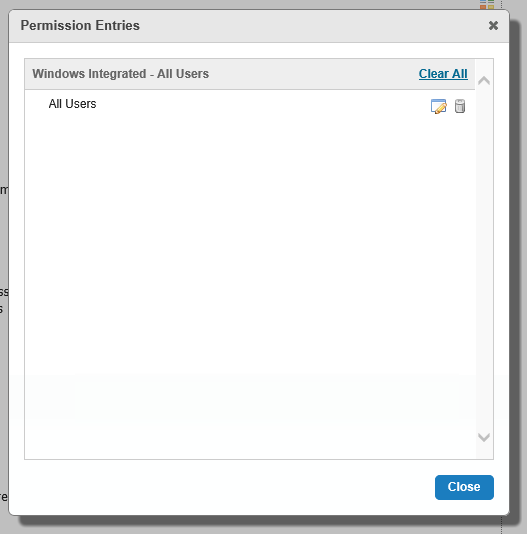
0
-

Hi Rebecca,
Have you enable "Geocortex Identify Server" provider (Security & Data -> security -> Providers) in manager?
Long
Cheers0 -
Yes, some of our other sites use it so if I uncheck it, it messes up other sites. 0 -
Hi Rebecca, I believe once you enable the Geocortex Identify Server provider setting, the change applies to all sites in one Geocortex Essential instance. 0 -

I think the best thing you can do is try to pick intuitive names for your logins. For example, I try to make it as clear as possible that one login is for our city staff and the other is for everyone else. In other words, you're either one or the other and can't be both. 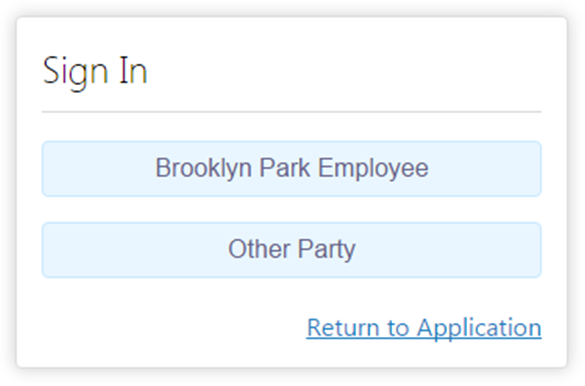
Of course people can choose not to read the screen, so we can only do so much to dummy proof things.0 -
That looks great John! How did you modify the text? 0 -
You just have to edit the Display Name for the provider on the Security tab. 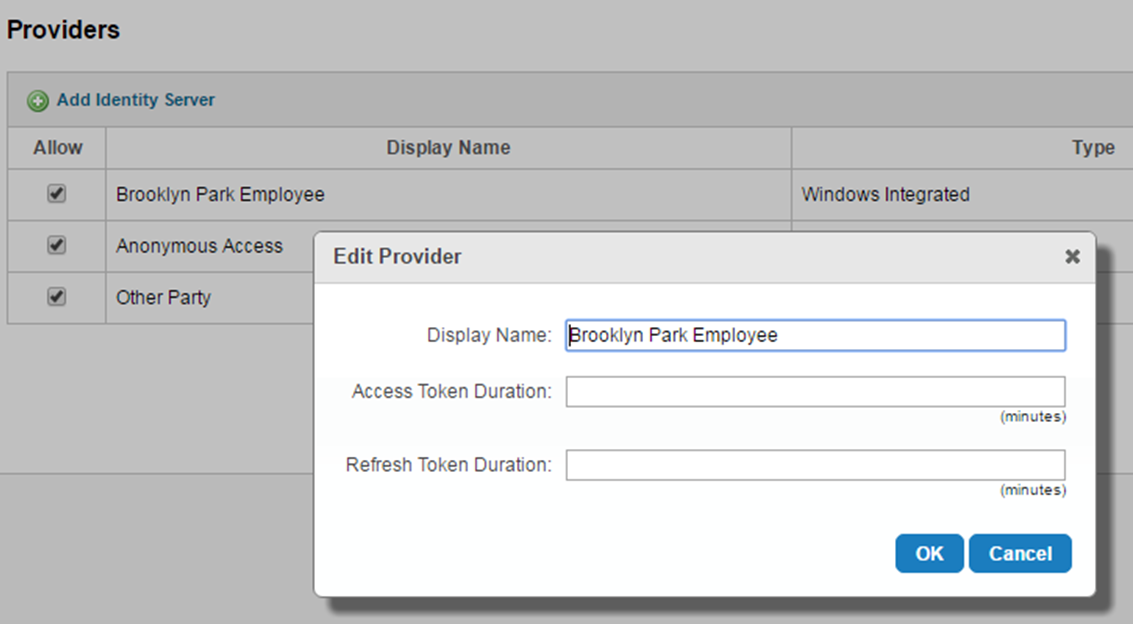 0
0
Please sign in to leave a comment.
Comments
6 comments