Suppress map tips for uploaded data

I just upgraded to 4.5.1 and GVH 2.6.1. I noticed when I upload a kml file and click on it on the map I get a map tip that looks like the image attached. Is there any way to deal with this? I know map tips in general seem to be impossible to get rid of...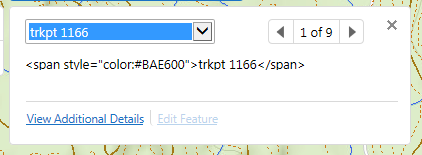
0
-
Hi Rebecca,
I'm not too sure about that particular issue, but from your last sentence, it sounds like you might be interested in the ability to disable map tips entirely.
If you search your Desktop.json.js file for "InvokeMapTip", and remove that line (there should be only one occurrence), your map will no longer load map tips when you click it.
Hopefully this helps! If not, I encourage you to open a support case, so that one of the analysts can help you with this issue.
Cheers!
Danny0 -
I made that change and it no longer shows map tips but the identify tool is throwing this error now. The information still shows and the user can clear the error and proceed but I need to not have the error show at all. I've added the code back in but the error is still there. Any thoughts? 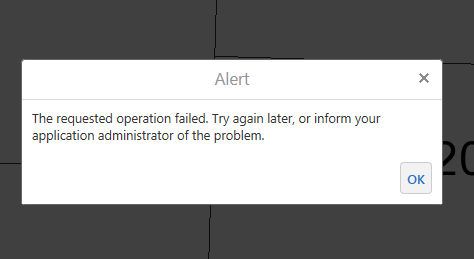 0
0 -
Hi Rebecca,
I just re-enabled the feature on my viewer, and I got the same error. Clearing my cache solved it for me. Sorry about that, I didn't know clearing the cache was required!
I also tried re-removing the module, clearing my cache, and doing some identify operations, and everything worked as expected, with no errors. Perhaps this will still work for you.
Please let me know if you're still having troubles!
Thanks,
Danny0 -
I cleared the cache in both IE11 and Chrome. Still getting the error. 0
Please sign in to leave a comment.
Comments
4 comments