expose dataset metadata

Hi,
How is metadata exposed in the html5 viewer from a feature class in SQL Server SDE?
thanks,
0
-
Hi Ken,
The metadata is not exposed in the HTML5 viewer. However, if you want to see the metadata, you can navigate to the layer's REST endpoint for more information.
I hope this helps.
Regards,
Carmen0 -
Hi Carmen,
thanks, but I dont think this is a solution that I could direct the application users to. Are there any other options?
thanks
Ken0 -
Hi Ken,
Since the metadata is not exposed, you would have to expose it yourself.
To do that, I think the easiest method is to create a workflow and allow the user to select which layer's metadata they want to see. Then from there, it can direct the user to an external link, or direct them to a PDF of some sort, or you can manually populate a display form with the desired information. If that is something you are interested in, then let me know and I can send you a sample workflow. I can create a workflow for you as well but I would have to do that through the support case.
I hope this helps.
Regards,
Carmen0 -
Hi Carmen,
With the new My Layers & My Catalog features coming up in new HTML5 viewer releases, is there any vision to include the exposure metadata info?
Thanks
Brad0 -
Hi Brad,
There are no plans to expose the metadata info in the viewer. Right now, if you wanted to expose the metadata, then you will have to direct the user to the REST endpoints. I have filed an Improvement case with our developers about this so I can add you as a stakeholder to that item. The number for that is GVH-11011.
Let me know if you have any other questions.
Regards,
Carmen0 -
Hi Carmen,
I have an HTML5 viewer and my metadata is sitting in Voyager. I am looking for an easy solution for administrator to expose and user to retrieve the associated url. Is workflow ay to go? Do you have a sample?0 -
Hi Carmen,
Could you show us a sample workflow as you mentioned before, please?
Regards,
Fatin0 -
Hi Carmen,
Thanks for your effort. I will try your solution, and get back to you if i have any diffculties.
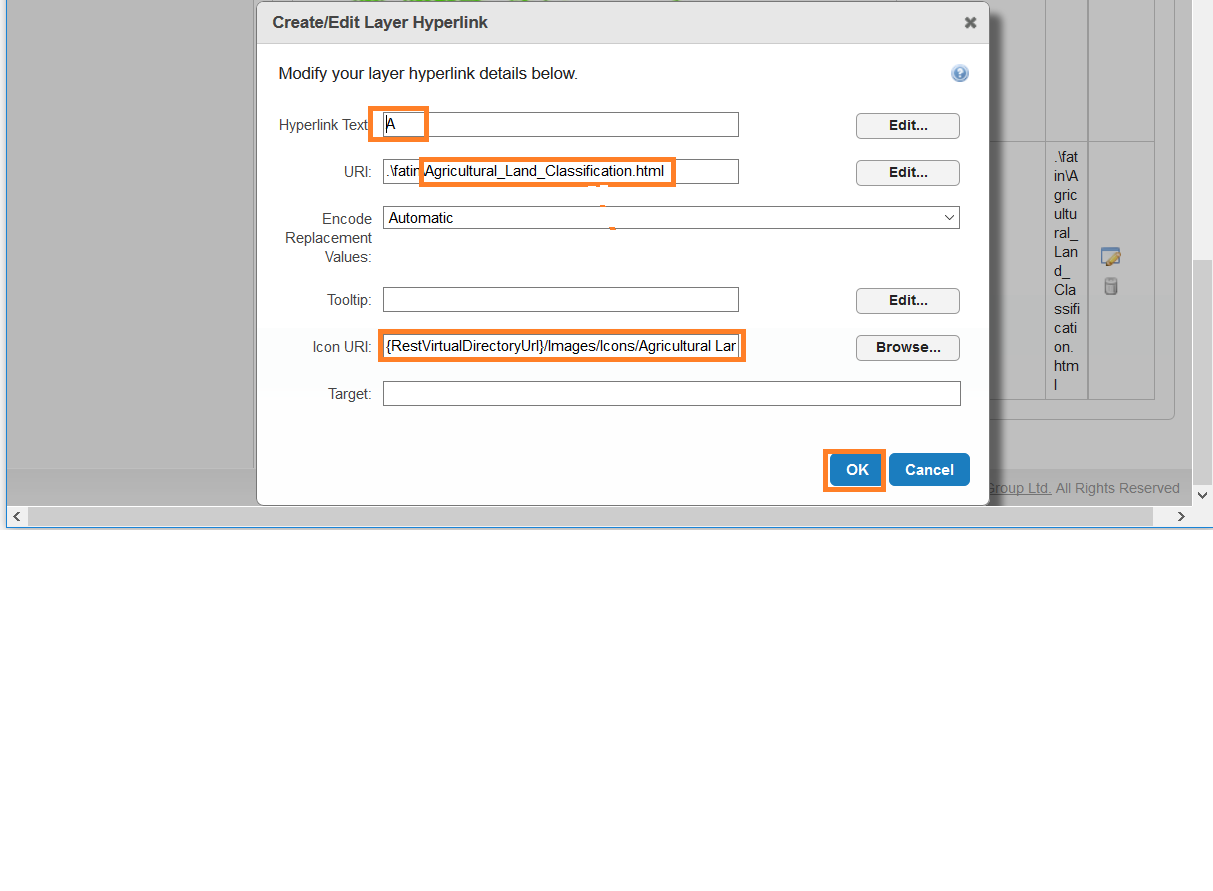
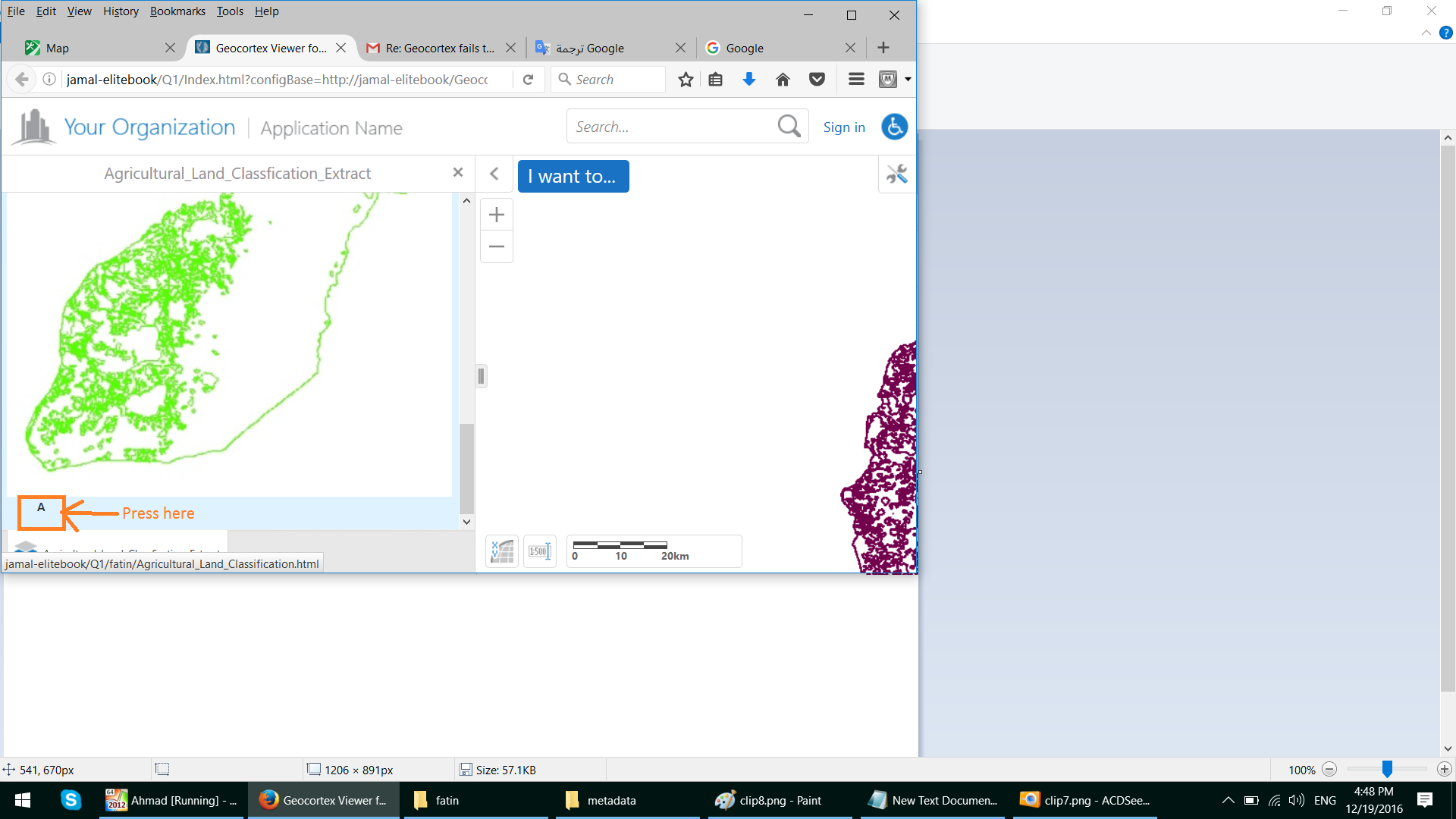
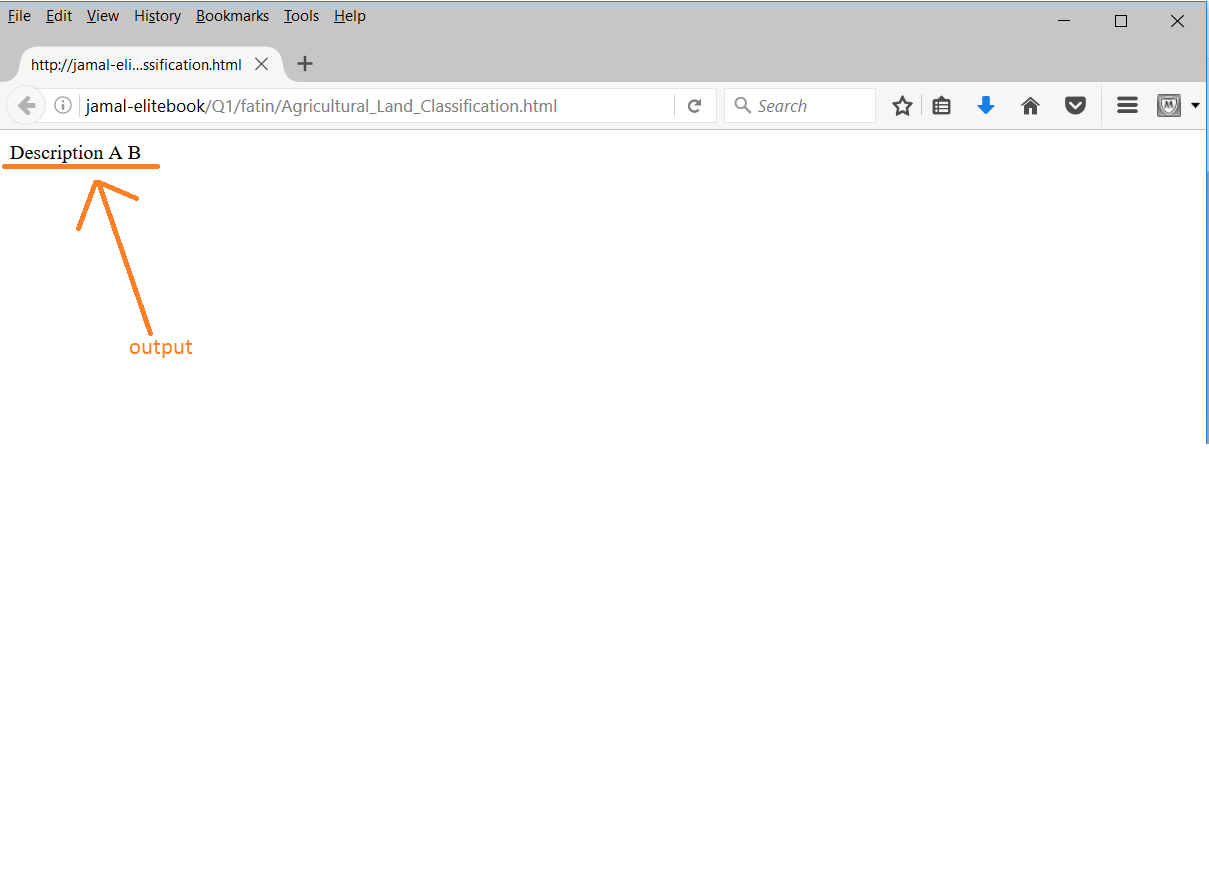
On the other hand, i tried to add an html file as layer hyperlink to reflect a random data, please see the following screenshots.
my question here is how Geocortex can read the REST endpoint of the layer and display the map service accordingly using hyperlink?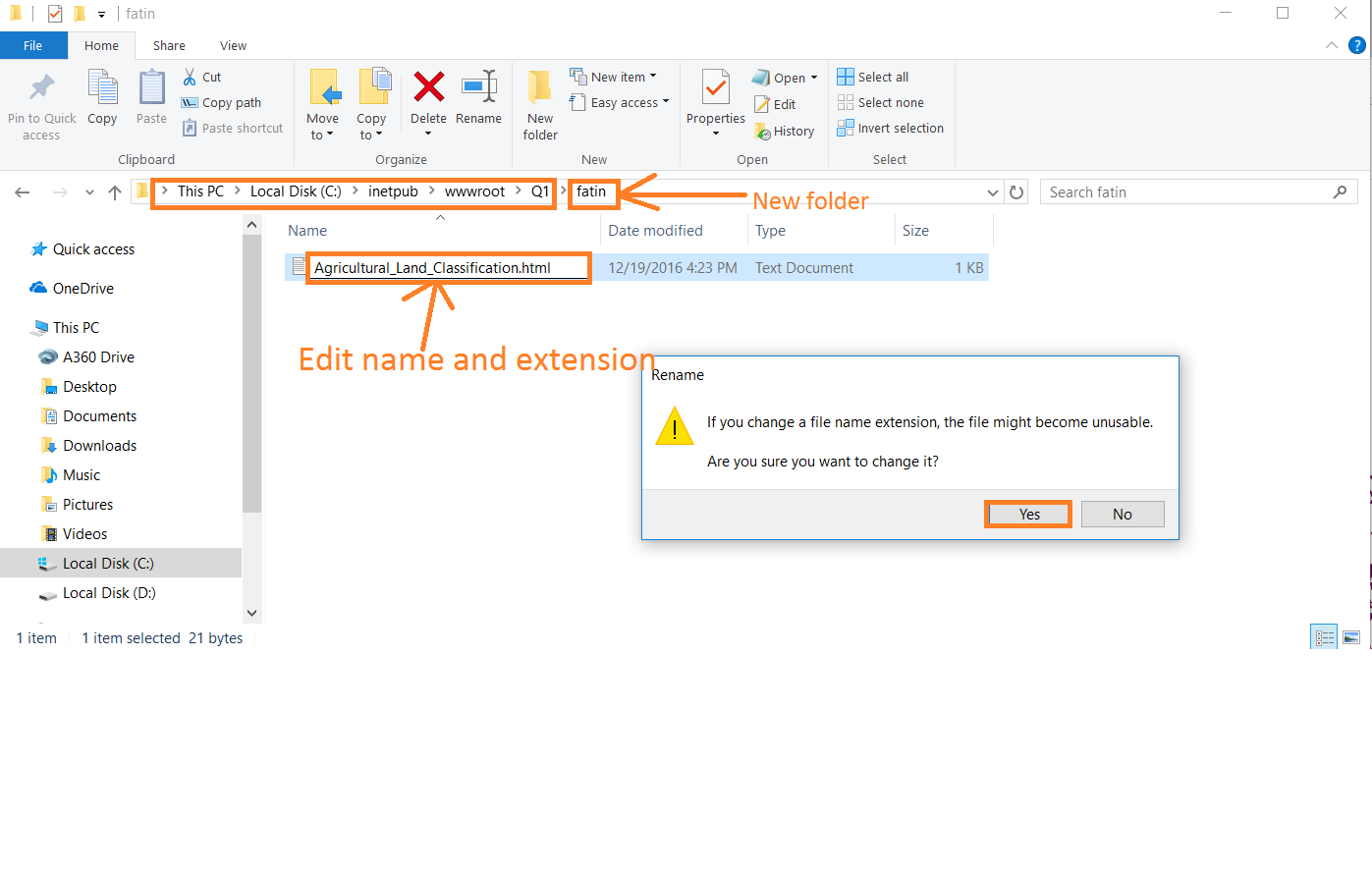
Best Regards,
Fatin0 -
Hi Fatin,
If you want to expose the metadata, I was thinking you can use the Arc REST endpoint of your layer as the url to configure your layer hyperlinks.
If you were hoping to use a local file and expose that as the metadata, then you can place your file in the viewer's virtual directory like this:
C:\Program Files (x86)\Latitude Geographics\Geocortex Essentials\Default\REST Elements\Sites\LA_County\Viewers\LA_County_HTML\VirtualDirectory\tree.png
I am using tree.png as an example and then you can use a link like this to expose it:
http://domain.latitudegeo.com/Geocortex/Essentials/Default/REST/sites/LA_County/viewers/LA_County_HTML/virtualdirectory/tree.png
I hope this helps.
Carmen0 -
Hi Carmen,
Thanks for your support.
Could you please show me how to add the proposed workflow ?
Regards,
Fatin0 -
Moreover, its still vague to me how to use the Arc REST endpoint of the layer, could you add screenshots to reduse the missunderstanding.
Thank you,
Fatin0 -
Hi Fatin,
The workflow I attached can be added to the toolbar or the "I want to" menu. All you need to do is add the workflow to the site in Essentials Manager (instructions on how to add a workflow are in the Essentials Admin Guide under section "36.5 Add a Workflow to a Site". It is on page 266 if you are looking at the Essentials 4.6.3 guide).
Then you want to add it to the viewer by either going into the "I want to" menu and selecting "Add Menu Item" or into the Toolbar section and clicking on the green "+" button and selecting "Add Button". Both options will provide you with the same parameters to fill out. For the name, tooltip and image uri, you can fill them in however you like. For the command, please enter in "RunWorkflowById" and the command parameter is the ID of the workflow (as displayed under Site > Workflows).
The workflow that I pasted above works only with layers from the same map service. So if you want to run that, then you will need to open the workflow in Workflow Designer and edit the Arguments tab. The map service url is the Arc REST endpoint that leads to the map service (not the layer). The listLayers contains a list of dataitems where each dataitem consists of a layer name (as the key) and the layer ID (as the value). You need to edit this list to reflect your layers. If you want to test out the workflow, you can easily just run the workflow in the Simulator (within Workflow Designer) to see how it works.
As for using the Arc REST endpoint as a metadata link, if the workflow sounds too complicated, you can easily use the Arc REST endpoint of the layer (i.e. http://aws-dmags2.geocortex.com/arcgis/rest/services/LosAngelesCounty/Dynamic/MapServer/2) and add it as a Layer or Feature Hyperlink. These parameters are set under Site > Map > Layer List tab > Edit Layer > Layer Hyperlinks/Feature Hyperlinks tab. For more information on how to configure these items, you can consult section "28.1 Add a Layer Hyperlink" or "29.3 Add a Feature Hyperlink" in the Essentials Admin Guide. So it would look something like this:
And then in the viewer, you would go into the Layer List, click on the ">" next to the layer to see these menu options. The layer hyperlink will be added here: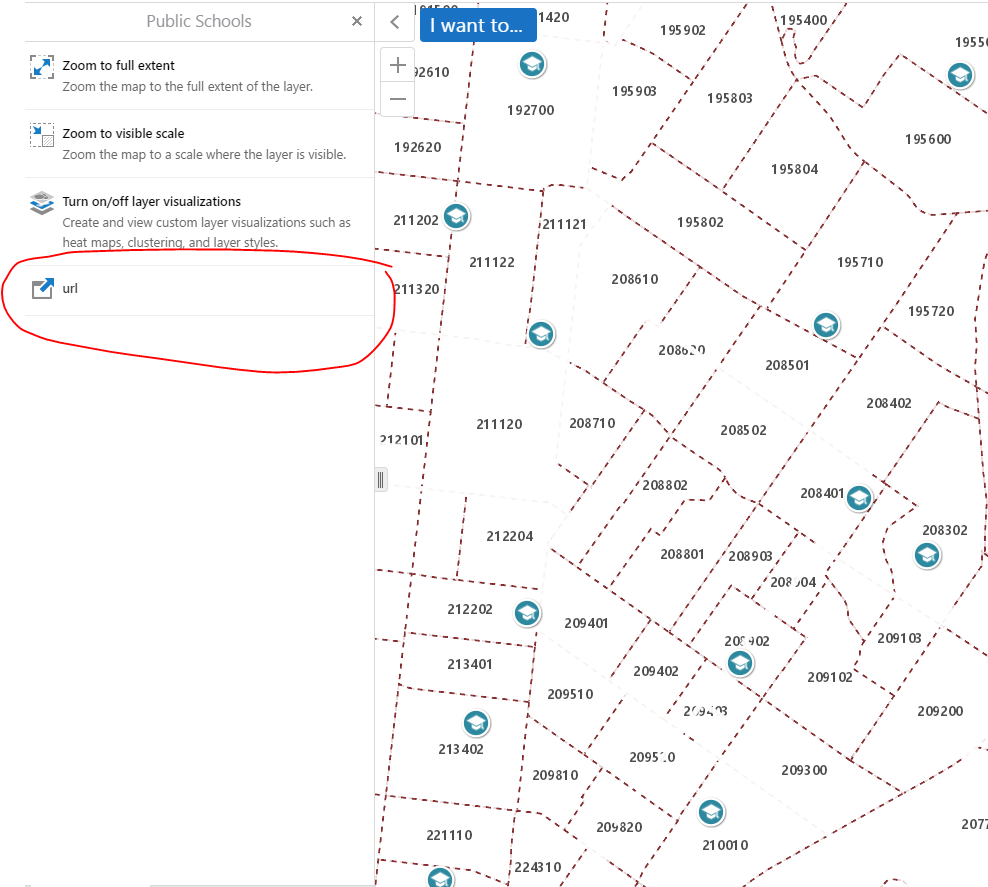
I hope this helps.
Carmen0 -
Thank you carmen.
I really appriciate your effort, and your explantion really helped me.
Best Regards,
Fatin0 -
Hi carmen,
Is there a way or workflow that can expose the metadata for all map services at once?
I think it could be less efficient to display the metadata for each map service individually.
All the Best,
Fatin0 -
As you notice from screenshots, one map service should include the largest number of layers that you want to expose it's metadata. 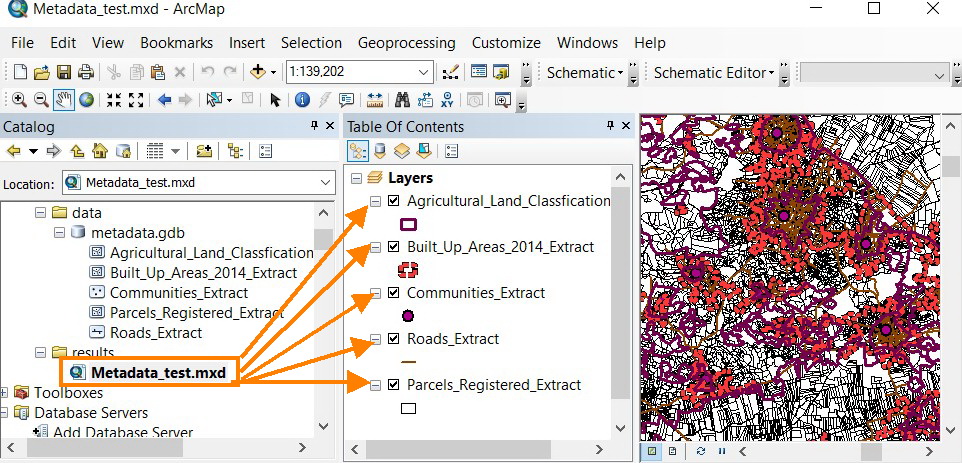
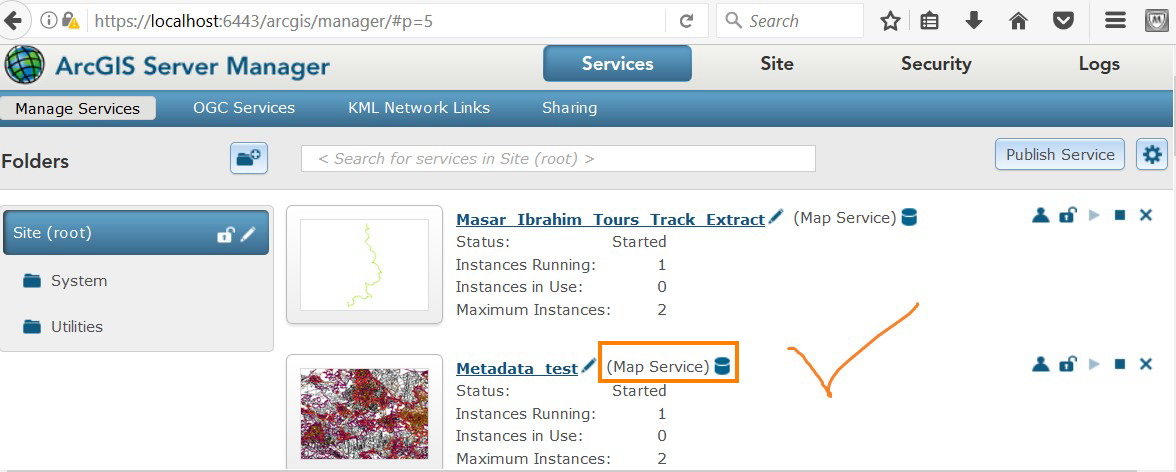
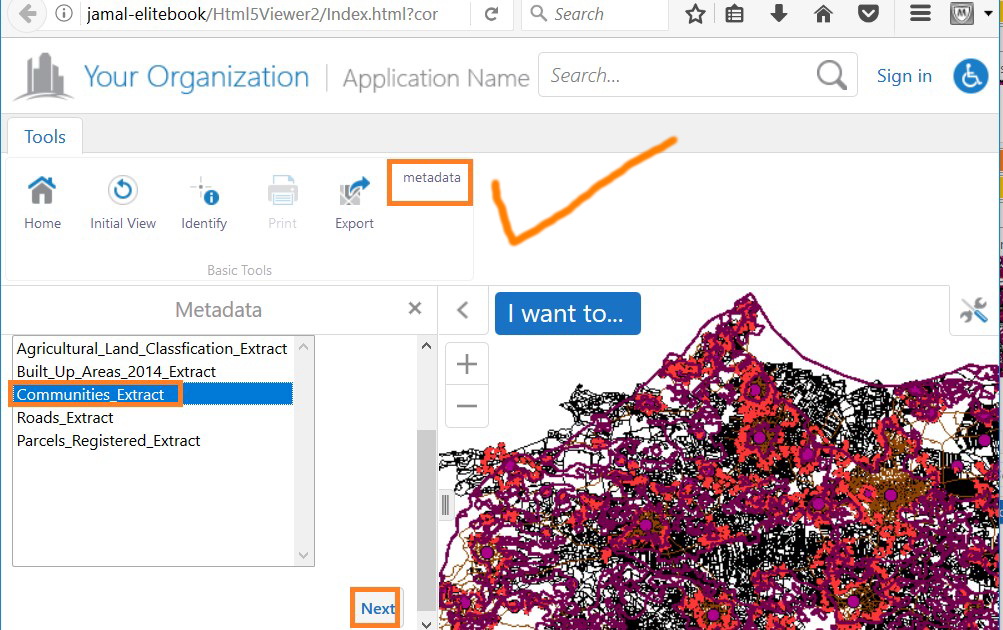
Why not exposing all metadata for all map services?
How can this happen?
Why should we add a separate workflow for each map service? Actually,This can confuse the users.
I am waiting for your kind reply.
Thank you in Advance.
Fatin0 -
Hello Fatin,
Yes, you should be able to do this with a workflow. Carmen's example queries a single map service, and returns results from a single layer. You could expand this to query all the services/layers if you wish (by using a For Each loop to loop through all the layers in all the services in a list). That being said, there are a couple of considerations:
1) If you have a lot of layers, it might be slow, since it needs to do a web request for each layer on each service
2) You would need to loop through each layer, as I'm not aware of an ArcGIS endpoint that shows all of the JSON data from all of the layers simultaneously. This would be a complicated workflow.
If you just want one workflow to let the user choose which map service to query, that would be simpler. I can provide an example of that if you'd like. If you'd like a workflow that returns all the metadata from all the services, I would suggest opening a support case so we can assist you directly.
Thanks!
Danny0 -

Danny,
Not sure if you can help me. I am using the layer hyperlink to display the feature description from my metadata. My challenge is that the text can be multiple lines and the last couple letters of each row is cut off. Is there a way to format this text? My other thought was to add a context menu item to the Layer Actions since the rest of them are formatted correctly but the context menu items do not recongnize tokens. (I need to pull the {LayerDescription}.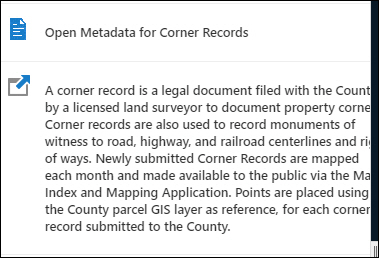
Thanks,
Bobby Jo0

Please sign in to leave a comment.
Comments
17 comments