Upgraded to HTML5 2.7 and Unable to Configure Viewer - All Viewer Configuration Tabs (e.g. Look and Feel) Empty

Geocortex HTLM5 Viewer 2.7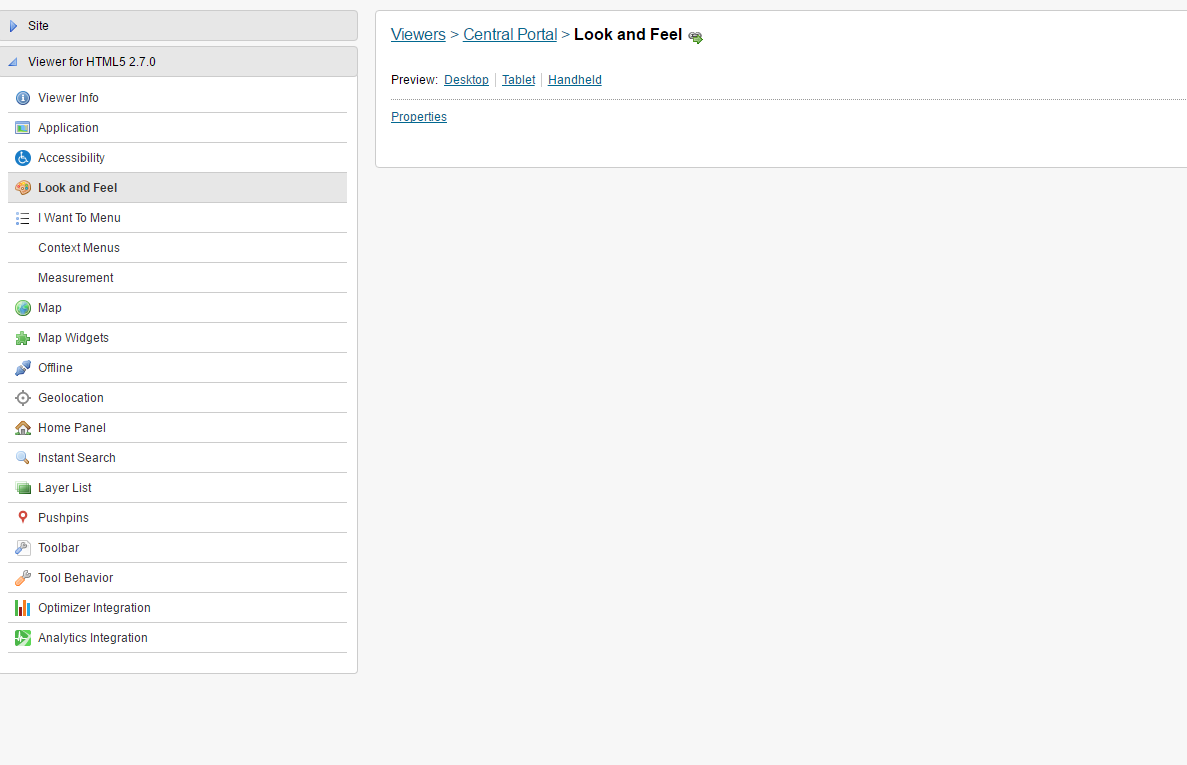
After upgrading to Geocortex Essentials 4.6, upgrading the HTLM5 Viewer template to 2.7 in the Post-Installer, and upgrading my viewers in Geocortex Essiential Manager to 2.7 I am unable to edit/configure my viewer in manager - all the configuration tabs (e.g. Look-and-Feel, Toolbar, etc) are blank.
I followed all the steps in the Installation Guide and the previous upgrades did not create this problem. Am I missing something on the upgrade? Is anyone else seeing this?
Thanks
0
-

Hi Ian,
Can you try clearing your browser cache and then try editing the viewer again? If this doesn't work can you check the browser console and let me know if there are any errors (hit F12).
Thanks,
Mike Ketler0 -
That did it!
So. Simple.
I was using Chrome and cleard the cache using the default setting: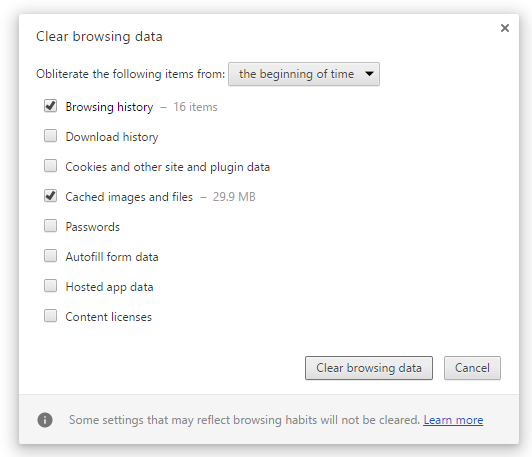
Thanks Mike0 -

With making changes on a regular basis in essentials, I have found two browser add ons to be very helpful...
Chrome: https://chrome.google.com/webstore/detail/oneclick-cleaner-for-chro/oncckmaelaecccmaniihojgeopkcajfh
Firefox: http://penzil-clearconsole.blogspot.com/0
Please sign in to leave a comment.
Comments
3 comments