Dynamic symbolization in GVH 2.7 - fill styles

According to the documentation on Layer Styles, I can configure additional options from the JavaScript API, but I can't figure out how. I found the section in the *.json files where the styles are configured (SymbologySettings for simple styles) and tried putting in "style": "esriSFSNull" but it doesn't work. It lists the new label ("No fill") but when you choose it, a solid fill shows. Any hints?
-
Hi Heather,
If you are interested in having a specific layer symbolization set up you can do so from the Edit Layer interface in Geocortex Essentials Manager. Edit a Feature Layer from the Layer List or Map Services list, then go to the Styles tab and you can create a new style that is a completely transparent fill. I used the Json below:
{
   "type":"simple",
   "symbol":{
      "type":"esriSFS",
      "style":"esriSFSSolid",
      "color":[
         0,
         0,
         0,
         0
      ],
      "outline":{
         "type":"esriSLS",
         "style":"esriSLSSolid",
         "color":[
            110,
            110,
            110,
            255
         ],
         "width":1
      }
   }
}
If you use that json, you can have users select that pre-generated style instead of using the Custom Layer Style tool.
I also found that setting the Color for a Simple Polygon Symbology to white, and the setting the Transparency to max made the fill completely transparent. Let me know if you are experiencing anything different there and I can take a look at that further. I added an image of my settings below:
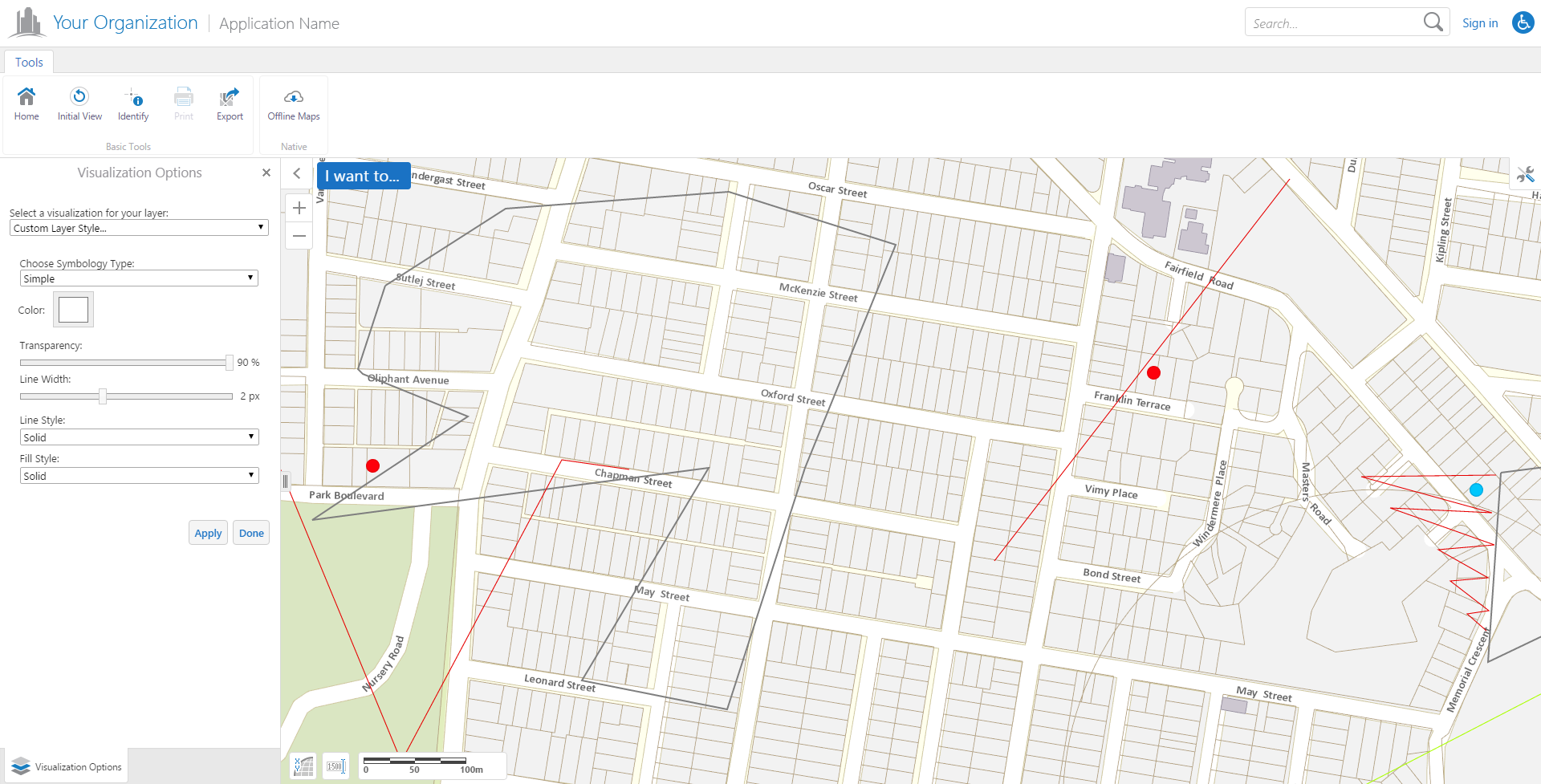
As for the No-Fill setting, I will add you to an existing Feature Improvement request as a stakeholder. That issue is GVH-11561 in our internal tracking software, and that id will be used in the release notes if it is added to the product.
Let me know if you have any other questions or need more information!
Cory Purnell
Latitude Geographics Quality Assurance Team0 -
Thanks, Cory. Yes, I figured out how to add the transparent fill to a style that I pre-set using the below, slightly different code (for a transparent fill and bright yellow outline). I tried the white 100% transparent method and that does seem to work! I was just hoping to have it be one of the obvious options for user custom styling.Thank you for adding me as a stakeholder. { "type": "simple", "symbol": { "type": "esriSFS", "style": "esriSFSNull", "outline": { "type": "esriSLS", "style": "esriSLSSolid", "color": [255,255,0], "width": 2 } } }0 -

Heather, this site should make doing symbols a little easier.
https://www.youtube.com/watch?v=TxiPfYBMMBQ
https://developers.arcgis.com/javascript/3/samples/playground/index.html0 -
I just saw this post, Tom, thank you! What a great resource for those of us new to the API. 0 -
Is there a way to defaulting a specific Layer Style for that particular Layer ? I would like to change the style from what the service itself offers and default this style for the users. Is there a way to do this by using Layer Styles or any other way ?
Thanks,
Bjornar.0 -

Hi Bjørnar,
At present there isn't a way to configure a layer to default to a preconfigured Layer Style. We do have a feature improvement request filed (GVH-12891) to have a public viewer command for setting the layer style. That would let us set the layer style in a workflow or effectively set the default layer style by using a small start-up workflow. I will add you as a stakeholder and include your comments there. Aside from that, the display colour and alpha can be set for some layers using the service-level "Display Settings" tab, but this doesn't provide as many options as the dynamic symbolization.
If you would like to see this option included in a future release, it would also help to post your request in the (https://support.geocortex.com/GSCIdeas?c=09a6000000008RsAAI&filter=1&categ=all&sub-nav=ideas&main-nav=essentials&page=1) Ideas section so that other users can vote for it and improve its visibility.
I hope that helps,
Amanda0 -
Amanda,
Can you please add me as stakeholder of changing style from workflow ? I cannot find GVH-12891, thanks.
Regards,
Ahad0 -
Hi Ahad, I've posted an (https://support.geocortex.com/essentialsGSCIdeasDetail?c=09a6000000008RsAAI&id=087600000008eaZAAQ&categ=all&sub-nav=ideas&main-nav=essentials) idea for GVH-12891 here . 0 -

Hello Amanda May I ask if the function has been implemented in the latest version? Thanks. 0 -
Hello Ting,
GVH-12891 is still listed as an open "Improvement Request" with no plans to implement it soon.
Regards,
Wayne Richard
Latitude Geographics Group Ltd.
Head Office: 300 – 1117 Wharf Street Victoria, BC Canada V8W 1T7
Tel: (250) 381-8130 | Fax: (250) 381-8132 | wrichard@latitudegeo.com
Developers of Geocortex web-based mapping software | www.geocortex.com
An Esri Platinum Business Partner0
Please sign in to leave a comment.
Comments
10 comments