Adding Non-HTTPS Services to Geocortex Essentials

I've installed Geocortex Essentials and added a CA certificate to it, GE is working very well and can consume https services from ArcGIS Server. However, when I try to add non-https services, it fails to load them and the unsafe content icon appears, so I need to click it in order to proceed.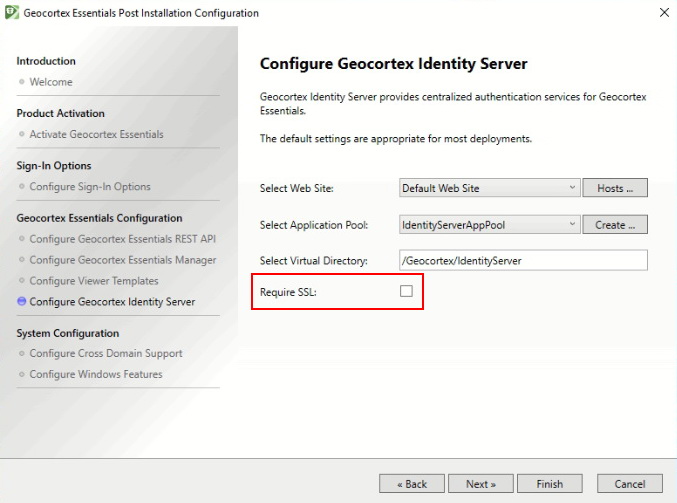
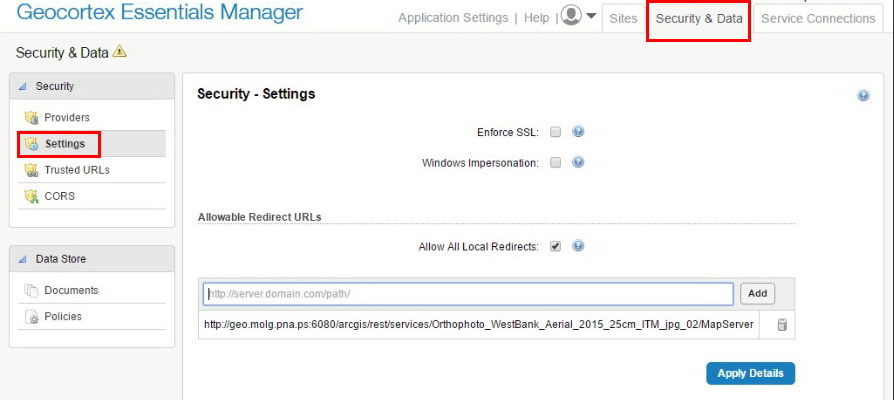
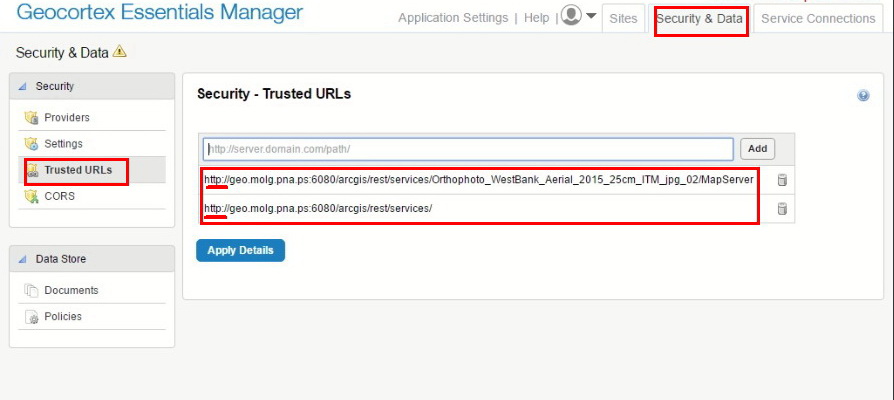
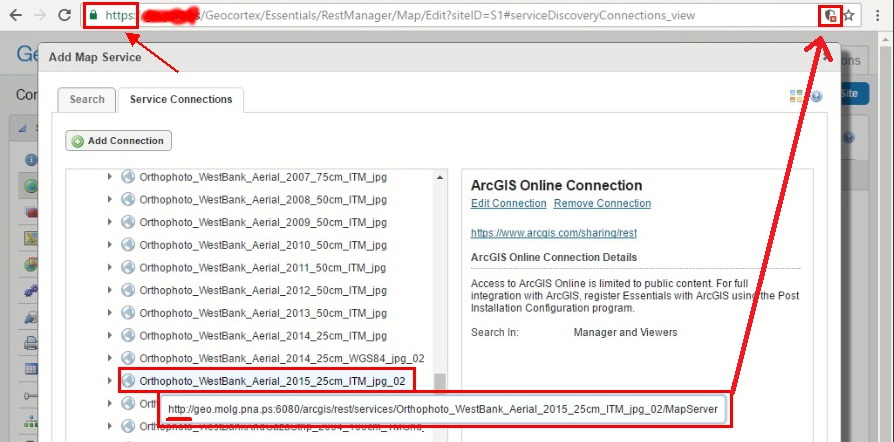
Is there a way to enable mixed-services mode (http & https)?
Please refer to the screen shots below that show that I did not checked any option that enforce SSL:
Any help is highly appreciated
Thank you in advance
Hani Draidi
0
-
Hi Hani,
If any of the content you're serving needs to be secure, all of your content should be secure. Otherwise, you're claiming that your application is secure, but you've left a window open that could be exploited (i.e., your application isn't actually secure). It's for this reason that modern web browsers will show a (https://developers.google.com/web/fundamentals/security/prevent-mixed-content/what-is-mixed-content) mixed content warning and block unsecure content on an otherwise secure page. There's no way for you to turn that client behavior off from the server side. Your users could individually elect to disable the warnings for your domain, but that's not a reasonable expectation, especially if your application is used outside your organization (e.g., by the public).
Depending on the content provider, you may be able to ask that those services be made available over HTTPS. In this case, I'm confident the folks at Ministry of Local Government can help you out.0 -
Thanks a lot Jordan 0 -
Happy to help! 0 -

You can setup a proxy page (comes with the html5 viewer) in your web server, and configure proxy.config to allow the http urls that you need. You then define the connection url in site.xml to go through your proxy page, e.g. "url=http://remote.server.com/arcgis/rest/services/foo/MapServer;proxy=https://your.server.com/proxypage/proxy.ashx". This way, all the map services are loaded without having to click to "load unsafe scripts". But: I still get the mixed content warning. This is because Essentials during startup launches the url http://remote.server.com/arcgis/rest/info?f=json. If anyone knows, I would like to know how it is possible to configure Essentials to launch this url through my proxypage 0
Please sign in to leave a comment.
Comments
4 comments