splash-logo.png file location that has an effect on the startup page,

splash-logo.png file location that has an effect on the startup page,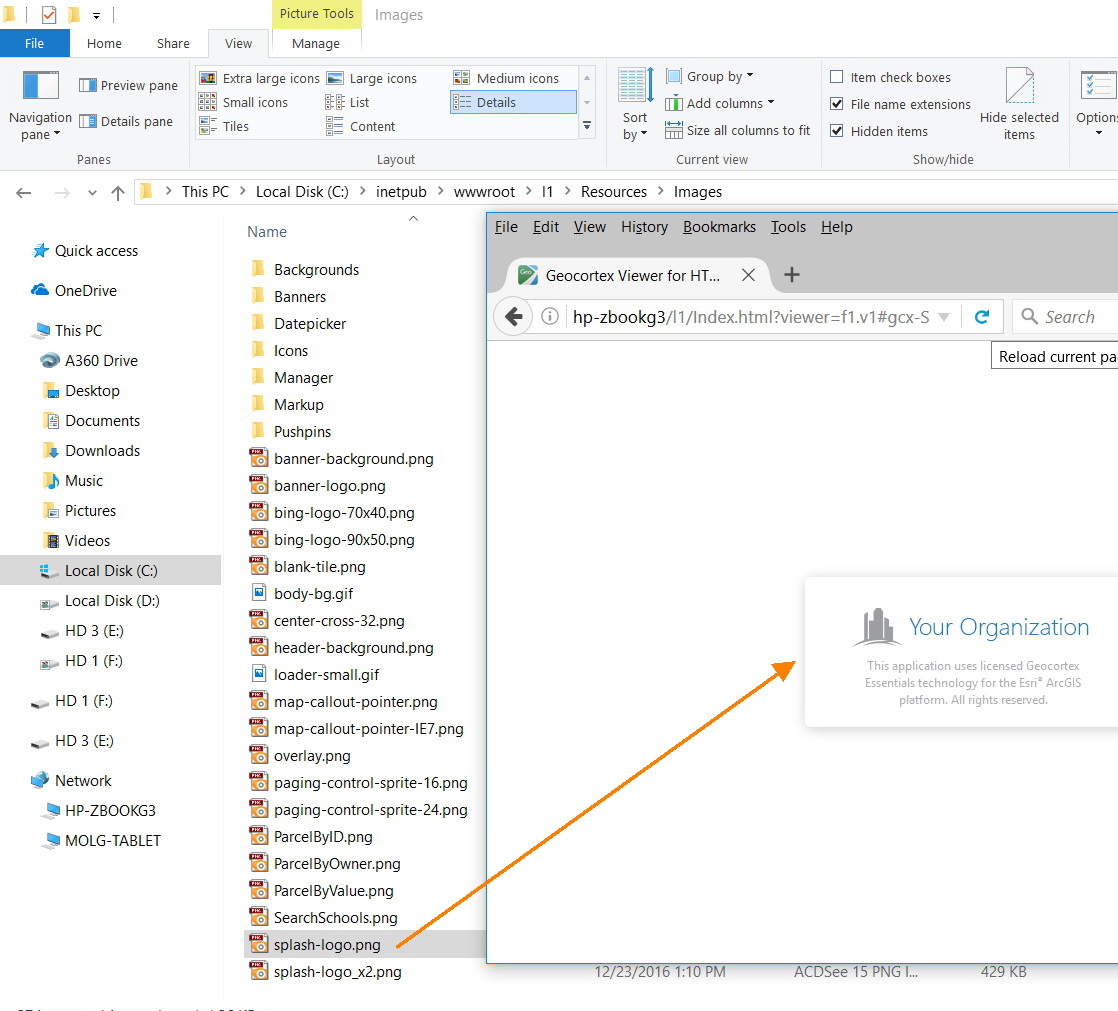
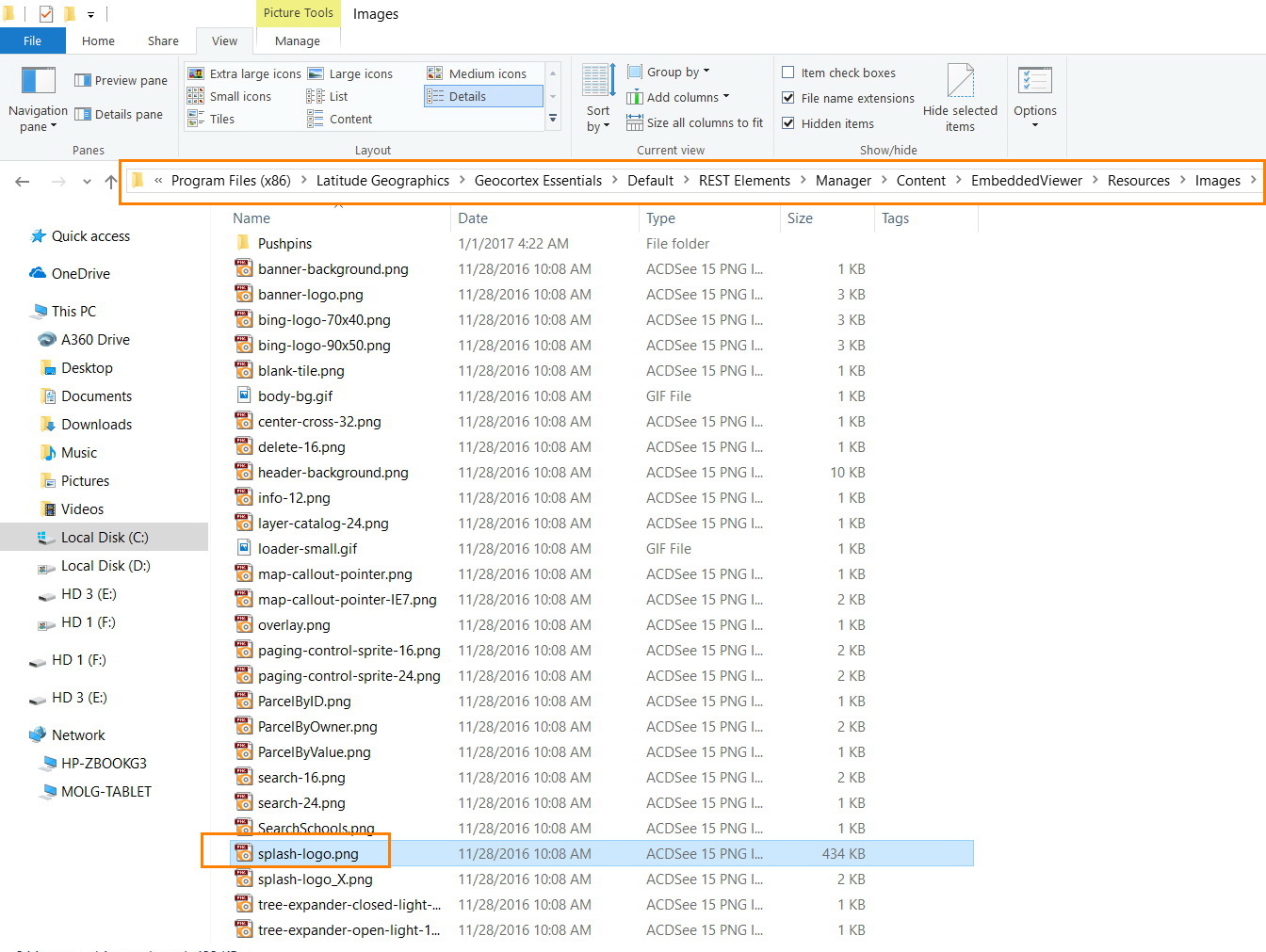
I observed that the splash-logo.png is available in the two locations below
"C:\inetpub\wwwroot\l1\Resources\Images\splash-logo.png"
"C:\Program Files (x86)\Latitude Geographics\Geocortex Essentials\Default\REST Elements\Manager\Content\EmbeddedViewer\Resources\Images\splash-logo.png"
The one that has effect is the one that is located in the second link above. Am I correct?
Best
Jamal
0
-
Hi Jamal,
It looks correct to me: it is the same image that we replace for our customer ...
Francesca0 -
Hi Jamal and Francesca,
The splash-logo that has effect is the one that is located in:
"C:\inetpub\wwwroot\l1\Resources\Images\splash-logo.png". This is the correct path not the second one.
Best,
Lubna0 -
Thanks Lubna. Correct. The one in the location below should be replaced
"C:\inetpub\wwwroot\l1\Resources\Images\splash-logo.png"0 -
If you use the splash logo in the wwwroot directory, every site will have the same logo. Which version of Essintials are you using? In v4.5.1 and up, you can specify a site specific splash logo in Essentials Manager (Site Info tab - Splash Screen Image URL). On earlier versions you could specify the location in the index.html file, so if you wanted unique splash screens you could manipulate it through javascript, or you could just have different index.html pages for each unique site. 0 -
Thank you for the help Hanmore. This is very useful.
With this option, the splash page remains the same even when the site is launched by different URLs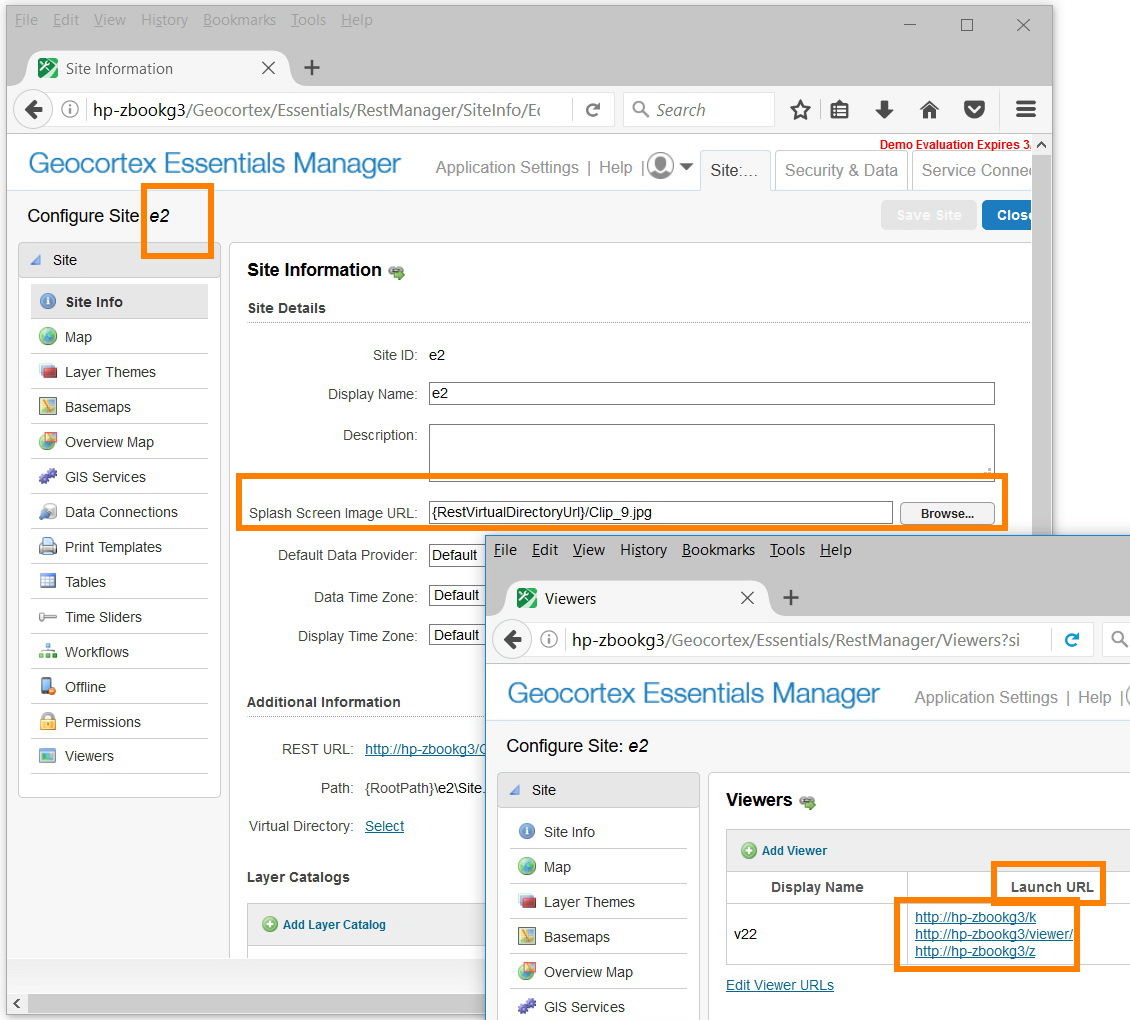 0
0
Please sign in to leave a comment.
Comments
5 comments