The difference between green and grey colors when it is applied at the level of service and layer,

The difference between green and grey colors when it is applied at the level of service and layer,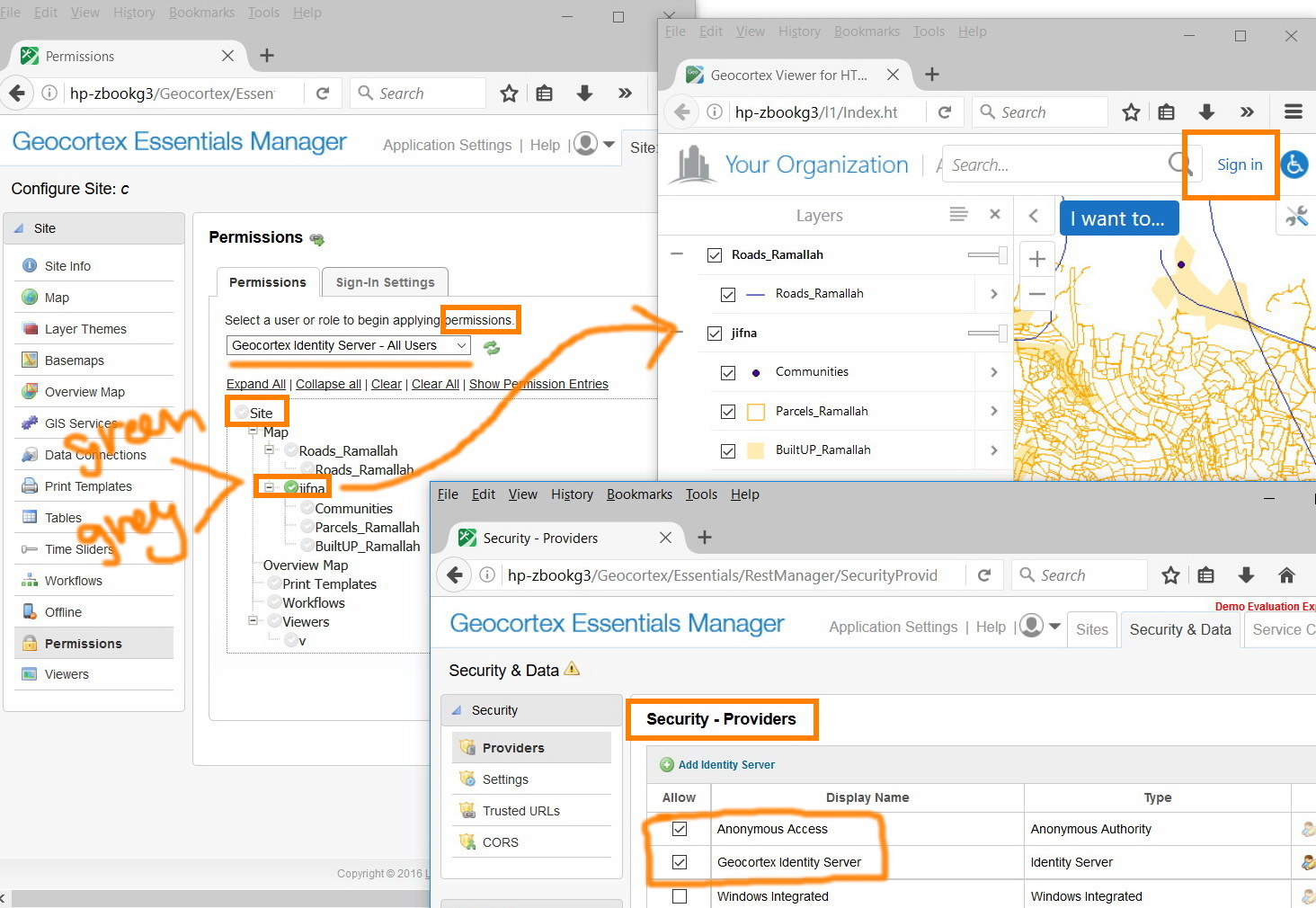
For example, in the screenshot below, how assigning green or grey color for a service or layer will affect their visibility in the application?
Of course, assigning green color at the site level will activate the permission plan for that site as the application is accessed. For this, the difference between green and grey is clear.
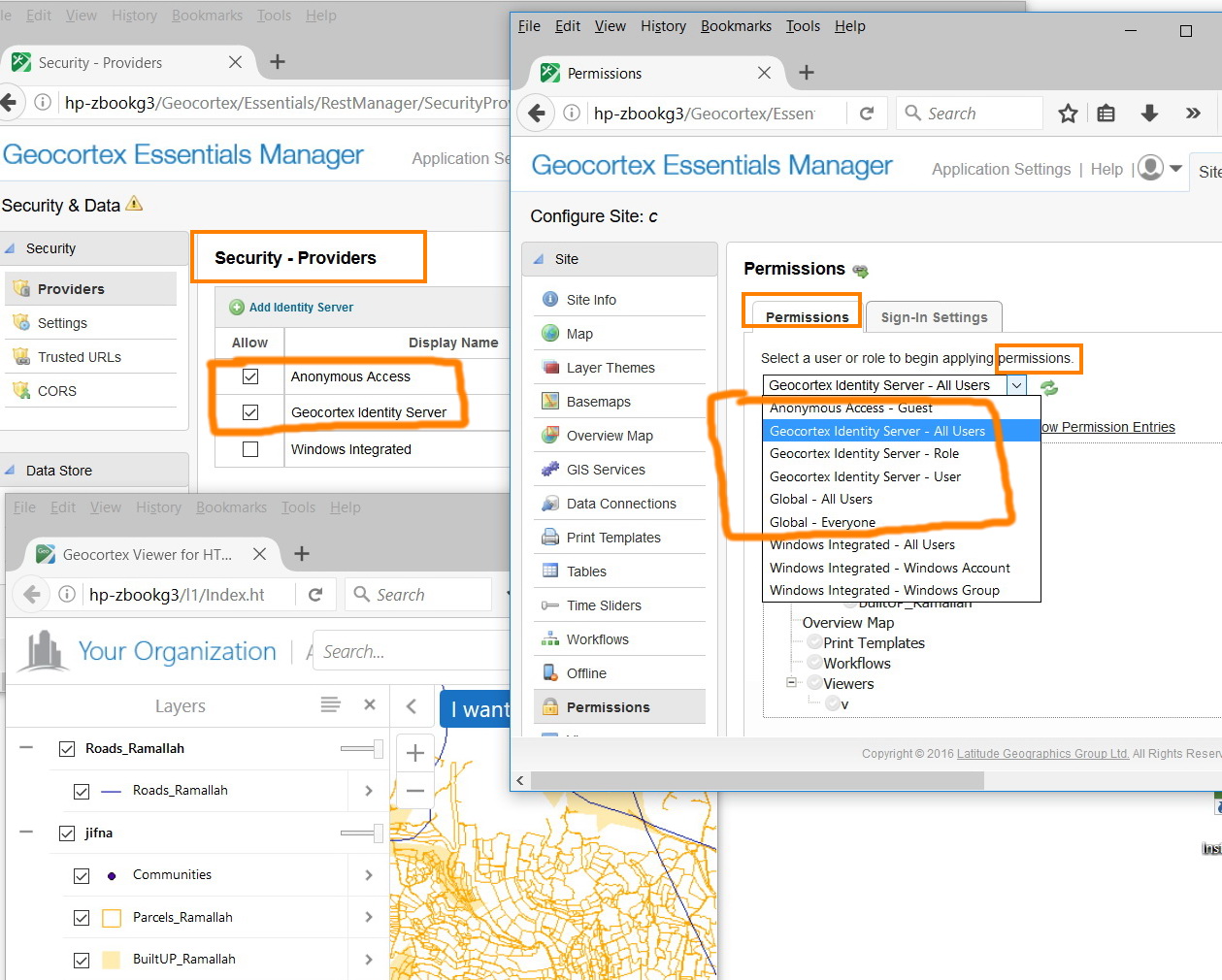
How this is connected to the “permission” plan and “security providers”?
Thank you
Best
Jamal
0
-
Hi Jamal,
The different security providers allows your users to login to the viewer using different authentication methods.
For example, If you have Geocortex Identity Server enabled and Windows Integrated enabled. Then you can go into the site and set permissions for your Geocortex Identity users and set different permissions for your Windows users. You can allow permissions on Map Service A for Geocortex Identity users and deny them for Windows users. This means when you launch the viewer and choose to use Geocortex Identity Server to sign in to the viewer, they will be able to see Map Service A. If they sign in using their Windows account, then the user will not be able to see Map Service A.
Checking the Anonymous Access box means that users do not necessarily have to sign in to access the viewer.
I hope this helps clarify some of the confusion. Please let me know if you have any further questions.
Regards,
Carmen0 -
Many thanks Carmen for the help. This is very useful
Best
Jamal0
Please sign in to leave a comment.
Comments
2 comments