Data Links not showing as additional details in map tips like silverlight

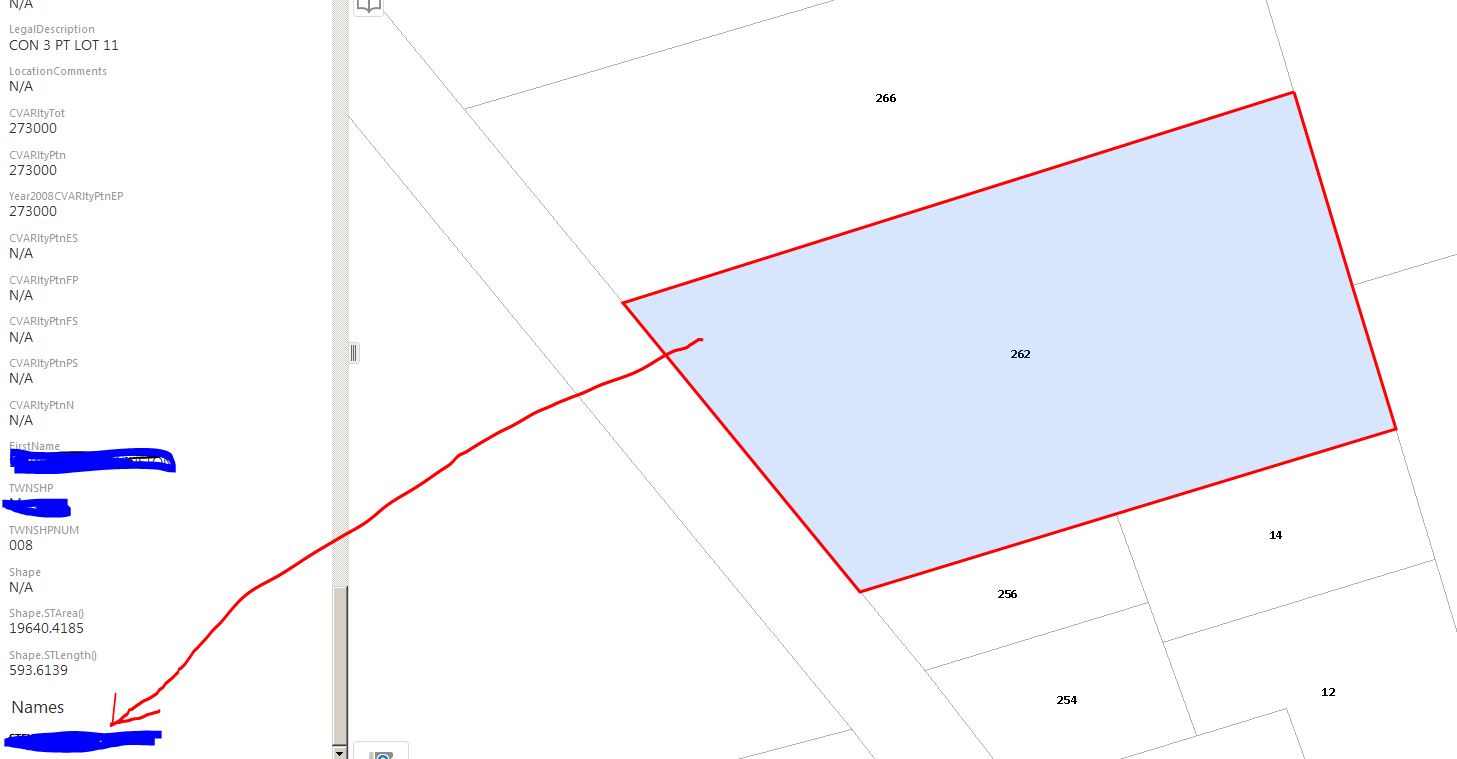
In our SL viewers, configured data links would show up in Map Tips as "Additional Details" tabs. In our HTML5 viewers, same configured data links are showing up in the data region when one clicks the 'additional details' , not as tabs in the map tips like Silverlight. This is very frustrating to our users - is there a way to have the data links show up as tabs in the map tips>Additional Details like Silverlight? Attached images show the different behaviour.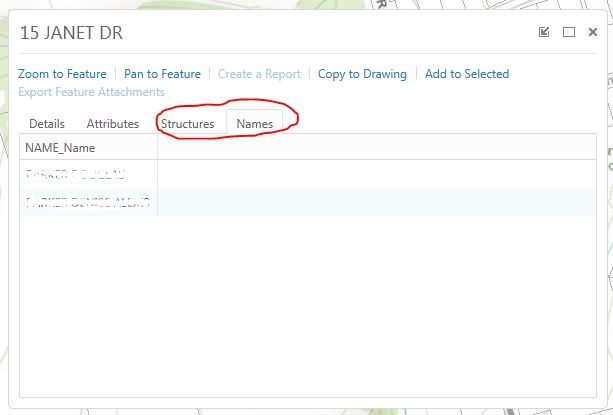
Silverlight Data Links > Additional Details:
HTML5 Data Links > Additional Details:
0
-
You need to use the Menu at the top of the Panel and select the Show Expanded View option.
Regards
Ralph Price0 -
Thanks Ralph - I currently have my desktop.json set to expanded so it does open in that mode be default but I was hoping there was a way to make it behave like the SL Viewer in that the 'additional details' open in a modal window rather than a fixed region but I think I'm out of luck - at least without a customized module.
James0 -
I think there are many of us hoping for that especiall for wide format monitors. Between banners, toolbars and Expanded View it starts to chop into the map real estate pretty quickly. 0 -
Agreed...I'll post as idea and cross my fingers! 0
Please sign in to leave a comment.
Comments
4 comments