changing navigation tools position

By default, the navigate pane is located in the toolbar (as a tap), I was wondering if there is a way to re-position the navigate pane for ex: to the left side of the map.
We expect that adding navigate pane in the map will increase our app usability and provide the clients a better user experience.
Attched example screenshot.
_img_ alt="User-added image" src="https://latitudegeo--c.na53.content.force.com/servlet/rtaImage?eid=90660000000Cklf&feoid=Body&refid=0EM600000001Tr7" _/_img_
0
-

Hi,
Moving the navigation panel as indicated in your screenshot is not currently possible. I'd suggest submitting it to the ideas section and we can evaluate it as a product enhancement.
Thanks,
Mike Ketler0 -
From my eyes, this would be a distinct enhancement as it will save the time of users considerably as they will never be in need to move from one tab to another.
This is already implemented in Cityworks the solution we use for asset management.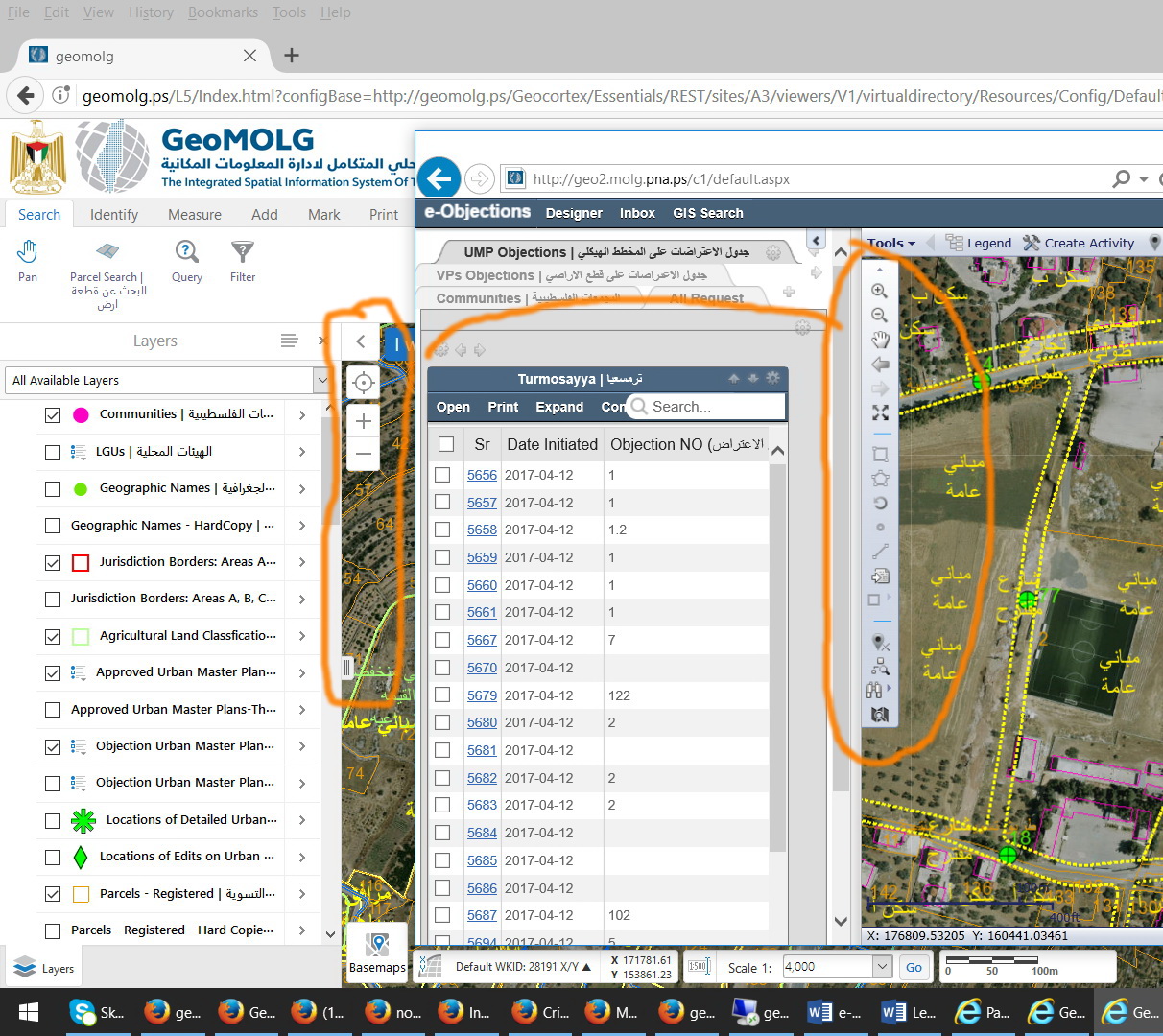 0
0
Please sign in to leave a comment.
Comments
2 comments