Select Features and inbuilt editing tools

I have a workflow where my users create a point, which is then highlighted using "select features" - which is great because I can set a label and highlight the features they have just created. Select features points to the featureset being edited.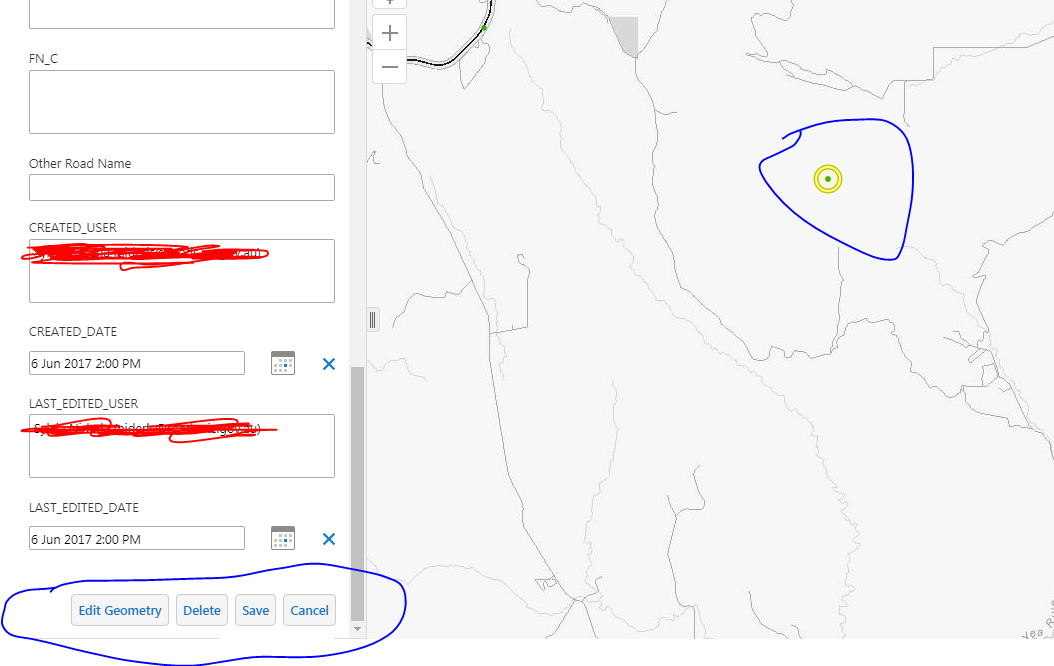
What I want it to do is be able to use the in built editing tools as it is already selected - for example if they want to check the attributes and change them. However, if I try use the inbuilt editing tools by clicking on my selected feature, it comes up with "There was an error applying feature edits: Error: Unable to complete operation." And the only way I can get it to work is the normal - identify tool to select, then use in built editing tools, which makes the whole "Select features" part useless.
0
-
Hi Sylvia,
Testing in the current version, I was able to select features from a workflow and then edit them. You mentioned that your workflow creates a point- perhaps you're selecting the featureset that you sent to the AddFeatures activity, rather than the featureset that was created by the AddFeatures activity? You might consider using Fiddler or your Network tab in your browser tools to see if you can find the request that is sent to ArcGIS Server and see if there are any clues there. The url should end in "applyEdits".
Hope that helps!
-Amanda0 -

What are the steps needed to select the feature that was created by the AddFeatures activity? 0
Please sign in to leave a comment.
Comments
2 comments