Disable Project Module

Anyone know how to disable the project module? I saw a post on how to do it in Silverlight, but I would like to know how to do it in the HTML5 Viewer.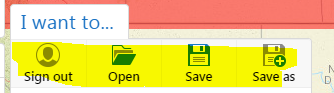
0
-

You can just remove those buttons from the context menus when editing the viewer in Essentials. 0 -
I don't see those buttons under the project actions or the project list actions? Do you know where they are? If so, please be specific.
_img_ alt="User-added image" src="https://latitudegeo--c.na53.content.force.com/servlet/rtaImage?eid=907f20000000SdX&feoid=Body&refid=0EMf2000000E4Dq" _/_img_0 -
Hi Carlos -
The menu that you want to modify is called the "Global Actions" menu. This menu is included among the Context Menus.
Regards,
Steve0
Please sign in to leave a comment.
Comments
3 comments