How to set image Url dynamically (based on expression)

Hello,
I would like to set the image url in a form based on an expression, but it only seems to accept a literal String(=$myURL does not work, inspecting the img in the sandbox shows that the expression is interpreted literally) in the form. I does work with a literal URL.
I've tried to use the Set Form Element Property on load event, but can' get the image to show, event when the value is set to a literal URL. Later I'd like to use an expression for the value.
I'm wondering if the Property Name is actually spelled as Image URL or does it need to be spelled differently? Do I need to trigger another event or so for the image to show?
Thank you,
Helen
-
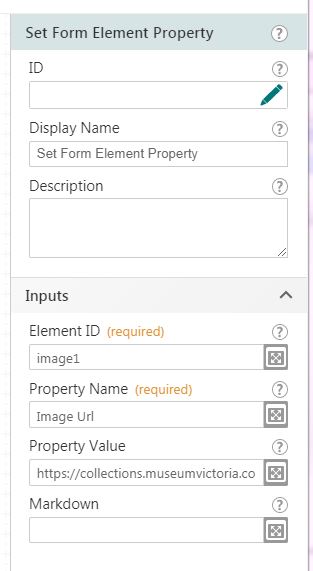
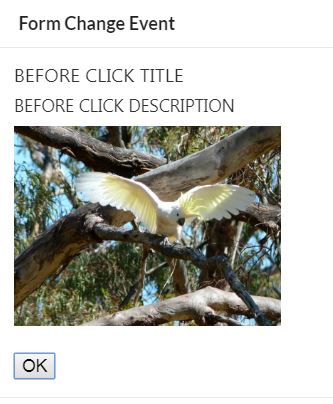 Attached is my workflow - I can set image title and description dynamically, but not the image url, so I'm assuming that the property name is maybe not Image Url?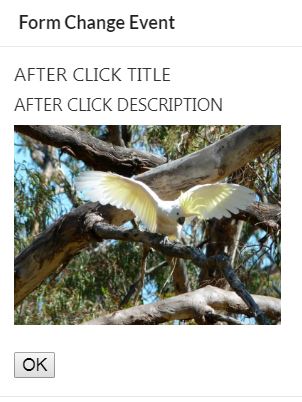
 0
0 -
Hello Helen,
Try changing the Property Name in your Set Form Element Property activity from
Image Url to value
The Set Form Element Property activity uses the property names from the form element object itself, and the ones displayed in the designer sometimes have different names. In the next update, the designer will have a suggestions list for the Property Name to help find usable properties.
If you were curious, you can put a log inside that click event to check what the properties look like. Have it log =$displayform1.state.image1
Run the workflow, press F12, switch to the console tab, and click the button on the form. The image form element object will be logged in the console and you can check the properties there.
0 -
Thank you. That worked.
0 -

This post saved me thank you!!!
0
Please sign in to leave a comment.
Comments
4 comments