Pass in domain description value to display in combo box and return key

Hello, I'm trying to pass in the domain description value into a combo box, but instead it's showing the key(integer). I would like to show the domain description to the user in the combo box. However, the key gets passed into a SqlQuery that hits a database. 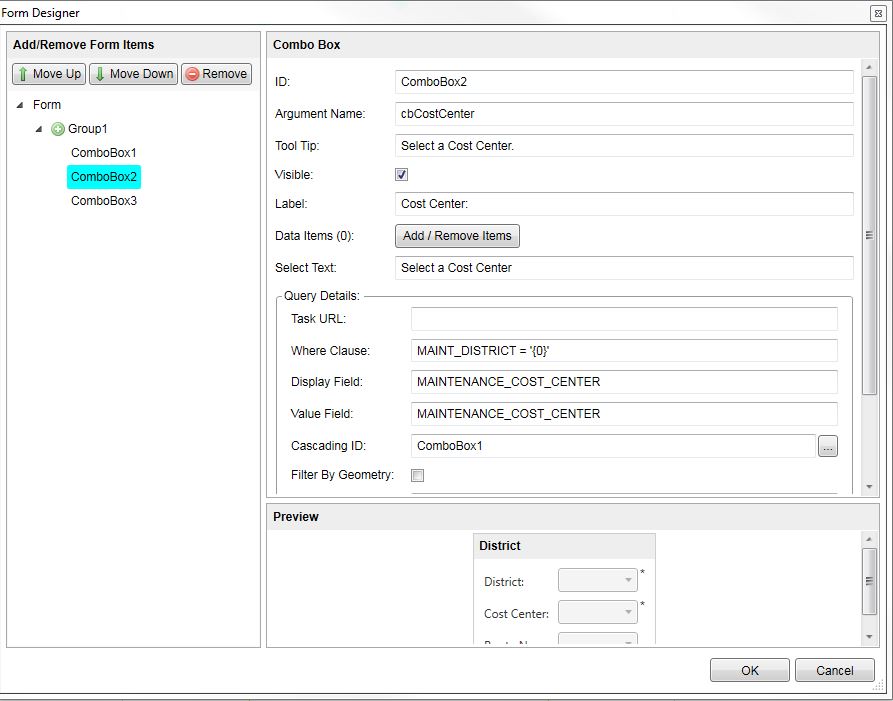
0
-
Hi Cody,
Here's a short rundown what I like to do when I have a list of coded domain values I want to pass into a combo box.
First, use the "GetCodedValueDomain" activity with the service and field name you want to present in the dropdown menu in the ComboBox. This will produce a dictionary of Key/Value pairs which represent the Key (code) and Value (friendly name) for your field's domain.
Next, use the "DictionaryToDataTable" activity to convert the dictionary from step 1 into a DataTable. There are a few settings that are important to make note of here. In the settings menu to the right, check off "Use Key Value Columns" and fill in a name for your table, otherwise you could run into serialization issues.
After you have created a DataTable use the "DataTableToDataItemList" activity. This will create a DataItemList which can be given to the ComboBox as an input parameter. For the "Display Column" property type in "Value" and for the "Value Column" property type in "Key." This switches the order of your Key/Values so that users will se a drop down with friendly names, but their choice will be saved as the code which is used against your database.
Now you're ready to set up a ComboBox with the DataItemList as input. Set up the ComboBox in your form as you want it to appear and with a variable name for Output Arguments. Within the DisplayForm activity box find the parameter for "Input Data" and enter your DataItemList next to the appropriate ComboBox. That's it! Users will now see a dropdown with friendly names from the domain list and their choice will be saved to Output Arguments as the coded value.
Here are a few screenshots of my sample workflow which demonstrates this approach: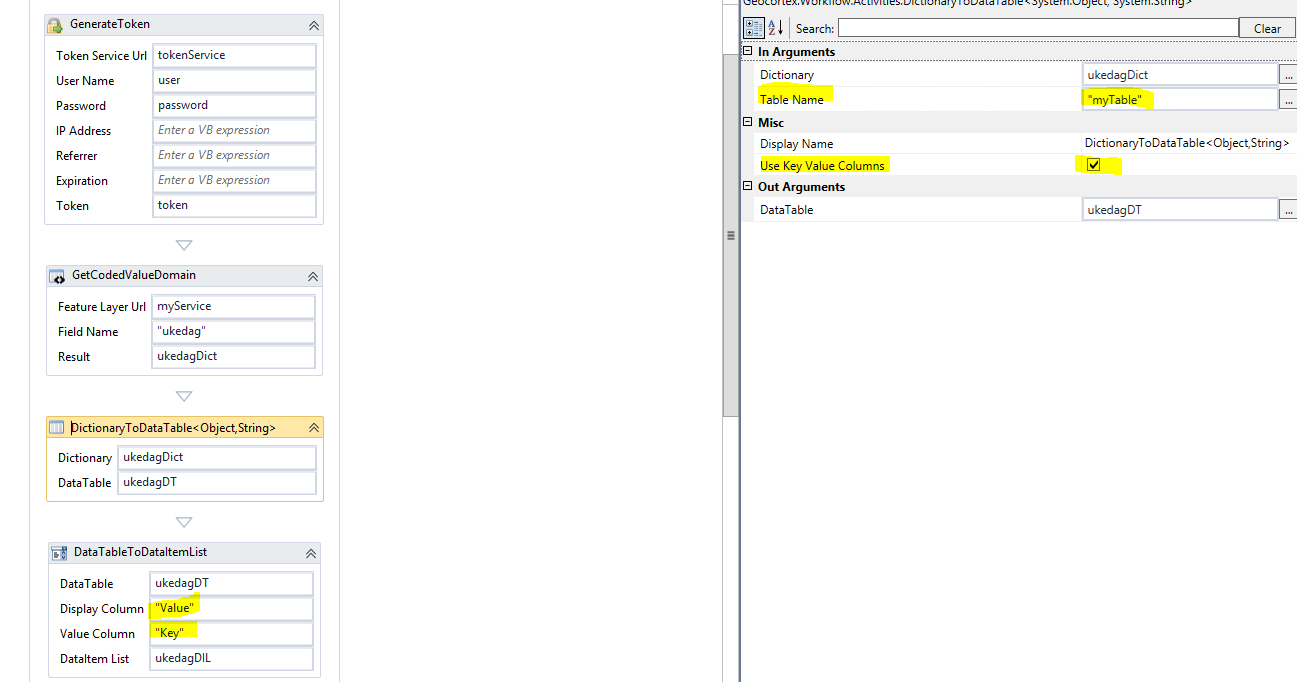
This is process from Dictionary to DataItemList. Make note of the important table name and Key Value Columns parameters.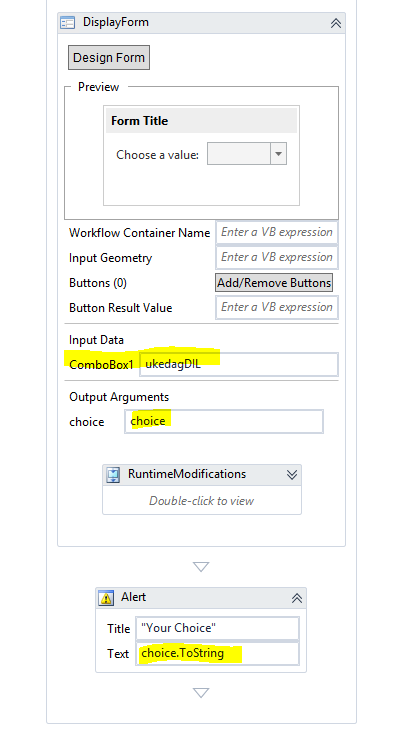
Here is the DisplayForm with a ComboBox. Put the DataItemList in the inputdata parameter field.
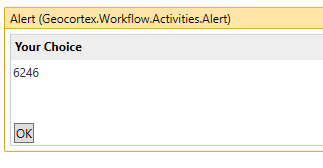
And here is the result of the workflow: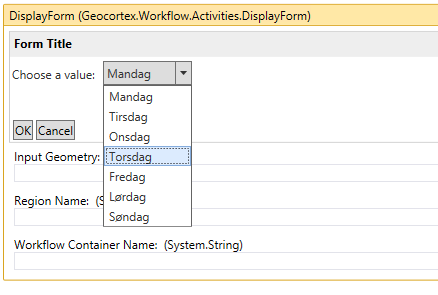
Hope this helps!
--Scott0 -
I actually just learned something that makes this a much shorter process.
There is an output argument for "DataItem List" built into the GetCodedValueDomain activity I mentioned in the first step. If you output a DataItem List here you can skip the parts with Dictionary > DataTable > DataItem List and hop right to the display form.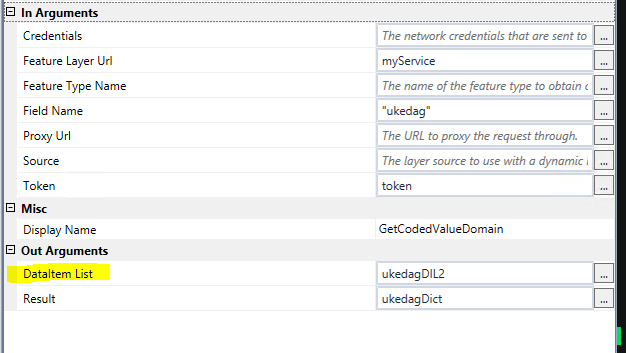
Wish I had figured that out earlier!0 -
Hi Scott,
Thank you for the quick replies! The process you mentioned in your second answer is usually how I get the domain descriptions into a combo box. However, the issue I was having was filtering the combo box based on previous choices in preceding combo boxes, while populating the combobox with domain descriptions.
For my specific issue, it was something dumb and easy I overlooked. In the query details of the combo box in the DisplayForm activity, I looked over the ability to have a display field and a value field. The REST endpoint that I'm hitting has extracted the domain key and domain value into their own fields. So for the Display Field in Query Details, I chose the field with the names(show in dropdown menu), and for the Value Field, i chose the field with the numbers that would pass through to my SqlQuery.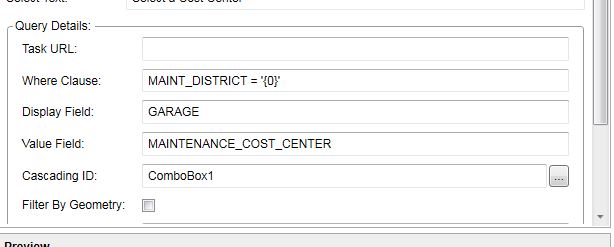 0
0
Please sign in to leave a comment.
Comments
3 comments