Custom workflow containers, container icons

Is it possible to set a workflow form to use a custom workflow container that is set up in a Geocortex Essentials site? The form 'target' property seems to only allow 'default' or 'modal'.
We use custom containers for the following:
- Disable the close button
- Refer to them in other workflows (e.g. close them from a separate workflow)
- Open multiple workflow forms and keep them all open at the same time
Secondly, can a container icon be set? In Workflow 4 we set this via the Configure Workflow Container activity.
-

Hello Andrew,
1: We don't currently have an equivalent to the WF4 non-closable modal. Please consider adding this to the Ideas section if its not already present.
2: Reference workflows aren't currently supported. Using the Container activity is the best option currently.
3: This would require supporting parallel workflows which would be a considerable undertaking.
4: Setting the Container icon is not currently supported.
Thanks for your suggestions for all of these great features, please consider adding this to the Ideas section if its not already present. We actively review this list for features that are widely requested.
Thanks, Stefan
0 -
Hi Stefan,
Thanks for the reply.
Regarding opening multiple workflow forms, I just mean keeping the forms open, so if a workflow form is opened and then a separate workflow is opened both forms stay opened in the left panel (as separate tabs). Is this not possible??
I will add some ideas for my other requests.
0 -
Hello Andrew,
While it's not possible to run two workflows within the same container, it is possible to run one workflow in a modal window, and the other in default. I believe that it was intentional to prevent being able to run multiple workflows in the same container.
Thanks, Stefan
0 -
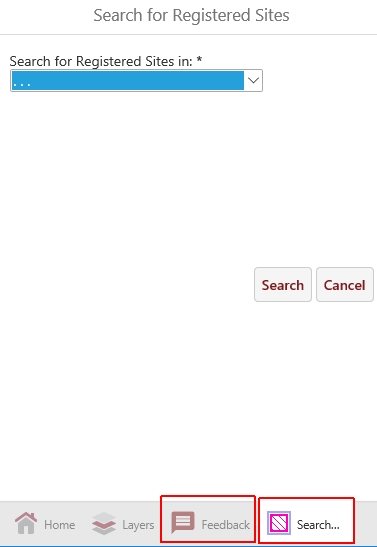
I'm not asking to run two workflows in the same container, what I'm trying to achieve is two workflows running in two separate containers that are both in non-modal windows (i.e. tabs in the left hand pane).
I've attached a screenshot showing two an example from our existing application that uses workflow 4. This is achieved by defining two custom containers in the site configuration.
 ?0
?0 -
Ahh I see, thanks for the clarification. That would require a new feature in order to support this in GVH.
0 -
Ok, I'll add it as an idea.?
0
Please sign in to leave a comment.
Comments
6 comments