How do I get the objectid of clicked element in results table?

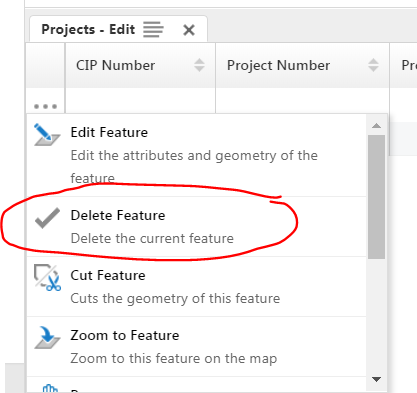
How can I get the objectID of the particular feature clicked on in a results list--specifically when launching a workflow from the feature actions in the results table. My thinking is that I need to pass the objectid into my workflow so as to be able to work on that particular feature...maybe there is another method?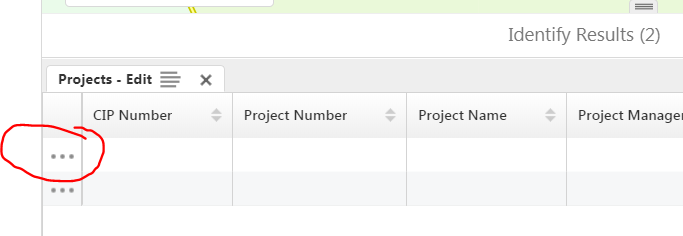
0
-
Hi Michael,
You can subscribe to this event "ResultsListFeatureClickedEvent" and get the selected object as first argument.
Please let me know if you need any further clarifications.
Regards,
Mohammad Ashraf0 -
Mohammad,
Thanks for that reply. I actually have no idea how to subscribe to an event. I was hoping their was some activity that could give me the "clicked on" feature, but if I need to do custom code, I will need a whole lot more help. Are there any examples you can pass my way?
Michael0 -
Hi Michael,
You need to write a custom module and subscribe to "ResultsListFeatureClickedEvent" event as shown below:
initialize(config: any): void {
this._config = config;
if (config) {
this.app.eventRegistry.event("ResultsListFeatureClickedEvent").subscribe(this, this.closedEvent);
}
}
closedEvent(evt) {
// do your stuff here
// you can call a workflow here if you want to do any operation on the selected feature(s)
//this.app.commandRegistry.command("RunWorkflowWithArguments").execute({
// "workflowId": "workflowIdHere", "inputArgumentNameHere": dataToBePassToWorkflow
//});
}
If you want to know how to write a custom module and need sample, please refer to the HTML5 Viewer QuickStart folder (It contains a visual studio solution to write a custom module)
Please let me know if you need any clarifications.
Regards,
Mohammad Ashraf0
Please sign in to leave a comment.
Comments
3 comments