Add a tool to a map region

How do I add additional tools to the map region?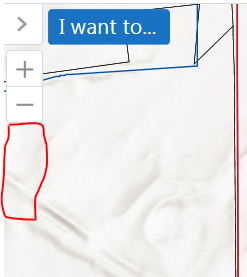
In Desktop.json.js these two tools are included because they are in the zoomcontrol module. How do I add other commands to this? For example, I want to add the command ZoomToInitialExtent to this. What do I need to replace in the following?
{
"id": "ZoomInView",
"visible": true,
"type": "geocortex.essentialsHtmlViewer.mapping.modules.zoomcontrol.ZoomInView",
"require": "Mapping/modules/ZoomControl/ZoomInView",
"markup": "Mapping/modules/ZoomControl/ZoomInView.html",
"region": "TopLeftMapRegion",
"configuration": {}
},
0
-

See also the Navigation Module
https://docs.geocortex.com/essentials/gvh/latest/admin-help/Default.htm#gvh/admin/modules/navigation-module.htm#Navigation_Module%3FTocPath%3DModules%7CNavigation%2520Module%7C_____0
but I do not know if it is possible to add tools here.0 -
I see. For example, there is the geolocate tool, which is part of the navigation module. The items in Desktop.json.js for this are:
"type": "geocortex.essentialsHtmlViewer.mapping.modules.geolocate.GeolocateView",
"require": "Mapping/modules/Geolocate/GeolocateView",
"markup": "Mapping/modules/Geolocate/GeolocateButtonView.html",
"region": "TopLeftMapRegion",
"configuration": {}
What about if I want to add the Zoom to Initial Extent tool? The command is:
"command": "ZoomToInitialExtent",
How do I add this tool to this TopLeftMapRegion?0 -

I do not see any module with a view associated with this command.
I think you would have to create own view (optionally a viewmodel), wire command to a button in the view, and then attach the view/vm to a module (let's say navigation), update desktop config refering to this module and view alongwith the region of your choice.0
Please sign in to leave a comment.
Comments
3 comments