How do you hide identify options with a compact toolbar?

I'm looking to remove the buffer and layer options from the identify tool (see image below). I tried disabling the IdentifyOptionsView in the viewer json by setting the view's visibility to false but that didn't do the trick and I don't see where else I could do this... does anybody know? I feel I've missed something simple here.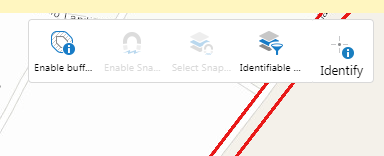
0
-

Search for stateName": "FindDataState" in the CompactToolbar module section of your json.js file and remove it.
Make sure you remove the opening and closing curly brackets plus the comma after the closing curly bracket.0
Please sign in to leave a comment.
Comments
1 comment