Bug in UpdateGraphicsLayer?

I am trying to use a workflow to clear some polygon markup, including measurements, from my map. The workflow contains two UpdateGraphicsLayer activities, one which is configured with the Graphics Layer ID set to "Drawings_Layer", the other set to "Drawings_measurement_Layer". Both have Remove All Features = true.
If I add several polygon measurements to the map, then run the workflow (from a toolbar button), both the polygons and the associated measurements are removed as desired. BUT, if I add a new polygon measurement to the map, all the previous measurement labels appear again in their original positions. It seems like all those labels are getting cached somewhere and re-added each time.
If I use the built-in ClearMarkup command attached to a button, it removes the polygons and labels and they never reappear. Does anyone know why UpdateGraphicsLayer doesn't work like ClearMarkup? Is there another step I need to take to get rid of the labels? Here's an example of what's happening.
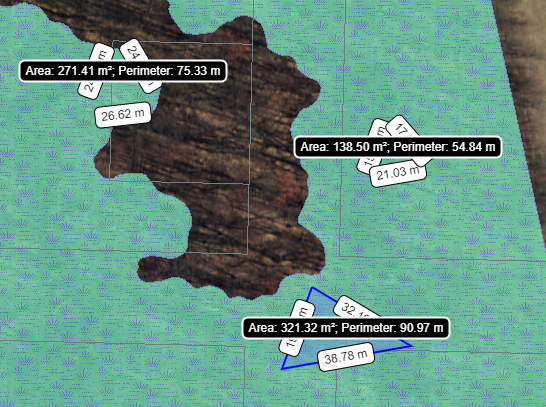
-

Hi Peter,
I had the same result trying this out on my end. It seems to be an issue specifically with Drawings_measurement layer. I'm going to file it as a bug. Thanks for bringing this to our attention!
-Caleigh0
Please sign in to leave a comment.
Comments
1 comment