Access to Workflow 5 sample

Hello,
I am an user of the Geocortex Workflow 4 and I am trying Workflow 5 at this moment. I found I don't have any access to the sample workflow here. For example, https://latitudegeo.maps.arcgis.com/home/item.html?id=21c3573546ae485aab66632f9cab9d80. Could you please check for me please to get the access? Thanks very much for your help.
Best Regards,
Ting
-

Hi Ting,
This workflow is shared publicly and can be accessed through: https://apps.geocortex.com/workflow/designer/#workflow=7b4824c9148a4d81a55200c9b1f5adfb
Note that Workflows generated in Geocortex Workflow 5 are not compatible with Essentials Workflow 4, but much of the same functionality is available in both.
Thanks, Stefan
0 -
Thanks Stefan. I got this error message when I tried to click the link. I think there is something wrong with my Geocortex account. Could you please check for me? Thanks.
0 -
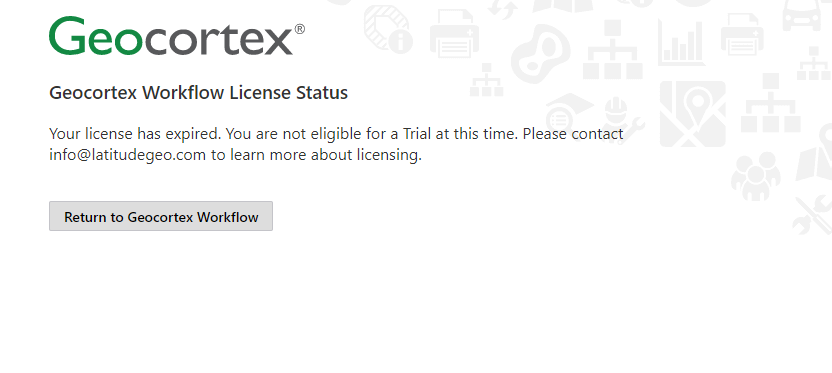 0
0 -
Hi Ting,
We'll take a look into your account licensing.
Thanks, Stefan
0 -
Thanks Stefan.
0 -

Hi @Ting Lin?, if you can still open the 5-series Workflow Designer normally, but just not that sample, try using File > Open By Url inside Workflow Designer (instead of opening the workflow from clicking a hyperlink).
The hyperlink would be launching the SaaS version of Workflow Designer, but you might be set up for the on-prem version instead.
0 -
Thanks Amanda. This resolve my problem.
0 -
Hi Amanda,@Amanda Frech? , I got a warning message "Geocortex Workflow must be purchased for use in production", Geocortex Workflow licensing message, shown in a Web AppBuilder for ArcGIS app. We have the Geocortex 5 on premises licenses, and we have checked in Chrome debug mode, the status is OK for license. May I ask why we are still having the licensing warning? Thanks.
0 -
Hi Ting,
The license is stamped into the workflow that you are using when you make an edit and save the workflow. What version of Workflow Designer are you using?
Thanks, Stefan
0 -
Hi @Ting Lin? , if you can run workflows in the Sandbox without getting that error, but you get it from Web AppBuilder, then I'd suggest double checking with your account manager what type of license your organization has. There are some licensing options that give you access to run workflows in Geocortex viewers but not in Web AppBuilder. See https://communities.geocortex.com/s/article/geocortex-workflow-5-license-information for more info.
0
Please sign in to leave a comment.
Comments
10 comments