Attach pdf generated from report activity to email

Hi all,
Does anyone have any idea how to attach a pdf, created from a report activity, to an email?
My problem is when I add a link to Read File Bytes activity, it gives an error.
-

Could you please update your question and add the actual error? That will help us finding out what's going wrong.If possible, attach a minimal workflow that reproduces the problem.
Also, the activity name Read File Bytes seems to suggest this is about Workflow 4.x, not 5.x. Is that correct?
1 -

Nabaz Gharib Mohammed - I've included a few screenshots below of a server-side workflow that should be able to help you out.
Basically you need to make sure that you use the "Run Workflow" activity in your client-side workflow to call the server-side workflow and include a parameter called "report" that includes the $runReport.href. Then in your server side workflow use the "Get Workflow Inputs" activity and supply the report href as an input to the Send Web Request activity (expecting a blob). Something like: =$getWorkflowInputs.inputs["report"]
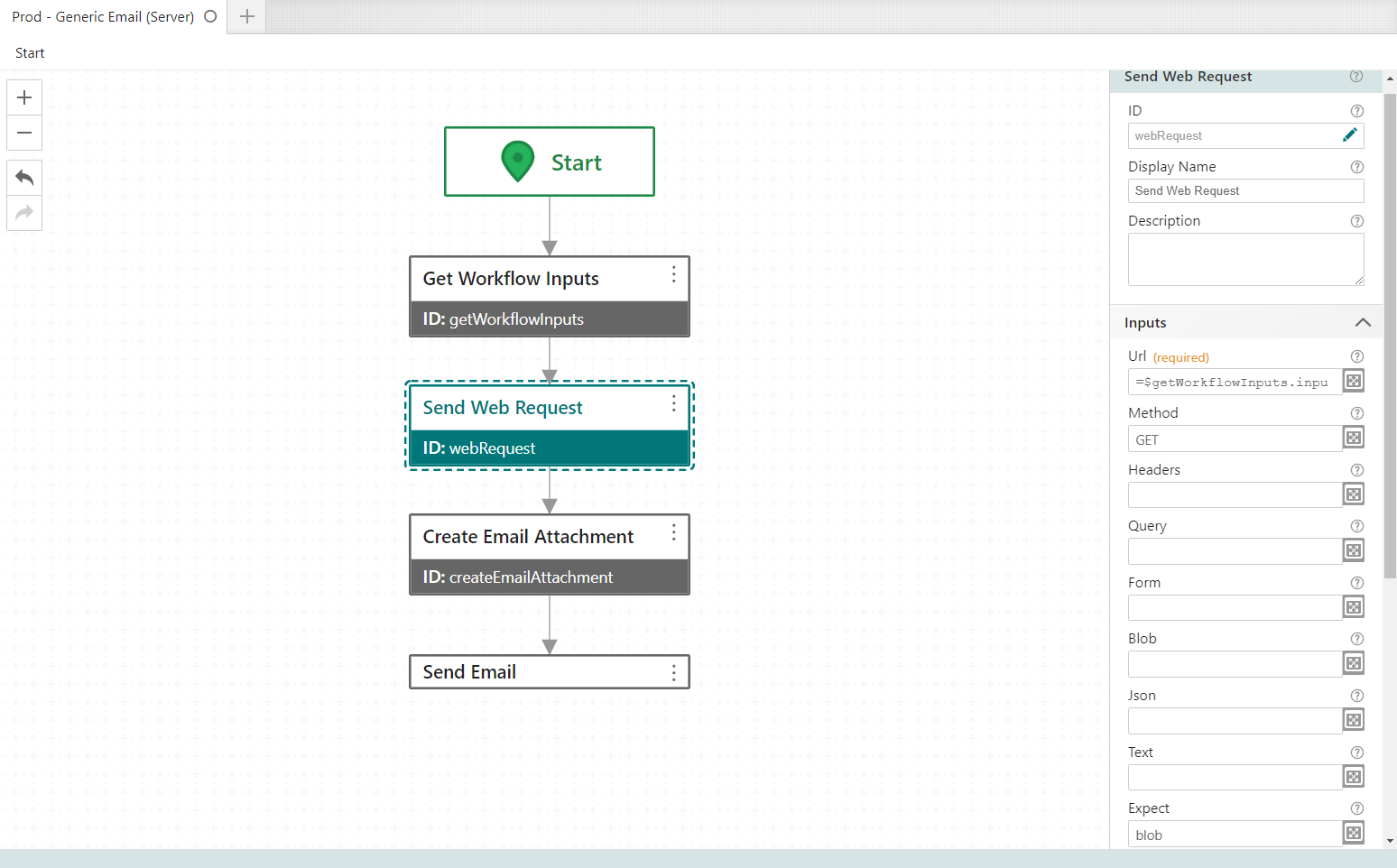
Then use the Create Email Attachment and supply the blob from the web request as input.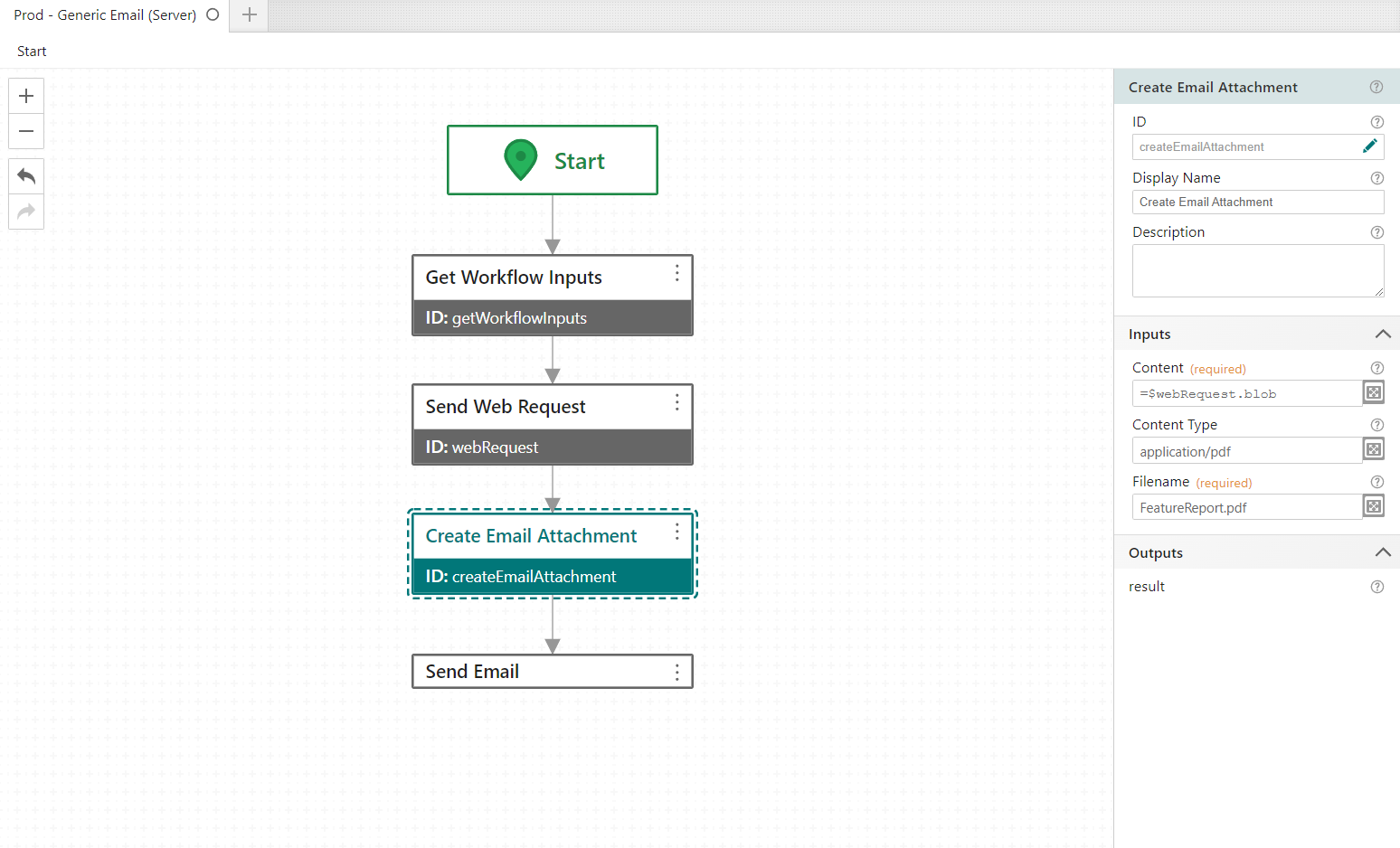
Then send the email with the attachment:
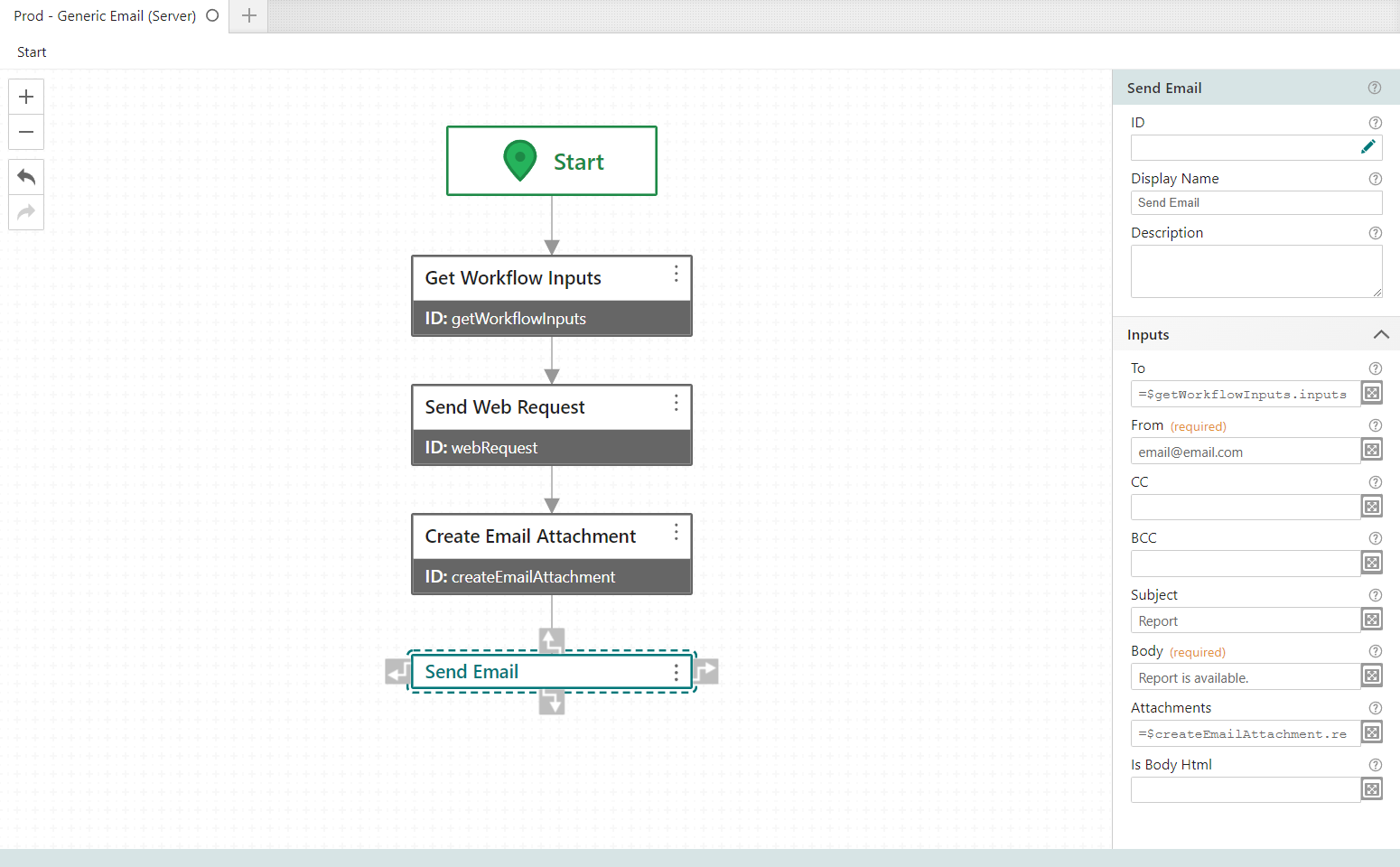
Cheers,
-- Patrick
2 -
@...,
Thank you very much. that is crystal clear, worked without any issue.
0
Please sign in to leave a comment.
Comments
3 comments