Workflow not running in Experience Builder

I have installed Experience Builder Dev Edition on my local machine and have installed the Geocortex Workflow widget in it, and it apprears in my widget listing. When I drag and drop the widget onto the canvas - I am able to select my workflow (just a simple Alert Widget), but it doesn't seem to run when I run my Experience. Not sure what I am doing wrong setting this up. I have tried all 3 options on the Start Operation (Start, Click and Open). Any help would be appreciated. I am running Workflow 5 using the SaaS option.
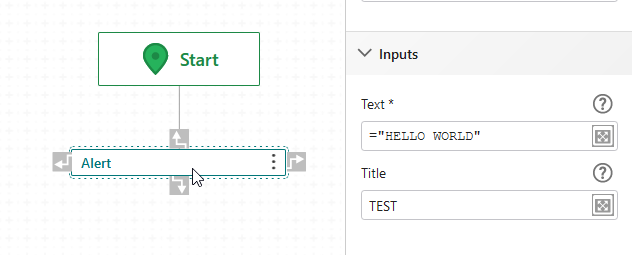
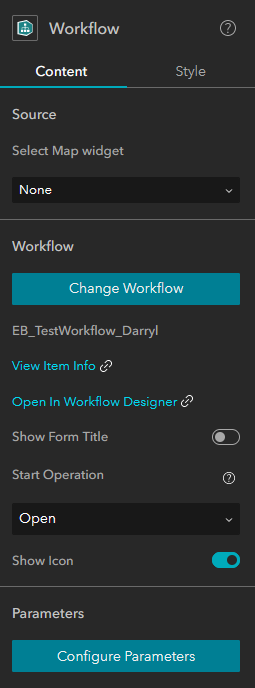
Thanks
Darryl
-

Darryl,
the only difference with mine is that I use Select Map widget. Without it I only see the workflow icon...
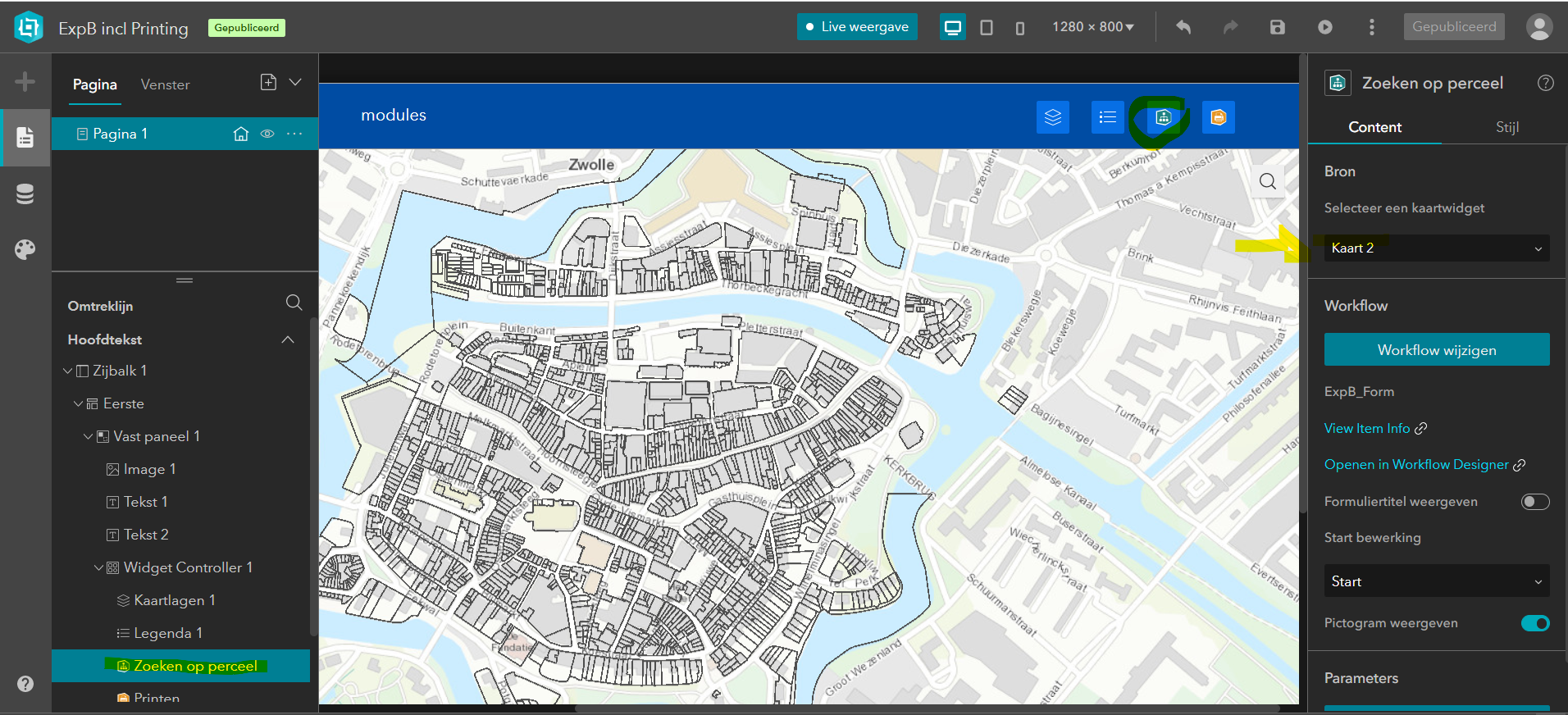 0
0 -

I am getting the same issue. I am using Experience Builder 1.9 and Workflow Version 5.28.1...The only Workflow widgets for download specify 5.26 and 5.27...could that be it?
0 -

@Carl Hughes, if you try Experience Builder 1.8 with workflow widget, it should work. Workflow widget doesn't work in Experience Builder 1.9 yet, our developer is looking into it.
1 -
I have this working now - kinda. Still having a few issues. Installed EB dev edition (1.7) and used the Foldable template. Still having issues with some of the built in widgets though, such as Scale bar on the map. The scale bar works fine, but when i add a Workflow widget - i get this message.

Not sure what this means.
0 -
This seems to have been solved with Ex. Builder Dev edition 1.9 and Workflow version 5.29.
0
Please sign in to leave a comment.
Comments
5 comments