Send Web Request - JoinFeatures

Following on from my previous question.
I'm using the Send Web Request activity to submit a job to the JoinFeatures server task.
The activity returns a jobId and jobStatus as expected:
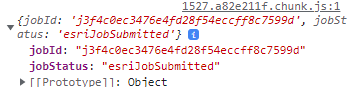
When I conduct further web requests to monitor the status of the job, the job fails with ERROR 000735: targetLayer: Value is required.
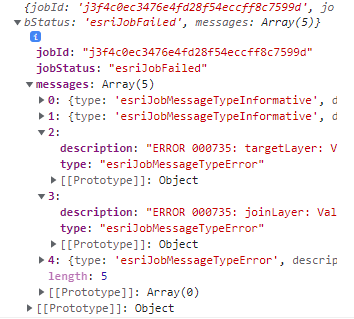
I've tried multiple variations of entering my parameter inputs...via the Form, Json and Headers inputs. I have tried passing the two layer objects as featureSets, feature collections, JSON objects, JSON strings...but nothing seems to work.
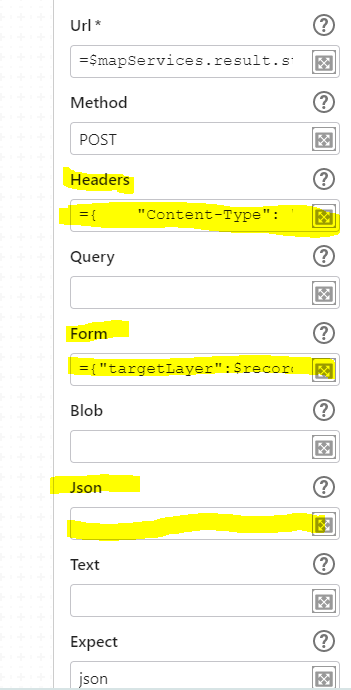
My input parameters are:
={"targetLayer":$recordsetDefects.result, "joinLayer":$recordsetParcels.result, "spatialRelationship":"Intersects", "joinOperation":"JoinOneToOne", "joinType":"LEFT"}
I can use these same parameters (the JSON object values for the first two) in Postman and I get a successful job. For some reason, it just will not work from the Send Web Request activity. As per my previous question, it looks like my input parameters are being ignored?
Has anyone done something similar and can provide some help to point out where I'm going wrong?
-

Would it not be more easy to create an ArcGIS geoprocessing task and use the Run Geoprocessing Activity?
See https://docs.vertigisstudio.com/workflow/latest/help/Default.htm#wf5/help/activities/geoprocessing.htm and sample workflow https://latitudegeo.maps.arcgis.com/home/item.html?id=21c3573546ae485aab66632f9cab9d80
0 -
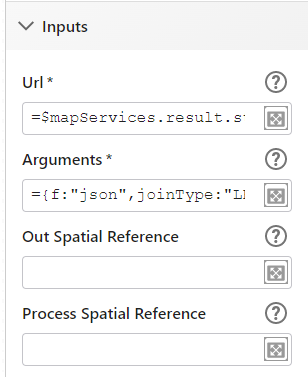
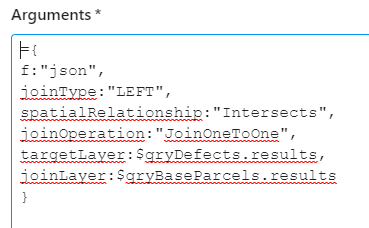
Yes. It appears that I have over-thought this whole issue. I still think it must be possible to use the Send Web Request the way I was trying too...but it is much easier to use the Run Geoprocessing activity. For the JoinFeatures task I had to use the Run Geoprocessing (asynchronous) activity and it was really quite simple in the end.
Posting this here for future me or anyone else who needs it.

 0
0 -
Good to hear and thanks for solution screenshots.
0
Please sign in to leave a comment.
Comments
3 comments