VertiGIS Studio Web 5.19.0: How to resize toolbar component?
Answered
VertiGIS Studio Web 5.19.0: How to resize toolbar component?
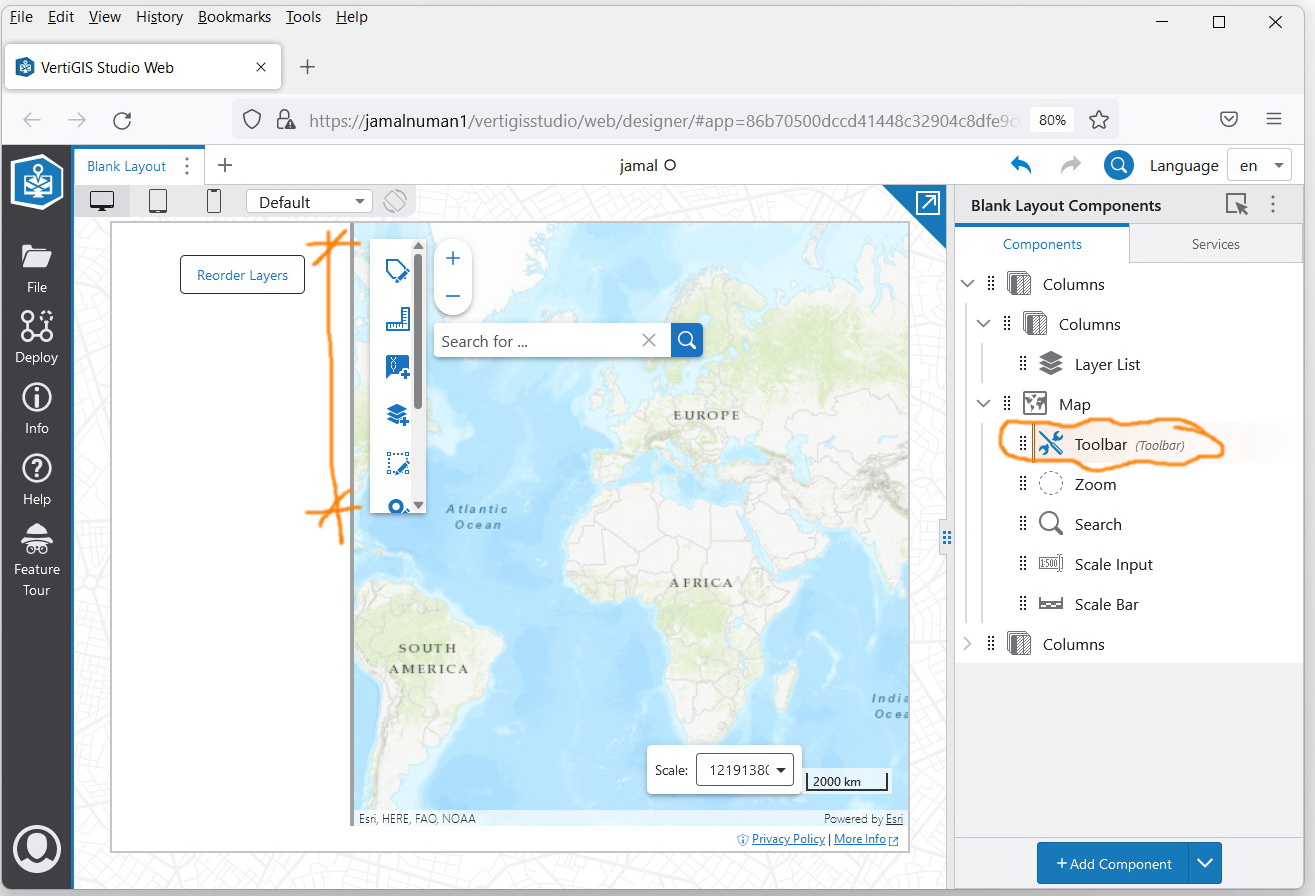
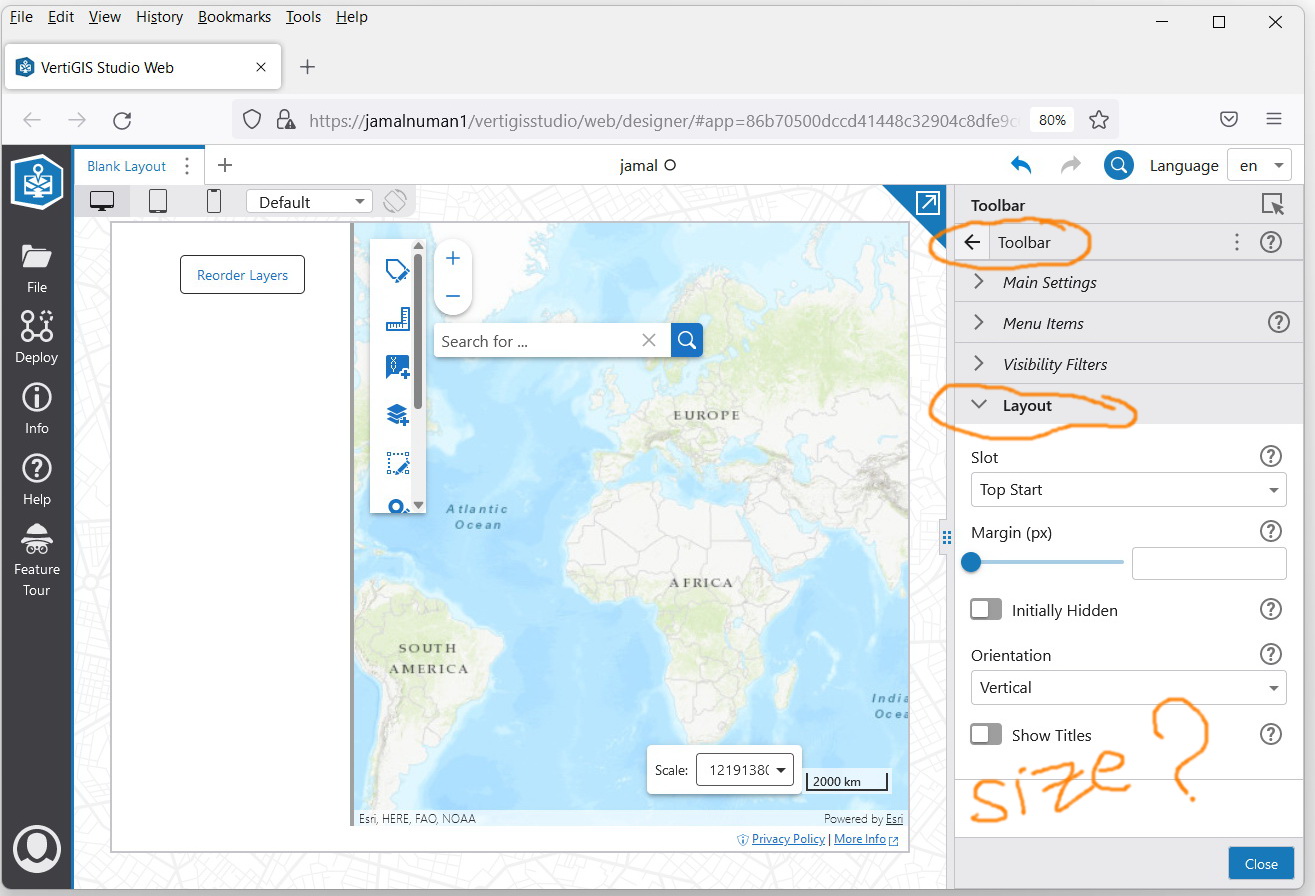
As per the screenshot below, I couldn’t figure out how to resize the toolbar component to make it long so that all icons are shown without the need to scroll down\up
0
-

Anytime you are missing size controls, you can use a Rows / Columns layout element to wrap the component you are seeking more control over ... the rows/columns give you control over the size of what they contain.
2
Please sign in to leave a comment.
Comments
1 comment