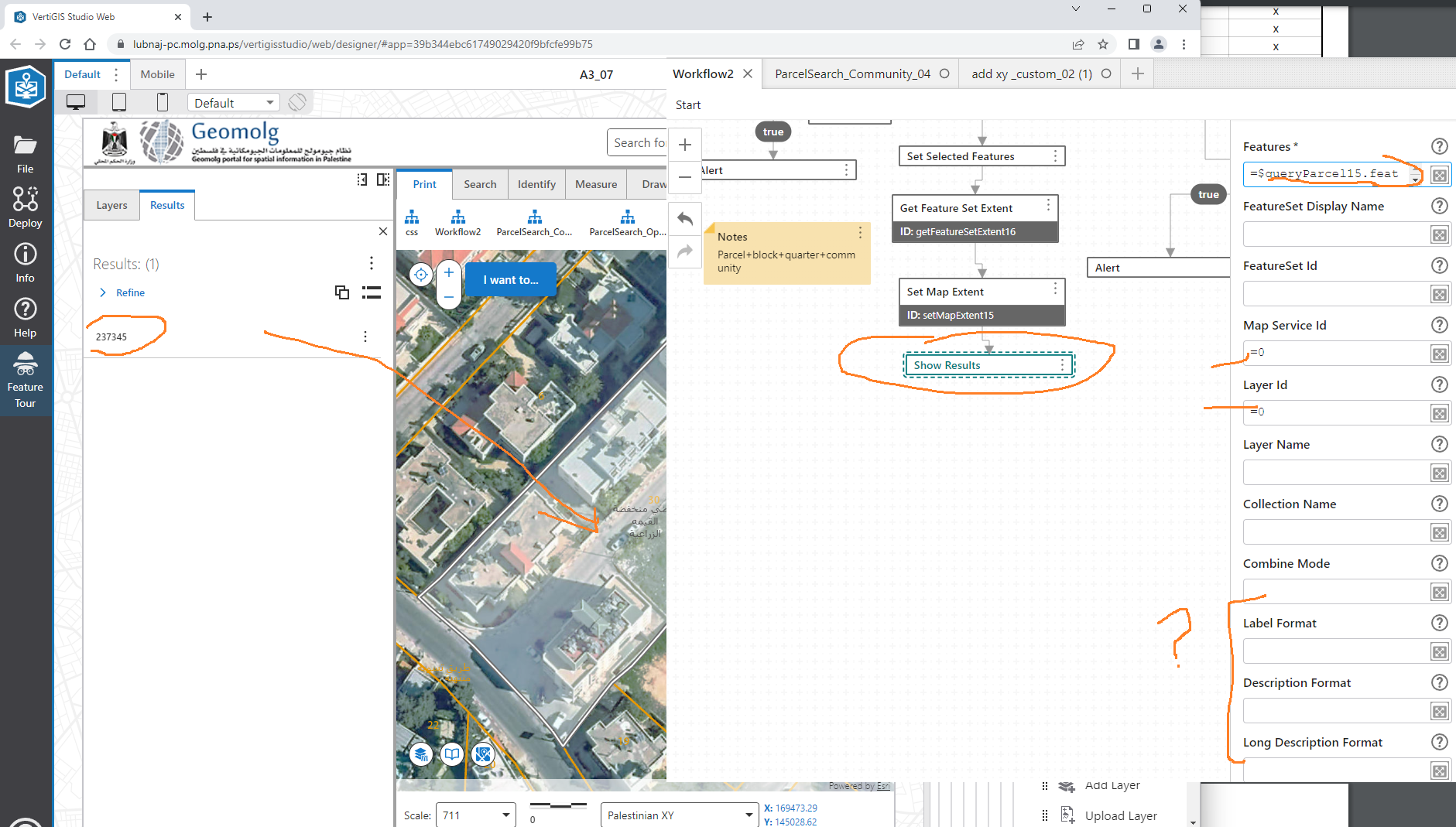
“Show Result” activity fails to show fields except the ObjectiID field;

I Couldn’t figure out of there is a way to make the label format, description and long description in “show result” activity to read the fields of the output features / query, I try many things but it didn’t work with me and it just display the objectID
What could be the issue here?
Best,
Lubna
-

+1
0 -

The map service and layer IDs you pointed out will bind the results to the layer configuration in the ArcGIS web map being consumed by the map element in the Web viewer, though I've noticed finicky behavior with that which I haven't gotten to the bottom of yet.
The label/description/long description formats supersede the configured layer configuration and should define what displays for you when you have them filled out.
Your behavior appears to be because you have no label or description configured in the Show Results activity and no configured layers match the input ID's in the map. If you were expecting the IDs to match, I'd run a Get Layer activity beforehand and check that it can see the expected layer from those same parameters. I'd also ensure that you're getting all of the attributes in your query, as I've noticed that causes me issues here in the past.
1 -
Hi Zack Robison,
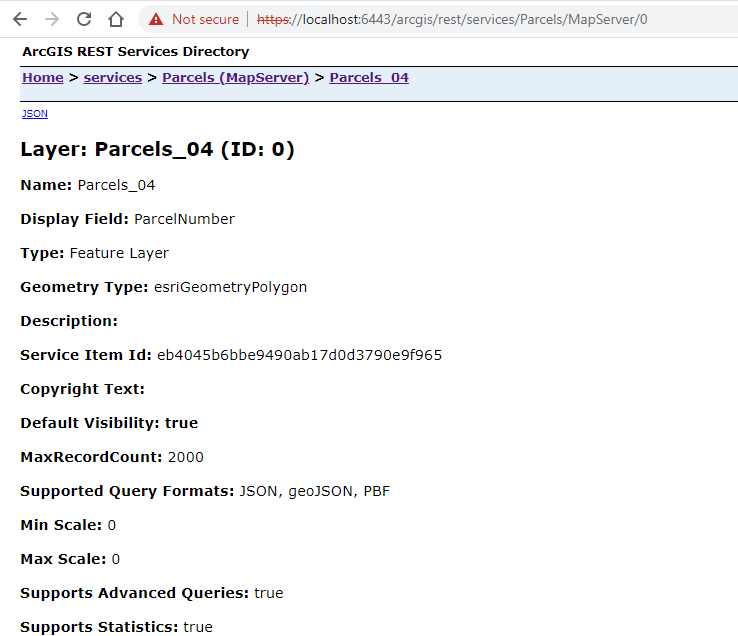
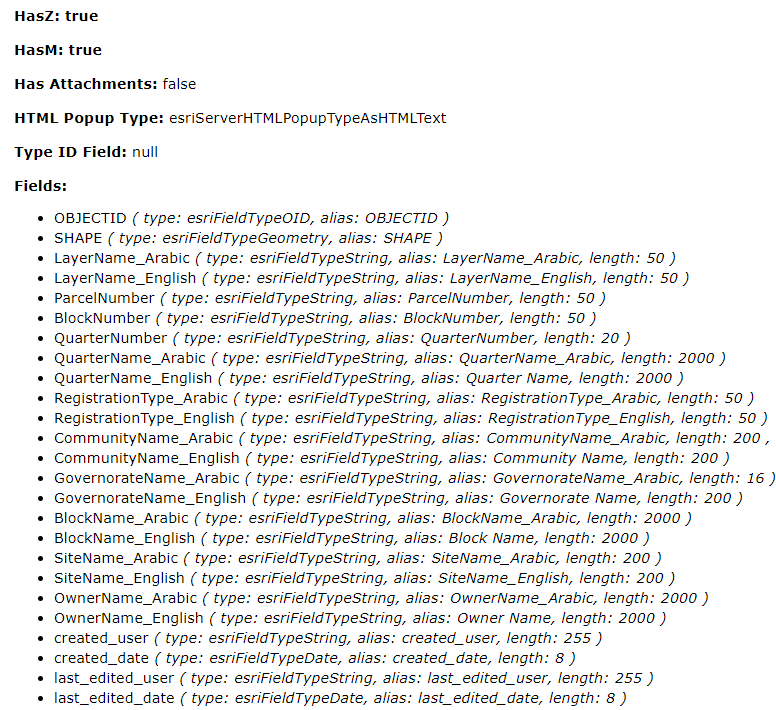
Thank you for your reply. this is my issue that I don't know what I should fill in the label/ long description in the show result activity and what is the format, the below is the maps service fields,
Any suggestions for the format will be very appreciated :)
for example, I want in the long description to display (LayerName_English | LayerName_Arabic)
 1
1 -
Are you running your query from the REST endpoint query URL of the map service, or against a layer configured in the esri web map consumed in the app?
I'm inclined to bind to the Esri map when possible and do configuration there, so that the configuration will also apply to other tools like Identify. It seems you are trying to do this but the layer ID and map service ID look wrong, unless the layer and service are both titled "0", the ID's you need are more likely map service: "Parcels" and layer: "Parcels_04" (I can't say for sure without looking at your map)... these values are found in the esri map which you can look at using the Get Map activity and the debugger. If that is your case, you can test your binding with the Get Layer activity using those ID's and see that you get a valid output using the Sandbox or Debug Console (if you don't, I highly recommend exploring the outputs of Get Map).
If you are querying directly from the rest endpoint, you will need to fill out the formats (but you can get rid of the map service and layer id's). In that case, I *think* you tokenize the fields with curly braces: "{LayerName_English} | {LayerName_Arabic}", but I'm not sure.
1
Please sign in to leave a comment.
Comments
4 comments