VertiGIS Studio Web - Disable loading related objects on identify

Hi,
I can't find a way to disable loading related objects when identifying a feature. We have several projects with a rather heavy relationship model, and Web is having a hard time loading all the relations when identifying features.
The console is going crazy with errors regarding getting the related objects, how ever it succeeds in the end.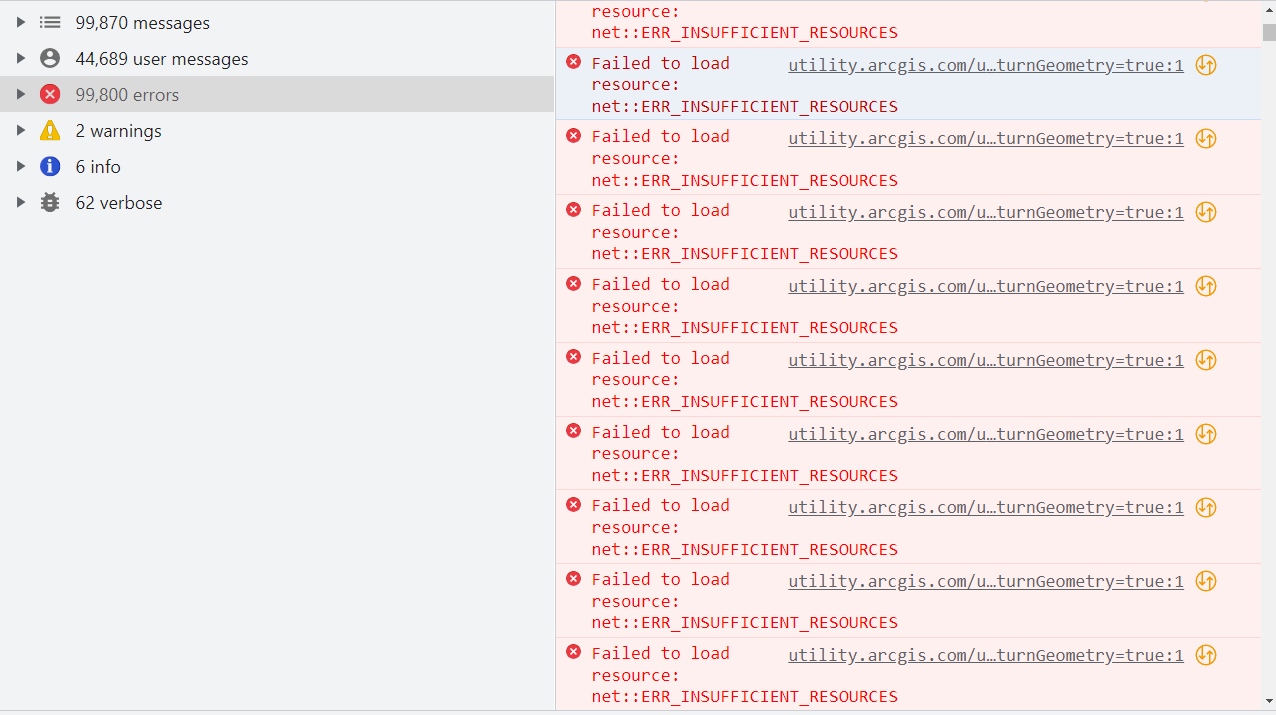
Any ideas of how to deal with this without disabling relationships in the geodatabase?
Cheers,
Sindre
-

It is possible to disable related tables from the popup config in the underlying web map. Not sure this solve the issue, though. I have also experienced that the option to disable related tables is missing as mentioned in this thread: https://community.esri.com/t5/arcgis-online-questions/disable-related-tables-in-pop-up/td-p/455953
Could be worth a try?
0 -
I'm using the new map viewer and as far as I know there is no relationships implemented in the pop-ups there (yet). I'll try the old map viewer if Cam Barnard doesn't have any other solution.
0 -

Couple of 'silly' first questions.
1. Confirm you are using a 64-bit web browser (not a 32-bit browser)
2. Confirm, this load is from trying to load and display relationships for a single feature (in a Result Details view)?
0 -
1. I'm using Chrome Version 107.0.5304.122 (64-bit)
2. The screenshot might be from identifying two features based on how the number of errors . How ever loading a single feature produces the same behaviour with aprox 50k errors.0 -
For now I can make it work by reducing the number of layers/tables in the web map, but it would be great if Web designer allowed to toggle loading related data on/off. Cam Barnard
1
Please sign in to leave a comment.
Comments
5 comments