measure tool not consistently showing all the line segment distances
Answered
Hello,
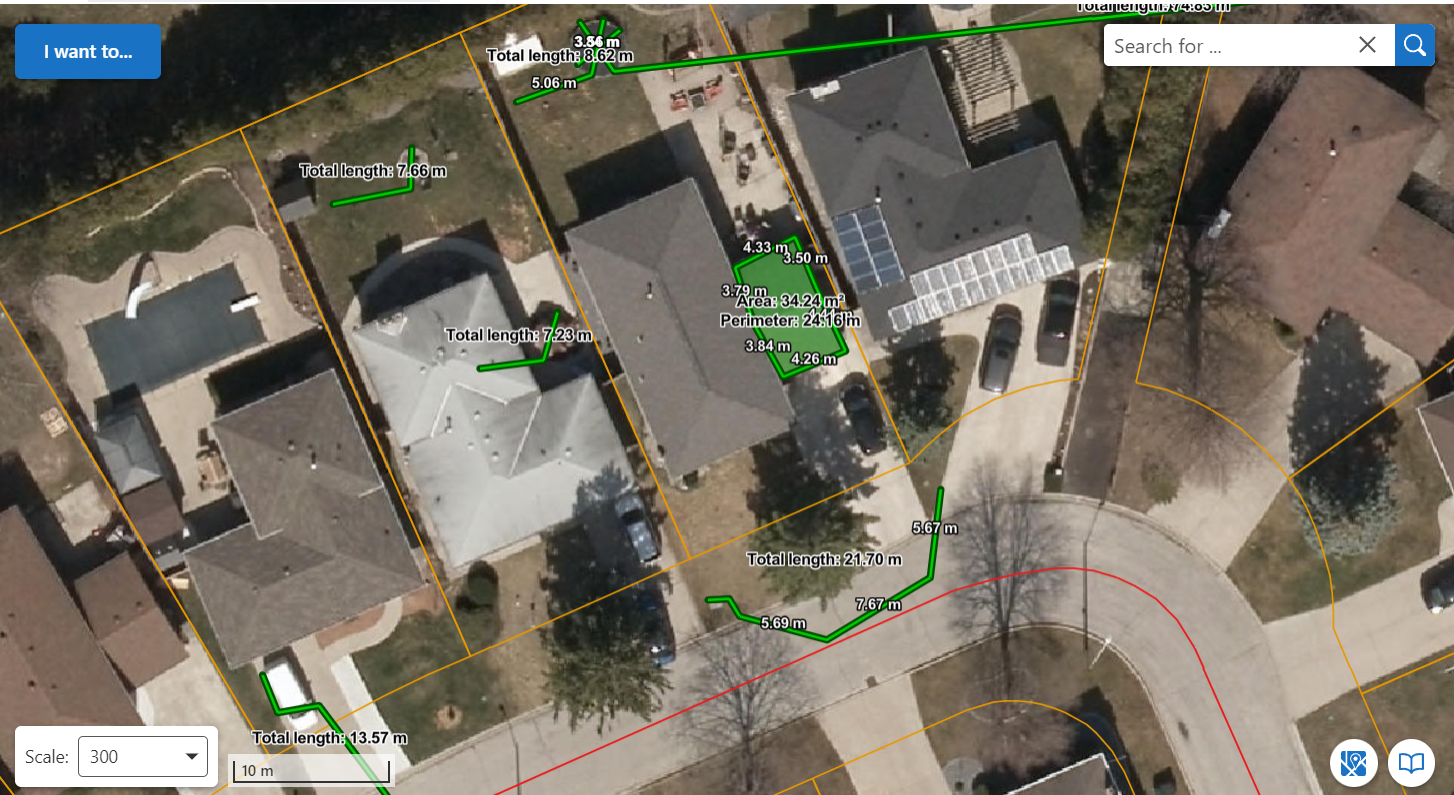
Can anyone tell me why the measure tool is not consistently showing the individual line segment lengths? I read something about browser issues...I have tried it in Chrome, Edge and IE and get the same inconsistent results. This is especially true if I am trying to measure something 5m or under...but again...not all the time. see image below.
Thanks
Larisa
-

Hi Larisa - there is an issue filed for this 192113 "Measure tool cannot give the value less than ~1m"
In short, when we implemented this we put a simple algorithm in place to hide certain labels based on a calculation so prevent labels from drawing on top of each other when the distances were short.
We are going to re-evaluate that, or provide an option to turn it off in a future release.
0 -

We are also getting a lot of feedback from our customers surrounding this issue – so we are happy to hear that this is getting looked into.
0 -
Cam Barnard, thank you. Good to know.
0 -

We have also had this issue raised, so would be interested to know when there might be an update on this.
0 -
This has been resolved in today's 5.23 release of VertiGIS Studio Web.
0 -
Cam Barnard that is great news thank you for following up! much appreciated.
Larisa
0 -

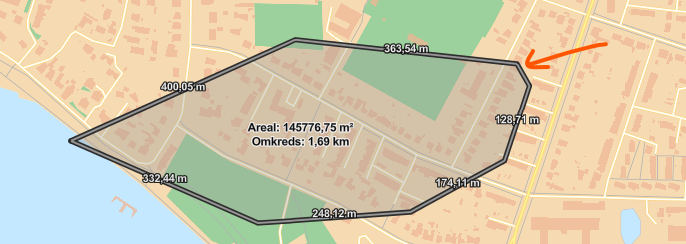
Should this be totally fixed? We find issues similar to this
We found that only certain segments are showed at specific zoom-levels. Below you can see a polygon where one segment is not showed at this zoom-level but is showed when zooming further in.
Has others experienced with?
We are in 5.30
 0
0 -
BEFORE:
* Esri Labeling code decides if there is enough room for a label at current zoom level
* VertiGIS code was suppressing labels on very short measurements
… this meant that even if you zoomed in, you'd never see the label.
NOW:
* Esri Labeling code decides if there is enough room for a label at current zoom level
… this means that if you zoom in, the label should appear (whereas before it would not)
0
Please sign in to leave a comment.
Comments
8 comments