Is there a way to avoid caching Arcade Expressions in Popups?

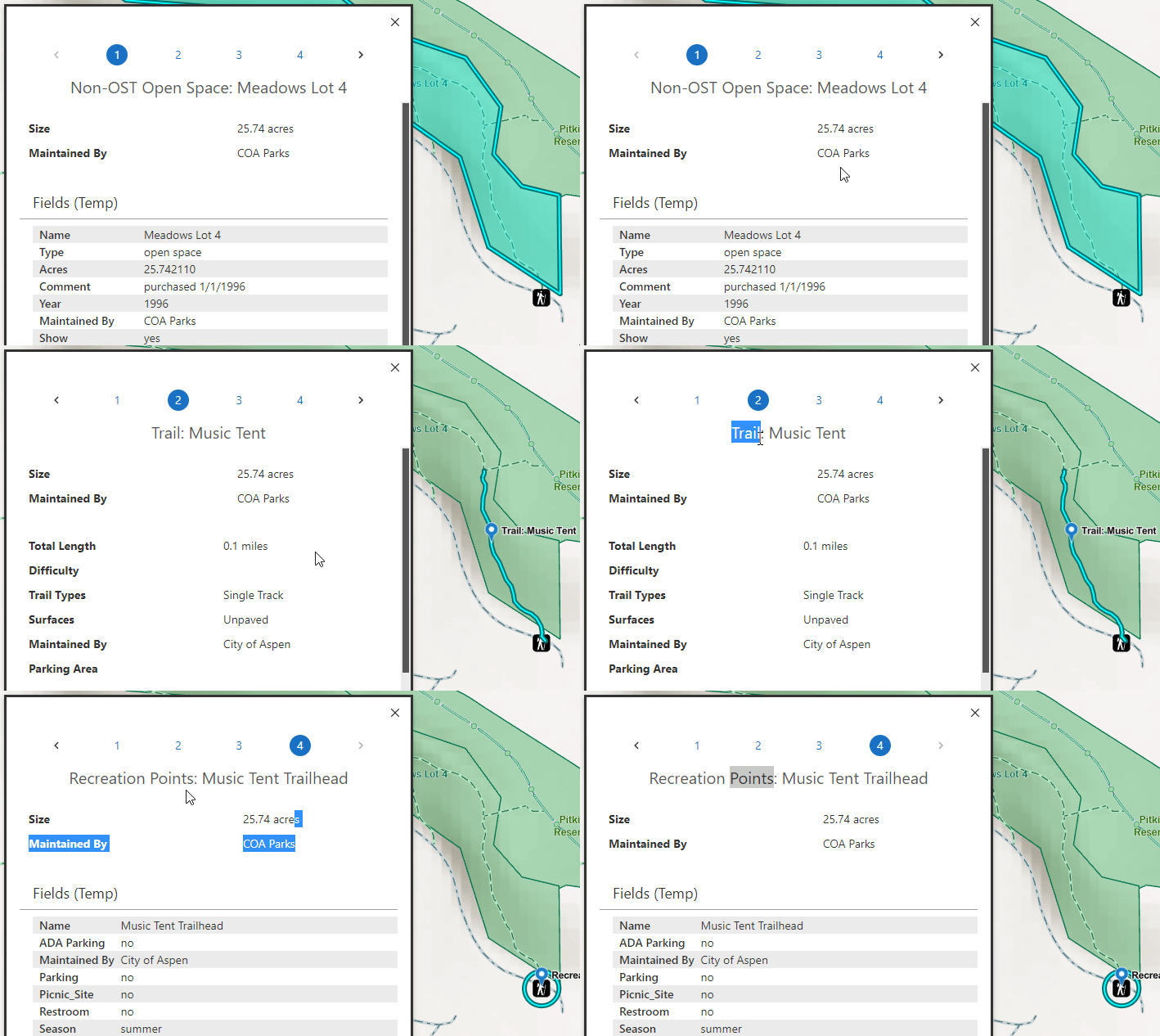
I'm consuming an ArcGIS Web Map with popups configured. It has several components generated by Arcade expressions, but if I have multiple features return to results details from a map click then the expressions only render once and they remain there for all results in the details panel as I click through the features, instead of re-rendering for each feature as happens in the Portal Web Map. Here's a gif to demonstrate what I mean, note how the acreage of the Open Space sticks around to display with the line and point features.
Thus far I've tried to add a variety of commands to clear or refresh results while clicking through the results, which has only succeeded in creating infinite loops, and I've tried using a handful of different ways to mount the results in the layout. I've not had any success yet, anyone have any ideas?
-

Are you sure you're referencing the specific feature and not the first feature returned in your results?
0
Please sign in to leave a comment.
Comments
1 comment