Get Ready! VertiGIS Studio Web 5.44 Release Candidate is Here!

Great news! The Release Candidate for VertiGIS Studio Web 5.44 is now ready, and our team has officially started the final regression testing phase.
We are targeting Wednesday, October 14th, 2026, for the General Availability (GA) release. This release takes a major step forward for Next Gen Editing, introduces Feature Context Actions in the Attribute Table, adds DXF export capability, updates our core Esri SDK dependency, and delivers a broad set of stability and bug fixes across Studio Web and the App Designer.
✨ Highlights in Studio Web 5.44 ✨
✏️ Next Gen Editing (NGE)
- Feature-Complete Editing Toolset Next Gen Editing now covers the full core editing workflow: e.g. moving, resizing, and rotating selected features or markups, adding and deleting vertices, moving vertices, and the precision mode for exact placement. Current implementation brings NGE to functional parity with the legacy editing tools it's designed to replace.
- Soft Switch Available (Beta) Starting with this release, you can toggle between Next Gen Editing and legacy editing under Services/Draw. This is currently offered as a beta option so teams can start validating NGE in their own environments ahead of the wider rollout.
-
Rollout Roadmap To help you plan ahead, here's how we'll be transitioning from legacy to Next Gen Editing over the next few releases:
- 5.44 (October): Switch available (NGE off by default)
- 5.45 (December): Switch available (NGE on by default)
- 5.46 (February): Legacy editing is removed completely
📊 Data Discovery & Editing
- Feature Context Action Support The Attribute Table component now supports Feature Context Actions, and unlocks interactivity with the map with e.g. the zoom to action.
- Related Table Editing You can now edit related tables that have non-nullable fields defined in Esri forms.
- Batch Feature Creation Added support for batch creation of features in a target layer from selected source features.
- Export Features to DXF (available for testing from the RC starting Monday) Added a new DXF Export functionality.
⚙️ Configuration & Usability
- Web Template Standardization Reviewed and standardized the app configuration of our Web templates for more consistent out-of-the-box behavior.
- Safer Default for Definition Expressions The "Apply Definition Expression" setting in App Designer is now toggled off by default, to avoid unexpectedly filtered layers.
- More Robust Configuration Validation Replaced our AJV-based JSON validation in App Designer with a more resilient approach that avoids runtime crashes on large configuration schemas.
🚀 Modernization & Framework Upgrades We are committed to keeping your web applications modern and reliable.
- Core Technology Updates Updated to ArcGIS Maps SDK for JavaScript 5.1, upgraded App Designer and the core rendering framework to React 19, updated our web/arc-x packages (including a major version bump for react-window), and updated to the Studio Workflow 5.53 runtime engine.
🛠️ Stability & Bug Fixes
- Performance & Memory Resolved duplicate requests for Arcade attribute expressions that caused slow load times and rising memory usage, fixed a memory leak when scrolling or interacting with the Results Table, and fixed a memory leak in looping workflows that continuously check a map service and update KPI cards.
- Editing & Snapping Fixed snapping to line intersections incorrectly selecting a connecting line instead of the vertex, and resolved snapping not working on a feature that was just created (fixed in Next Gen Editing).
- Search & Authentication Fixed Esri Search failing and throwing an error when layers contain Z and M values, and resolved the authentication prompt failing to load when signing in on iPadOS 27 and iOS 27.
- Printing & Basemaps Fixed a blank Layout print output when using VectorTileServer, resolved a false spatial reference compatibility warning when adding WMTS as a custom basemap, and fixed the Predefined Tile Cache Tiling Scheme being ignored for scales closer than 1:100.
- Workflow & Projects Fixed multiple workflow.run commands in a launched app intermittently triggering the wrong workflow or alert message, resolved shared projects failing to display in the runtime application component in specific cases despite successful storage, and fixed apps failing to load a project when result items originated from markup graphics.
- Data & Coordinate Systems Added support for local coordinate systems without transformation, fixed colors and symbology not displaying correctly in the legend during LPKX import, and resolved the Data Link configuration panel displaying the wrong name after adding a second data link.
- Layer Configuration & Deployment Fixed layer icons breaking after cross-Portal deployment due to URLs referencing the original Portal, resolved a false failure modal triggered by 404s on layer icon updateResources/removeResources requests during deployment, fixed deleted Additional Basemaps reappearing after saving and reopening an app, resolved Definition Expressions in Layer Presets not working when created and imported from Studio Desktop, and fixed Layer Preset visibility settings resetting to 'No changes' on save when the Map component includes a Webscene.
- Other Fixes Resolved the 3D Scene Viewer template including an unsupported Printing setting that caused a Reset to Defaults error, fixed the Identify tool error message incorrectly including non-failing layers, fixed the Platform API Key in Portal Settings failing to authenticate secured layers in public apps, resolved Quick Add Layer from File failing with a missing geometry parameter error, and fixed a stability failure when referencing invalid or incompatible custom libraries.
-

I would like to have more information on the “Web Template Standardization” topic. What was changed/improved?
0 -

Version 5.43 listed the ID 386494 as “Known Issue” (Enable Show and Hide Layer Labels actions for Map Image sublayers without edit permissions). The changelog still lists it only as accepted (with a release-date 1970-01-01???), and your highlights for 5.44 don't mention it as solved.
How long do Known Issues “normally” take to be resolved (I know it's hard to tell)? This bug is blocking us from updating. Everything works fine in 5.36 but got lost somewhere inbetween 5.37 and 5.42 (german support wasn't able to pin down the exact version).
2 -
Nico Burgerhart
- Basemaps were added explicity but their sublayers were left out
- IDs were adjusted to be more descriptive
- All menus were flattened
- Geocoder settings were removed
- The order of keys in each object were adjusted. Designer prefers IDs at the top, followed by the icon, and at the very bottom the type of item
0 -
Holger Frommer it can't be generalized regarding when I known issue is going to be resolved. It depends on the severity of the issue and on how many customers are affected by it. Critical issues are fixed by the next release, while bugs which happen just under very specific conditions, or if there is a feasible workaround, then the fix happens just versions later.
Regarding 386494. This was turned into a user story. While it is expected behaviour, hiding and showing labels shouldn't get the same restrictions as editing/updating. Therefore, more work needs to be done to solve it.
0 -
Hi Christian,
Thanks for the clarification. Although I can't see why this should be an “expected behaviour”…
It's not satisfying to read copy-paste sentences like “It depends on the severity of the issue and on how many customers are affected by it.”. We have reported bugs nearly two years ago which still are not solved. Some are regional issues, I know (308549, submitted Nov 2024), but others impact every user like returning false results (314895, submitted Jan 2025). And there are a lot more.
Anyway, we will have to wait. Again.I know my post won't speed up anything, and please don't take anything of it personal. I'm just frustrated.
2 -

Has anyone tried Next-Gen Editing yet?
I activated it under Services/Draw, yet am not noticing any difference to before.
0 -
We've already received some feedback from customers regarding Next Gen Editing. Please mind, that after activating it under Services/Draw, the App must be saved and restarted. Goal of current release was feature parity, so no new functionality yet.
-2 -
So no changes, at all?
I was getting my hopes up that at the very least, we'd be able to modify a drawing's symbology while drawing, and not only afterwards when editing it.
These are absolute basics that VSW still hasn't gotten right.
1 -

Is the requested feedback regarding whether the NGE addresses all the same capabilities as the legacy version in our existing applications? Overall, I'm just trying to understand what the “ask” is and if we to provide feedback beyond that, such as new capabilities or behaviors?
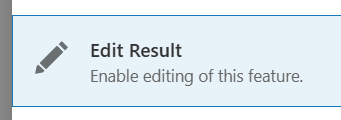
Also, other the high-level listing of capabilities (above), where can we find guidance on what has been added/altered? For instance, I noticed there is a Edit Result command in the Attribute table now (good), but the guidance doesn't mention anything about it: https://docs.vertigisstudio.com/webviewer/latest/admin-help/settings-attribute-table.html (bad).
My main concern is that we have a suite of editing application that use a mix of out the box Vertigis Studio Web capabilities, Vertigis Studio Web events, and Vertigis Studio Workflows. What, specifically, will be retired in version 5.46 that we need to rewrite before then?
0 -
Mike Diss-Torrance Thank you for your questions and for testing Next Generation Editing.
What we are asking for. Our intent is to keep all commands the same and only change the engine behind them. When we ask for testing of the Next Generation Editing beta, the goal is that all of your existing functionality keeps working. The most valuable feedback is therefore any case where one of your editing apps behaves differently from legacy editing, whether it uses out-of-the-box capabilities, events or workflows. Feedback beyond that, such as ideas for new capabilities, is welcome too. Please post those as ideas in the community, so that they can be tracked separately.
What will be retired in 5.46. What is retired is the legacy editing engine itself, not the commands you use. As announced, 5.44 lets you switch between Next Generation Editing and legacy editing. In 5.45, Next Generation Editing is on by default and the switch is still available. In 5.46, in February, legacy editing is removed. Because the commands stay the same, our intent is that you do not have to rewrite your apps, workflows or event handlers for this change. We cannot 100% rule out gaps, which is why we ask for testing your specific configurations and use cases before 5.46.
0
Bitte melden Sie sich an, um einen Kommentar zu hinterlassen.
Kommentare
10 Kommentare