Additional drawing/measurement shapes

It looks like the measure/draw tools currently include point, circle, rectangle, polygon, and line. Are there plans to add additional types like freehand line and shape to have VSW reach parity with the shapes available in the GVH?
-

John,
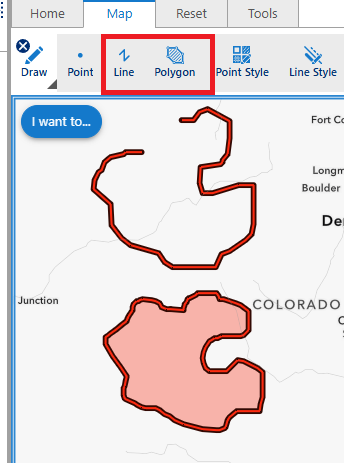
For the existing VSW Line and Polygon tools, you can click then drag the line to draw in free-form. You must double-click to end the graphic.
Cheers…Rick
 1
1 -
Oh that's very interesting! I think my users will be able to pick that up, but is there anyway to generate a prompt or otherwise when they activate a draw/measure tool to tell them how to use it this way? I think there will be some stumbling otherwise.
0 -
You could add a new drawing tool like this to your toolbar.
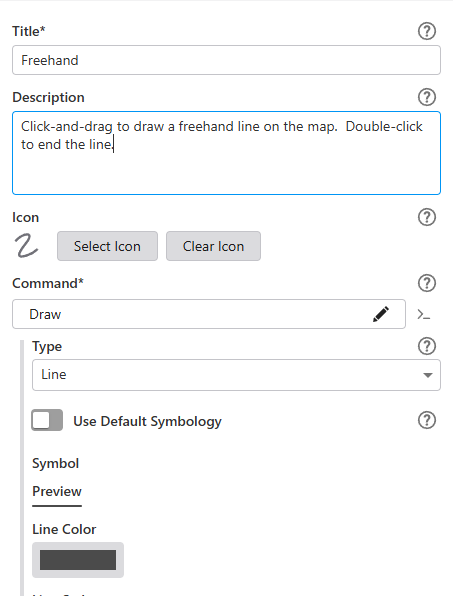
Then the user can hover over the tool button for instructions…Note: my capture software did not capture the mouse pointer.
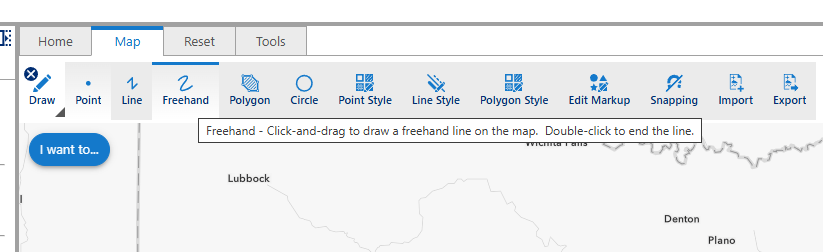
Cheers…Rick
0 -
Clearly I'm newer to VS Web, so thank you for that guidance!
0 -
Sure thing. We started our Geocortex to VertiGIS Web conversion last July…it has been a learning experience for sure!
1 -
Hmm, just noting here that freehand line/polygon does not appear to work with the measurement tools though, in case anyone else is reading this.
0 -
I just setup a new measure tool for circle and noted that [Circle, Line , Polygon & Rectangle] are currently the geometries that can be measured.
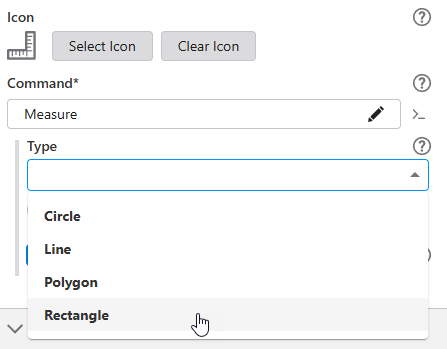
But, I also noticed that tool icons for other measure tasks are included in VSW, so there may be a way to create a custom command for those tasks.
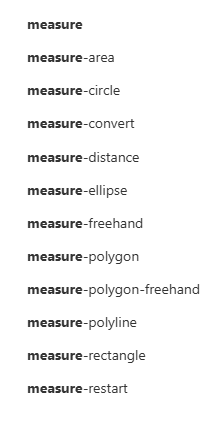
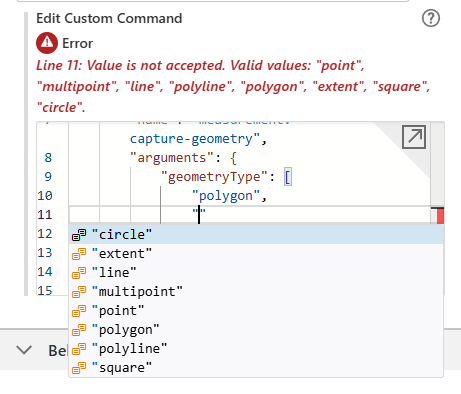
I tried creating a custom command using multipoint with polygon & polyline but it failed.
 0
0 -
Anyone from VertiGIS that can chime in on this one? Any way to create freehand measurement tools in VS Web?
0 -

I also would like to know if its possible to create a freehand measurement tool in VS Web?
0
Bitte melden Sie sich an, um einen Kommentar zu hinterlassen.
Kommentare
9 Kommentare