Experience Builder Widget Install

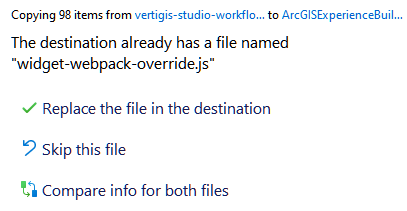
When installing the Workflow Widget for Experience Builder Developer Edition and unzipping to the root, the destination already has a file named “widget-webpack-override.js”
What should be done in this situation?
-
Offizieller Kommentar

Hi Erik Engstrom
You want to replace the existing file. Experience Builder comes with a placeholder file that allows us to add in any necessary changes. The workflow widget comes with a modified version of the file that enables widgets to be built using the latest JavaScript features. -

I recently ran into an issue where I needed to uninstall the widget from Developer Edition. I had failed to check compatibility with the version of ExB I had installed (1.2). The client was stuck with an error message. Removing the widget folders did not work, but fortunately I had saved a copy of the original widget-webpack-override.js file. Once I replaced the overwritten file with the original, ExB worked again. Just a word of caution!
0
Bitte melden Sie sich an, um einen Kommentar zu hinterlassen.
Kommentare
2 Kommentare