Many Missing Layer Icons

Hey Everyone,
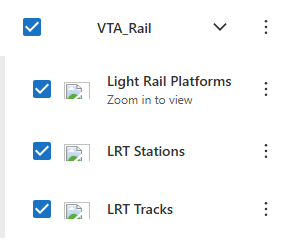
Wondering if there's a way around the fact that when I click “Create Layer Icons” in the Map component, most of the layer icons don't load. Most of them show the broken image icon.
In my client's Geocortex viewer apps, these icons all show up, but in VSW, the icons are broken.
Below, the left image is VSW, and GXE is on the right. Even these simple symbols, which I would not expect to be broken, are. I have other layers that use for sure custom-designed layer symbology defined by my client in ArcMap/Pro and published w/ the service, and they show fine in GXE, but not VSW.

Any help is appreciated. Thanks!
- Jack C.
-

Hi Jack Charde this is a new one to me. I would have a look at the browser dev tools, there may be clues in either the console or the network tab that detail why those are failing to load. What do you see there? If at all possible I would also suggest sharing your app here if you can.
0 -
Hey Gareth, browser dev tools reveals a number of 404 errors for the offending icons. The URL structure of those requests goes to the Portal sharing URL, as below. It's interesting because in some cases, the highly customized layer symbologies created by the client do display, while some simple ones you'd normally see in Map Viewer don't. In other cases, it's flipped.
https://<domain>/portal/sharing/rest/content/items/<alphanumerical_item_id>/resources/legendIcons/<guide>.png?token=<token>
I'm unable to share the apps since they're internal-only and the environment is in a transitional state, inaccessible to all but those who can access it with VDI.
0 -
Hm, a 404 implies the items are not there. That URL is the path to the resource folder in your VSW app. I would try:
- -opening that URL (token and all) in a browser - same 404?
- re-creating the layer icons in the same app, does that change anything?
- testing the behaviour in a fresh app, same issue?
A bit more info may help us figure out this issue.
0 -

I was having the same problem with 404 errors for layer icons in VSW, and Gareth's second suggestion (clearing layer icons followed by creating them again) fixed it so the layer icons appeared again.
0 -
Hey Gareth,
I decided to try the second option, as Geoffrey did, and that worked for me. I had to clear and create a few times, but eventually all the icons popped up. This is only in one app with simple icons, but I'll try this for all apps I have. Thanks for the assistance :)
- Jack C.
0 -
That's definitely odd! It sounds like you might have encountered a bug.
Could I ask for a favour? If you can reproduce this issue in an app, please consider creating a Support ticket. This will allow the team to triage it and, if needed, escalate it as a bug report.
To provide the most helpful context, it would be great if you could reproduce the issue with your browser in developer tools mode and generate a HAR file. The HAR file will capture the network requests made during the process and help us better understand the underlying issue.Thanks in advance for helping us get to the bottom of this!
0 -
Possibly! Definitely, I can check if it's reproducible. I've had a few support tickets that required a HAR file. I also have a number of apps to still set layer icons for, so I will keep an eye out for this behavior and generate a HAR. I appreciate your presence in my posts asking for help!
0 -
I've submitted a support ticket that contains a HAR of me iteratively attempting to generate icons. It goes back and forth between a certain layer's icon being generated or failing to do so, so hopefully they can see that and identify an issue.
0 -
To update anyone who comes across this thread, this is an existing bug (#300937: Layer Icons intermittently fail to load).
0 -

Thank you Jack for sharing this information!
0
Bitte melden Sie sich an, um einen Kommentar zu hinterlassen.
Kommentare
10 Kommentare