Demonstration sites - apps available for review? Panel dividers how to.

I found these demonstration sites and am interested in looking at the apps so that I can see specifically how the layouts are put together. I like the looks of the Government VSW site but I don't see anywhere to download the app so I can see how it's organized. Is this available somewhere?
TIA
ETA: I'm looking for how to create these strong dividers:
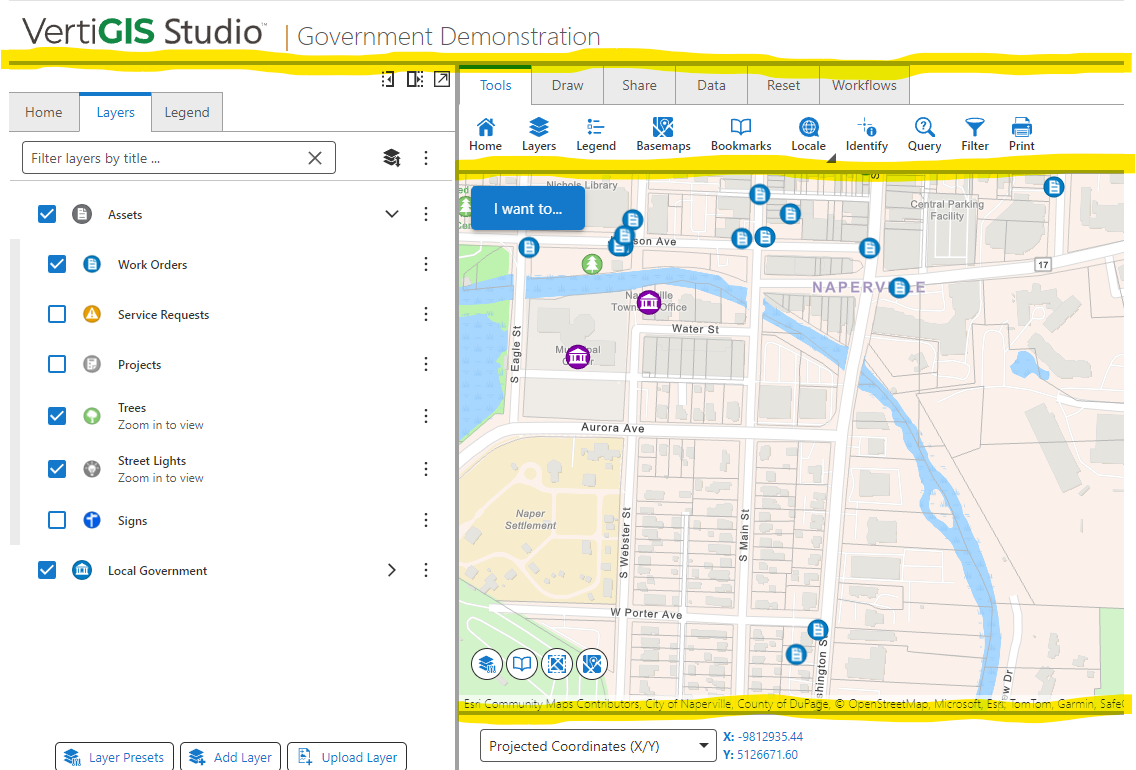
-
It looks like this is a job for an initialization workflow with the InjectCSS activity, per Gareth Finney's great examples in this thread.
I got my lines by using the developer tools/Elements pane to locate the appropriate CSS selector. I'll have to play with this some more, but what I've got so far is this CSS:
/* Horizontal line below panels and toolbar */
  .gcx-component-container-horizontal, .gxw-ltr-1rjrj7w {
  border-bottom: 2px solid rgb(161, 161, 161);
}
The first element added lines below panels, and the second is the specific selector for the toolbar because it didn't work without it.
Here is what it now looks like, which I'm pretty pleased with:
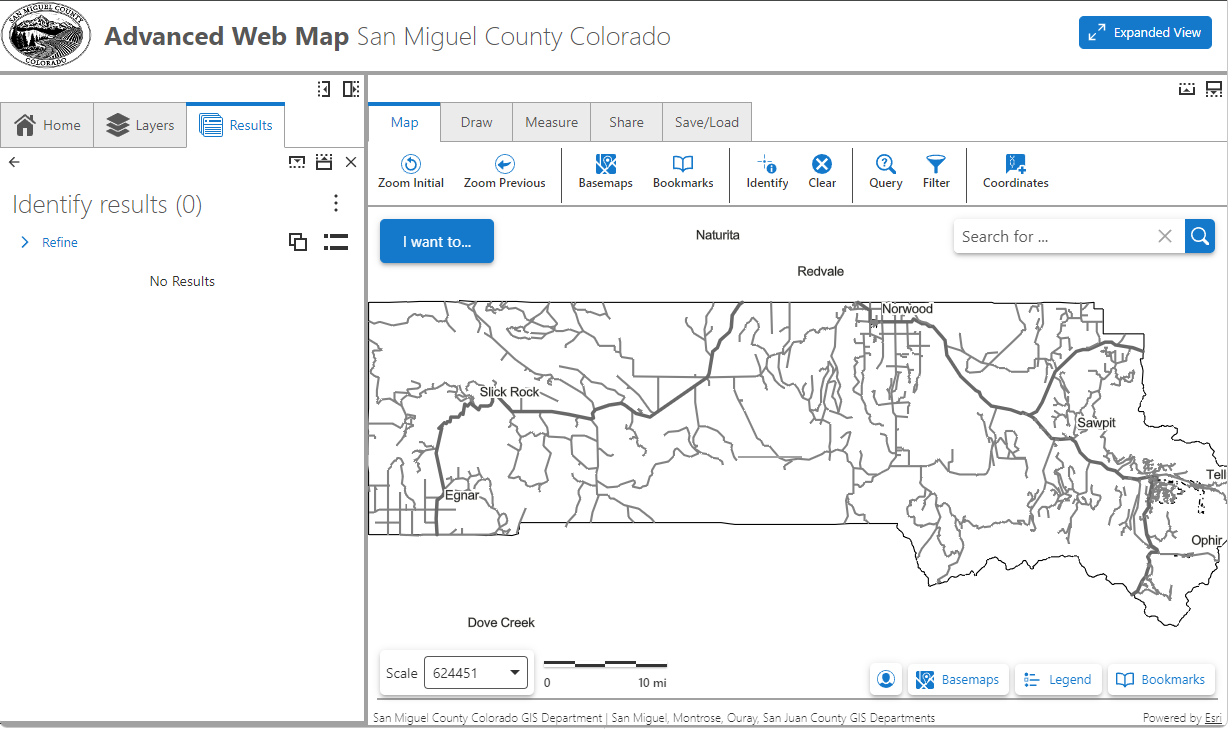
I have it loading the compact view (“set density”) by default in the App>Layout Events>Desktop Landscape layout>Layout loading event per that same thread. That way, my InjectCSS workflow can go in the application initializing spot.
Thanks, Vertigis Community!
2 -

Hey Heather Widlund - I am part of the team that manages our demo application environment. While it looks like you found a solution thanks to our awesome community, I thought I would share a few notes:
- We would love to share the config for these apps; however, there are specifics items in there that we cannot, and pairing the app down to only what we can share would mean reducing it's value.
-
The specific solid lines you are referring to are from making a panel resizable, see this toggle in designer:
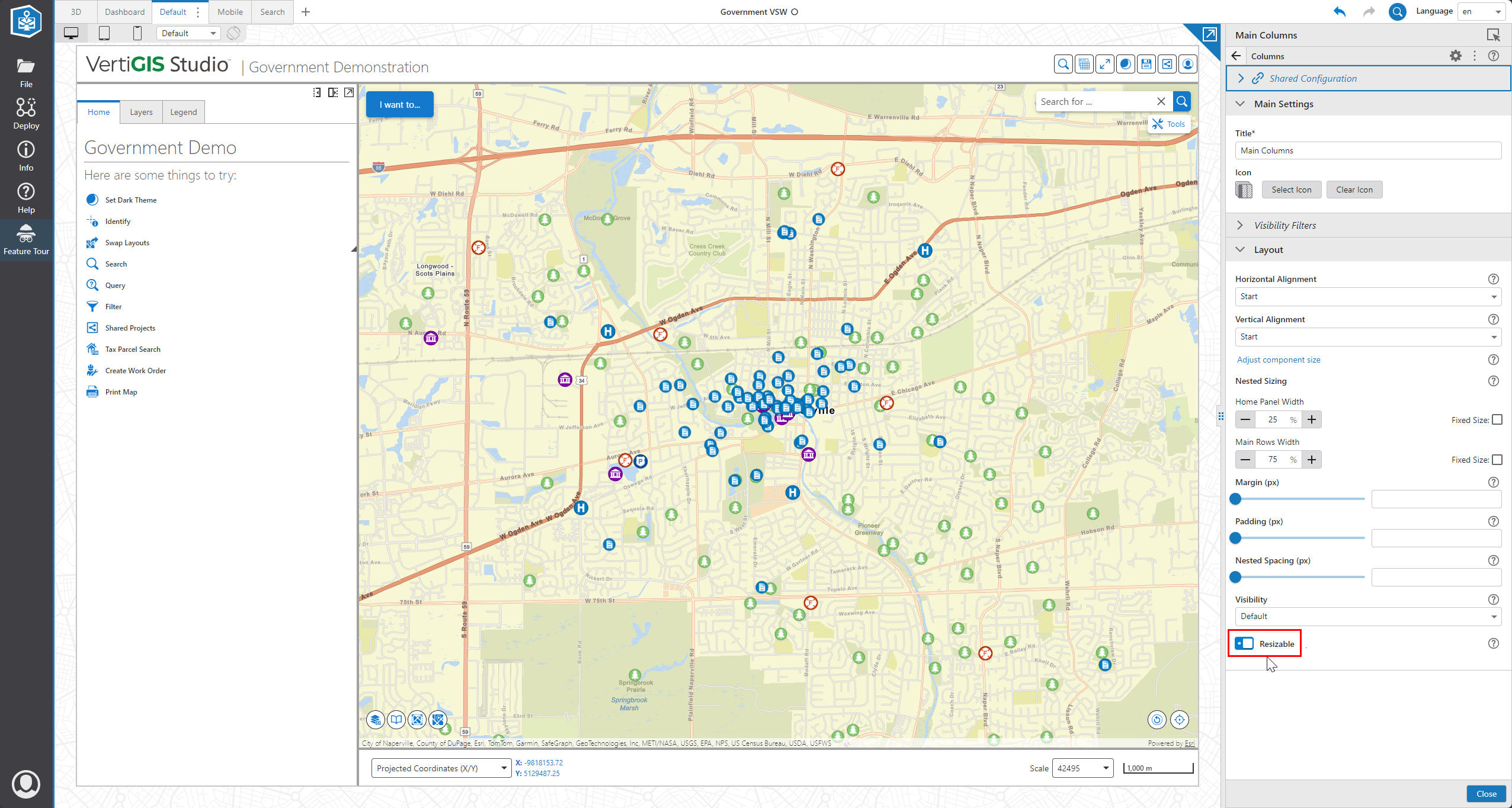
Though, that may not actually be the functionality you want if you are focused on aesthetics.
I think your CSS implementation is a good one, because it is a specific selector and it loads at the right time.
2
Bitte melden Sie sich an, um einen Kommentar zu hinterlassen.
Kommentare
2 Kommentare